- DATE:
- AUTHOR:
- The Eightfold team
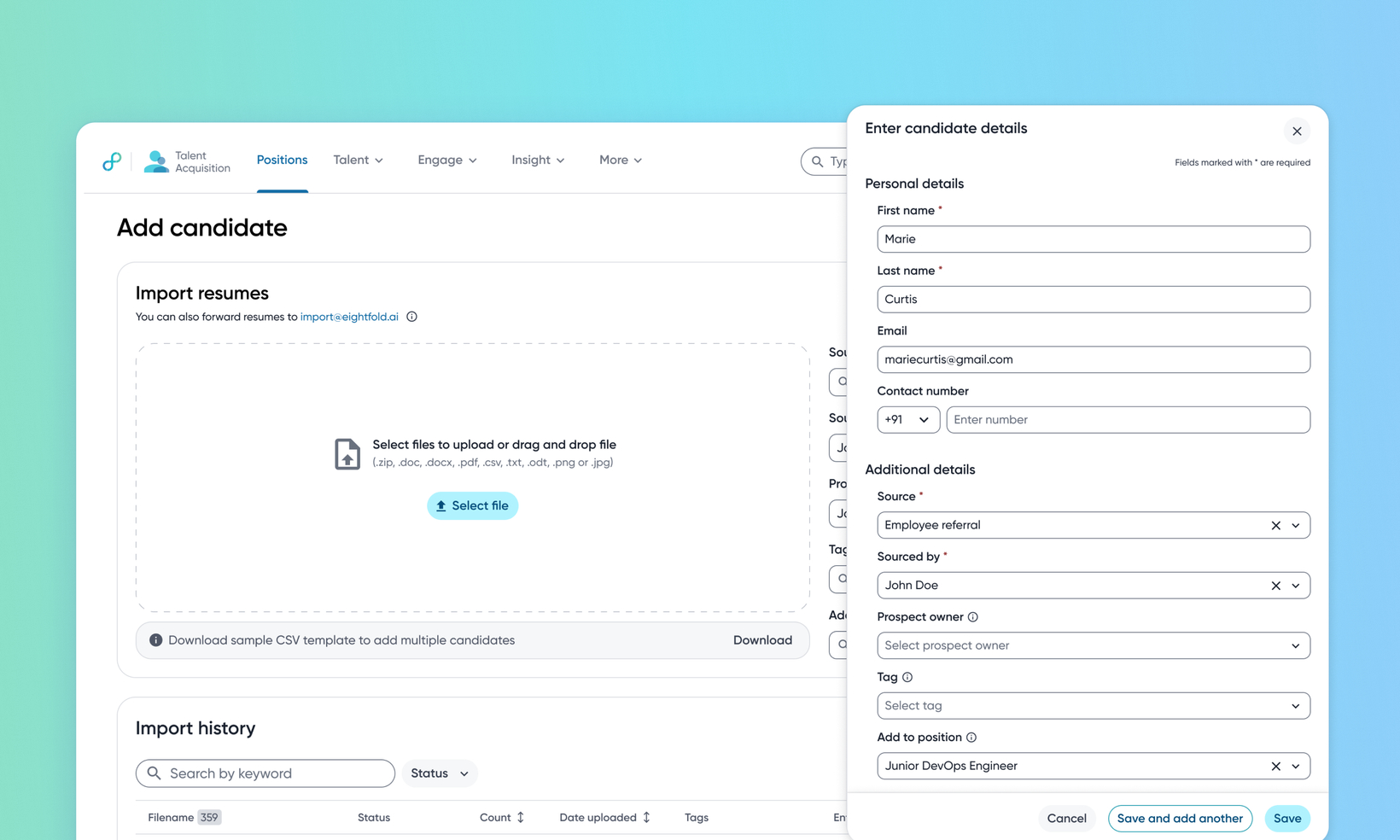
Add candidates manually in Talent Acquisition
Default on
Who: Recruiters, Sourcers, Customer Admins
Requirements: Redesigned resume and candidate data import must be enabled
What's new: Modern sourcing often involves finding talent on non-traditional platforms where candidates may not have standard resumes readily available. This release introduces manual candidate creation through data entry, allowing recruiters and sourcers to add profiles to a talent pool directly. Previously, adding a candidate required a PDF resume, an email-based profile capture, or a LinkedIn integration, which blocked sourcers who discovered candidates from sources outside the supported ingestion paths.
How it works: A new Add Candidate > Enter Details option is now available across multiple pages within TA, including the global candidate and Import Resume pages. This action opens a data entry form designed to capture profile information directly. To know how to add candidates using this method, read How to add candidates manually.
To know about the configuration options for this feature, read Configure manual addition of candidates.
