AI Companion dashboard improvements
WHAT'S INCLUDED
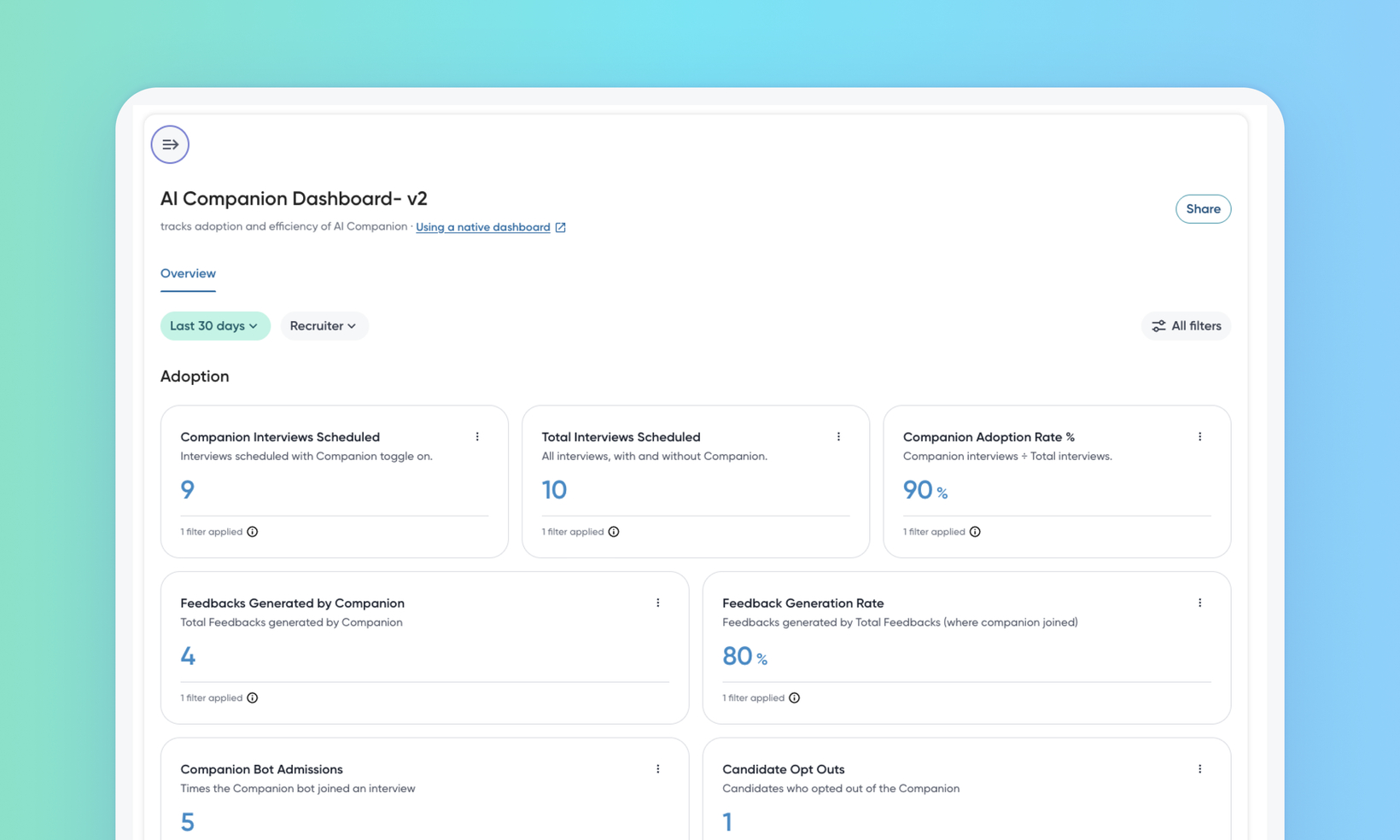
Teams running the AI Interview Companion have had no way to see, in the product, whether it's actually being used or making a difference. The AI Companion Dashboard answers those questions natively: it tracks how many interviews are scheduled with the Companion, how far each Companion session gets, how much feedback the Companion drafts, and how feedback submission and turnaround compare between interviews that used the Companion and interviews that didn't.
WHY IT MATTERS
Companion Adoption Rate % shows the share of scheduled interviews that had the Companion enabled, and a weekly trend shows whether that share is climbing or stalling — so a rollout can be steered while it's still in progress rather than reviewed after the fact.
Feedback Outcomes by Companion Usage puts feedback submission rate and turnaround time side by side for Companion and No Companion interviews, so the claim that the Companion speeds up feedback is something a leader can read off the screen.
FEATURE DETAILS
Who can access | Hiring Managers, TA Leaders, TA Ops, Recruiters |
Feature type | Default On |
Requirements | The AI Interview Companion is enabled for your organization and has been used on scheduled interviews. Numbers appear only once Companion interviews exist in the selected date range. |
GETTING STARTED
Admins: Contact Eightfold to enable this dashboard for your environment.
End users: No change to how interviews are scheduled or how the Companion behaves. The dashboard is read-only reporting over activity that already happens. It appears in Insights alongside your other dashboards, with a single Overview tab, a Date range filter, and thirteen widgets grouped as adoption, session funnel, and feedback outcomes. Raw rows behind any widget can be exported with Export Raw Data.
To know more, read Work with AI Companion dashboard.
