- DATE:
- AUTHOR:
- The Eightfold team
Advanced offer management and customization
Default on
Who: Customer Admins, Recruiters, Hiring Managers, Candidates
Requirements:
Talent Tracking must be enabled
The Offer Templates module must be set up to use this feature
While Offer Packages also allow for Wet Signature and Type-to-Sign, Multi-Party Signing is not available for 'Wet-Signature'.
What's new: Three enhancements close gaps across the offer lifecycle —ability to send multiple offer documents for signing, multi-party signing, ability to add decline reasons when the candidate is declining the offer and structured outcomes — keeping everything inside Eightfold.
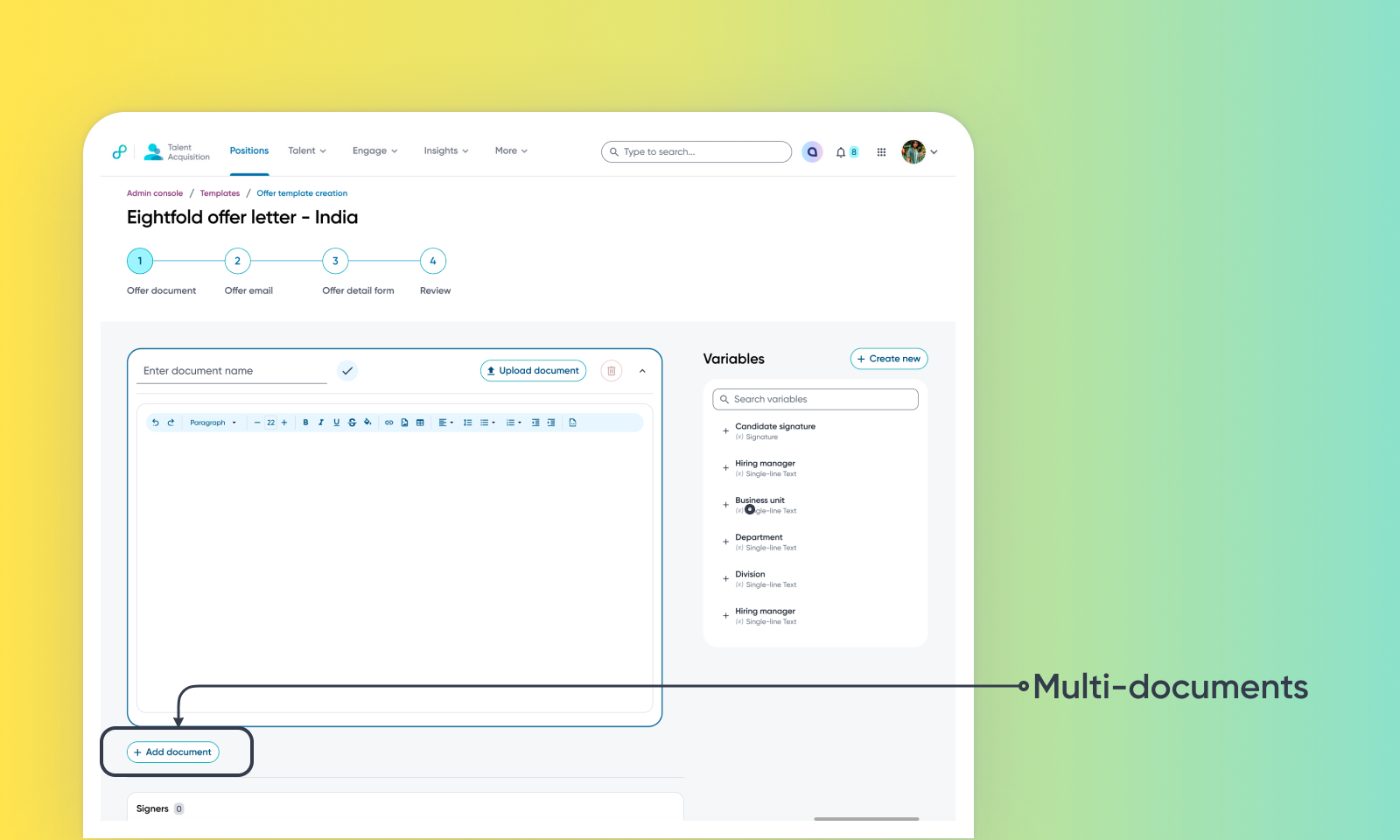
Multi-document Offer Packages bundle documents (offer letter, comp addendum, NDA, benefits, relocation) into one rollout, each with its own signer tags. Candidates accept the package as a single decision, and Eightfold generates one consolidated envelope so all tags are completed in one session. Read Ability to send & sign multiple offer documents for more details.
Multi-Party Offer Signing routes offered through one or more internal signers alongside the candidate in any admin-defined order, removing the need for DocuSign coordination. The new Pending Signature status distinguishes internal signing from the candidate-facing status, and the signed PDF is automatically saved to the candidate profile and Offers page. Accepting an offer letter & signing an offer letter are two distinct steps now. Without the acceptance, the signing process cannot be started. Read Multi-party offer signing for more information.
Offer Decline Reasons captures structured reasons whenever an offer ends — via recruiter or candidate, from PCS, Careerhub, or DocuSign. Admin-managed lists separate internal-only reasons from candidate-facing ones, and the reason becomes a Workflow Automation condition for branching. Read Offer Decline Reasons for more details.
How it works:
In the offer template builder, Step 1 supports multiple documents per package — inline or pre-tagged .doc/.docx — where admins create {{Signer N}} and {{Candidate Signature}} variables, map signers to users, and drag rows in Signing order into sequential or parallel groups (candidate included). After acceptance, Eightfold sends one envelope to DocuSign; signers act via email or embedded window from the Pending Signature filter in the Approval Center, with per-signer status and one-click reminders on the Offers page.
Decline reasons are configured at Admin Console → Talent Tracking → Offers → Settings → Approval → Configuration → Offer Action Reasons with codes, display names, and context flags (decline, candidate_decline).
Value: Enhance Recruiter Productivity
