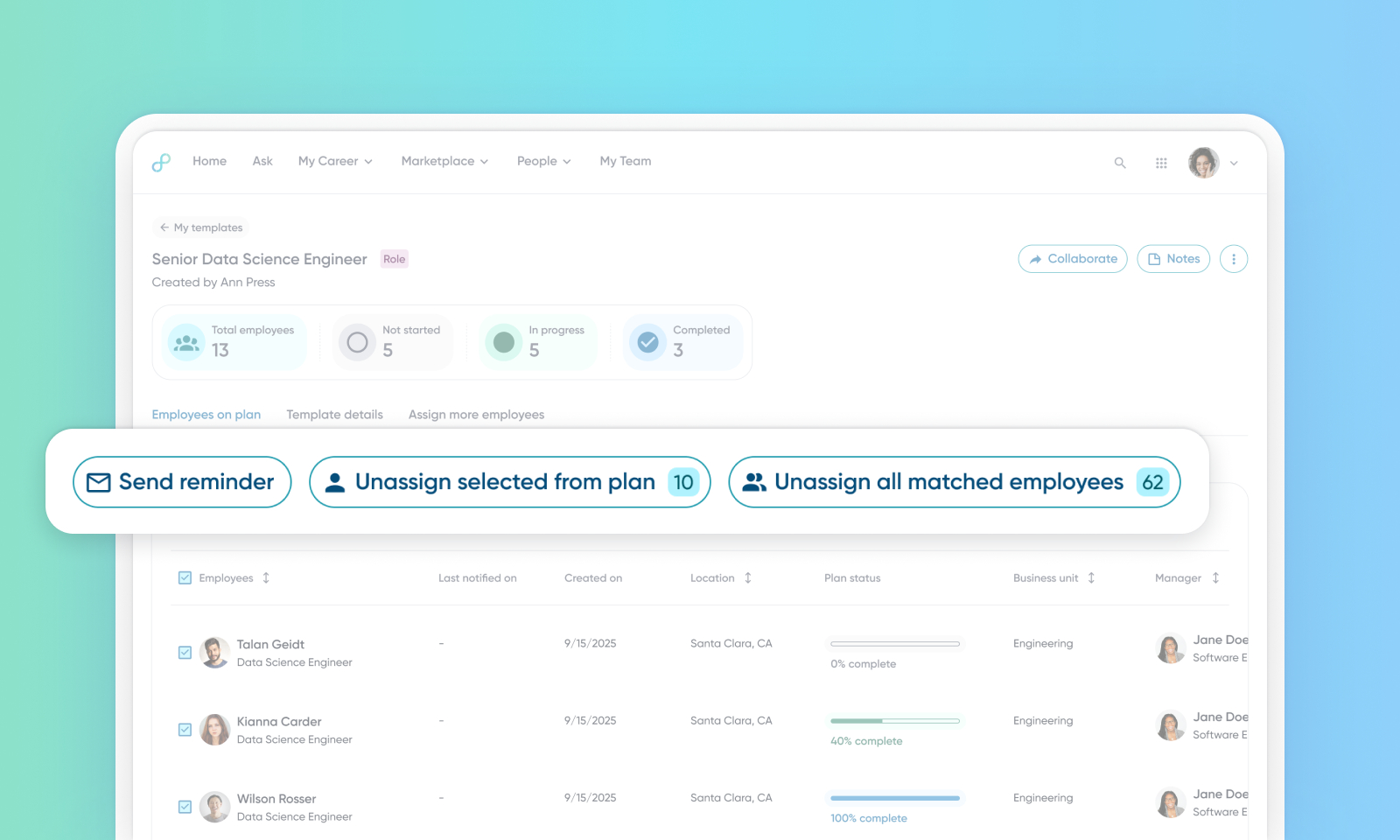
Bulk Unassign Development Plan
Default on

The bulk unassign development plan feature provides support to unassign a set of individual profiles or bulk unassign a larger group of profiles (via queries and/or filters) from a development plan. This functionality follows similar permissions and configuration as bulk assign, with managers / hrbp personas being able to do this action. When you do a bulk unassignment, the operation is queued to the processor and a loading bar is displayed. When you do individual unassignments, they are done instantly.
Users
HRBPs and Manager
Requirements
This functionality requires the Upskilling feature to be enabled.
Value
Admins and L&D teams at enterprise customers often bulk-assign Development Plans to hundreds or thousands of employees. Mistakes (wrong employee assignments) or the need to roll out new plan versions require the ability to reverse these assignments quickly. Currently, there is no self-serve way to bulk unassign, forcing support or engineering teams to run ad-hoc scripts. This manual workaround causes delayed rollouts, increased support costs, and a poor employee experience when outdated or irrelevant plans remain visible.
The upskilling bulk unassign feature introduces a phased, self-service solution:
Allows admins to select up to 10 employees on a page and unassign Development Plans with a single click.
Support bulk unassign (across all pages), progress indicators, audit trail, and asynchronous processing. This eliminates the dependency on engineering scripts and empowers admins to manage plan assignment integrity at scale.
Automatic email notification sent upon successful unassignments.
L&D admins navigate to a Dev Plan template, filter/search for targeted employees, select up to 10 employees at a time, and click Unassign. The system instantly removes plan references, sends a notification email, and displays status feedback. In Phase 2, admins will be able to select all filtered employees, initiate mass unassign, and track progress/audit logs. This process is repeated as needed for large employee lists.
Rapid Error Correction & Roll-Out - Immediate undo reduces delays and costly rework.
Empowered L&D Teams - Self-service reduces fear of mistakes and encourages broad adoption.
For more details on this feature, read Bulk Unassigned Development Plan.
Impact on existing workflows
You can now unassign profiles from the development plan. Find this new option on the Edit tab of the Upskilling Plan view. Existing workflows aren't affected.
Initial setup
This feature will be available to customers by default. Customers don't need to do anything to see this change in their Eightfold environment by the sandbox and GA dates.
To enable email notifications for upskilling unassignment, add the following configuration block, "upskilling_unassignment": {"is_enabled": true}, directly within the existing notifications section of the upskilling configuration located in the base_config.
All other configuration parameters for this new feature, such as queue_name and chunk_size, should follow the same setup and be placed in the bulk_assign folder under the main upskilling configuration, mirroring the established configuration pattern for the upskilling bulk assignment feature.
