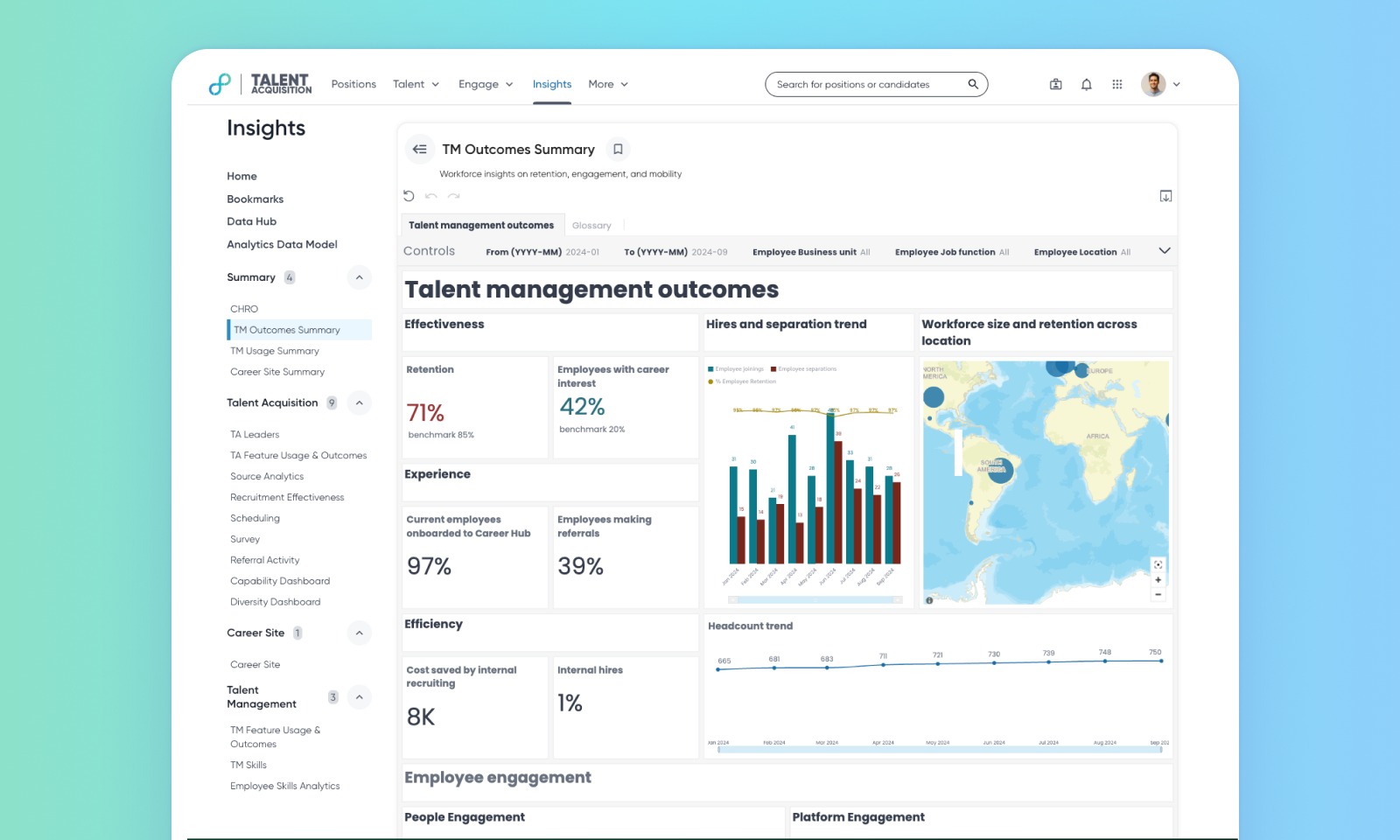
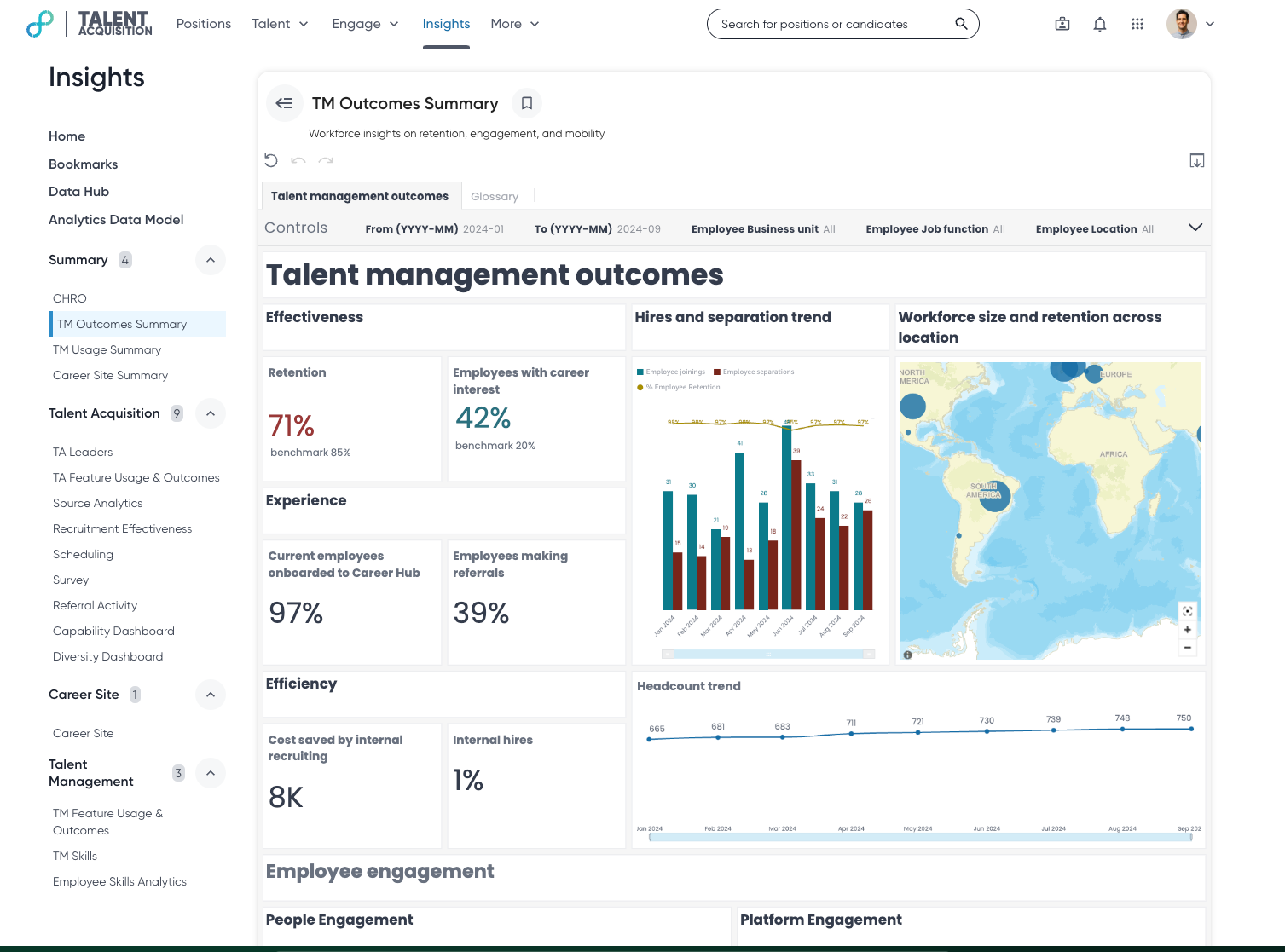
Talent Management Outcomes Summary
The TM Outcomes Summary provides a single, easy-to-understand view of important metrics that show how well your company is doing when it comes to retaining and developing employees. This dashboard helps you make smart, data-driven decisions to improve your overall talent management strategy, leading to a more engaged and productive workforce.
Default On
Users
TM Leaders, HRBP
Requirements
No licenses or prerequisite features.
Needs addressed
Market Need: Users need a centralized and efficient way to monitor metrics such as retention, employee engagement, internal mobility, talent development, and organizational health to make informed decisions and improve overall talent management strategies.
Solution: With the TM Outcomes Dashboard, users have a single, comprehensive view of key talent management outcome metrics, making it easier to track and analyze data.
Use Case: Users can view key talent management metrics, including: employee engagement (networking, referrals, career hub usage), internal mobility (percentage of internal hires, including female and underrepresented minority hires).
Impact: Provides a comprehensive view of talent management outcomes, enabling data-driven decision-making and helping organizations track progress on key initiatives.
For more details on this feature, read TM Outcomes Summary Dashboard.
Note: To manage dashboard access, a specific permission called ‘perm_manage_tm_outcomes_summary_dashboard’ has been set up. Admins will have this permission assigned against their role by default. Only users who have this permission linked to their role will be able to see the dashboard on the insights home page. If you need access, please reach out to your admin to request the required permission.
Impact on existing workflows
No impact on existing workflows.
Limitations:
The dashboard is not customizable because the datasets are aggregated for optimal performance.
The dashboard uses a 24-hour refresh interval to ensure optimal performance. This refresh interval cannot be modified.
Initial setup
This feature will be available to customers by default. Customers don't need to do anything to see this change in their Eightfold environment by the sandbox and GA dates.
