- DATE:
- AUTHOR:
- The Eightfold team
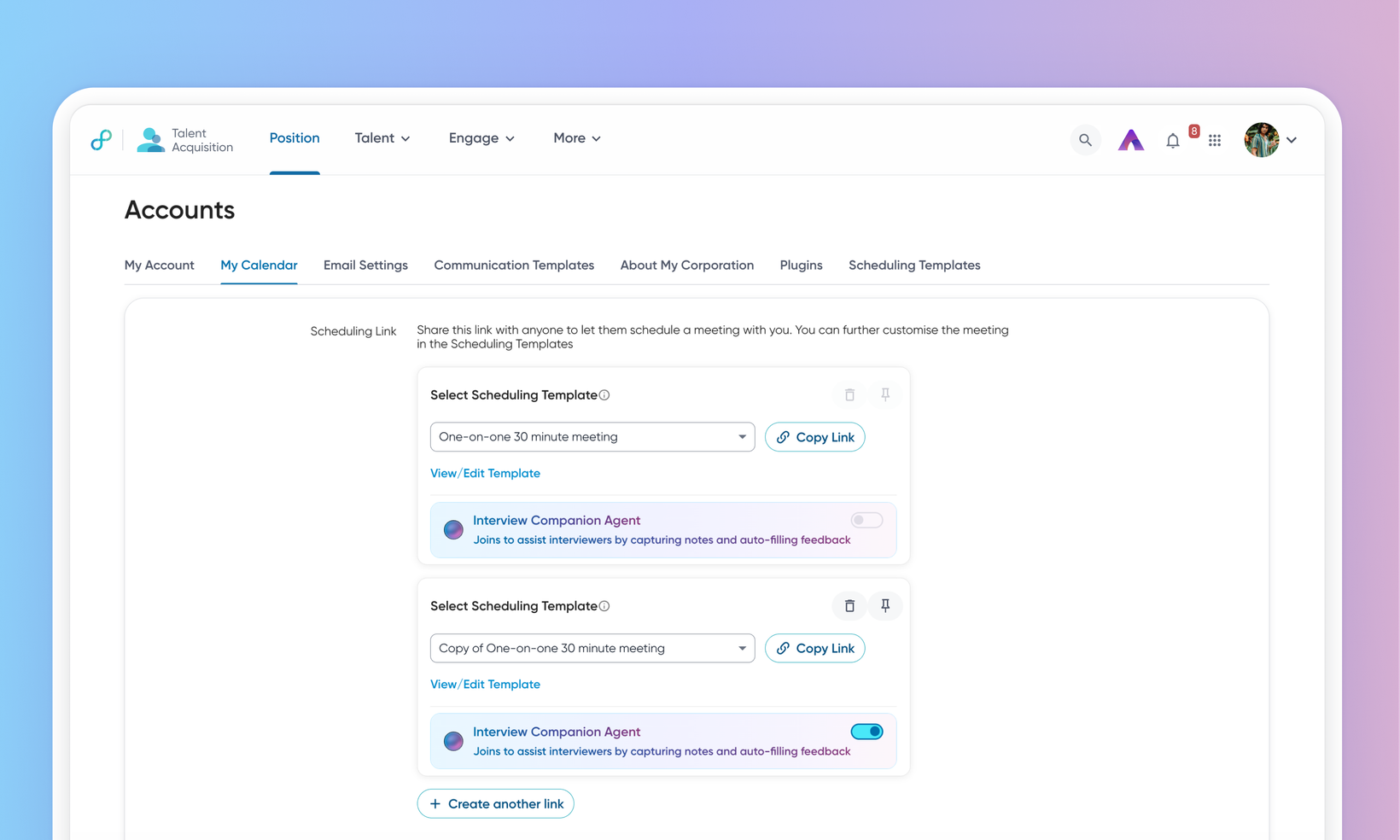
AI Companion on scheduling links
WHAT'S INCLUDED
AI Companion could previously only be attached while scheduling an interview through the wizard. This release brings it to scheduling links—the shareable links a recruiter sends so a candidate can pick their own slot—with a per-link setting for adding AI Companion and an opt-out option for the candidate.
WHY IT MATTERS
Scheduling links stop being a gap in AI companion coverage. For teams where candidates book their own slots, this is where most interviews were being scheduled.
The setting is per link, not global, so you can attach the companion to one link and leave another without it.
Candidates can decline before booking, which supports a consent-first approach without blocking the booking itself.
FEATURE DETAILS
Who can access | Recruiters, Interviewers, Candidates |
Feature type | Default On |
Requirements | AI Companion enabled for the tenant, and the scheduling link's template set to a conferencing tool the companion supports. |
GETTING STARTED
Admins: No configuration effort required from customer admins. For more info, read Configure AI Companion.
End users: A recruiter sees a companion setting on each scheduling link card on their account page. Where the link's template has no supported conferencing tool, the setting is visible but unavailable, with a tooltip explaining why. Turning it on changes the link that gets copied, so links already shared keep their previous behavior. A candidate booking from a companion-enabled link can select Opt out from the actions menu on the slot picker, which stops the companion joining without affecting the booking.
For more info, read Understand and work with the AI Interview Companion.
