Mentorship Introductory Chat
Default on
We’ve enhanced the mentorship request flow to give mentors the option to schedule a quick introductory chat with a mentee before officially accepting a mentorship request. This new step allows mentors to draft a response that includes a scheduling link, facilitating a conversation to ensure a good fit.
This addition provides more flexibility and a smoother vetting process, ensuring that both mentors and mentees can align on expectations before committing to a mentorship relationship.
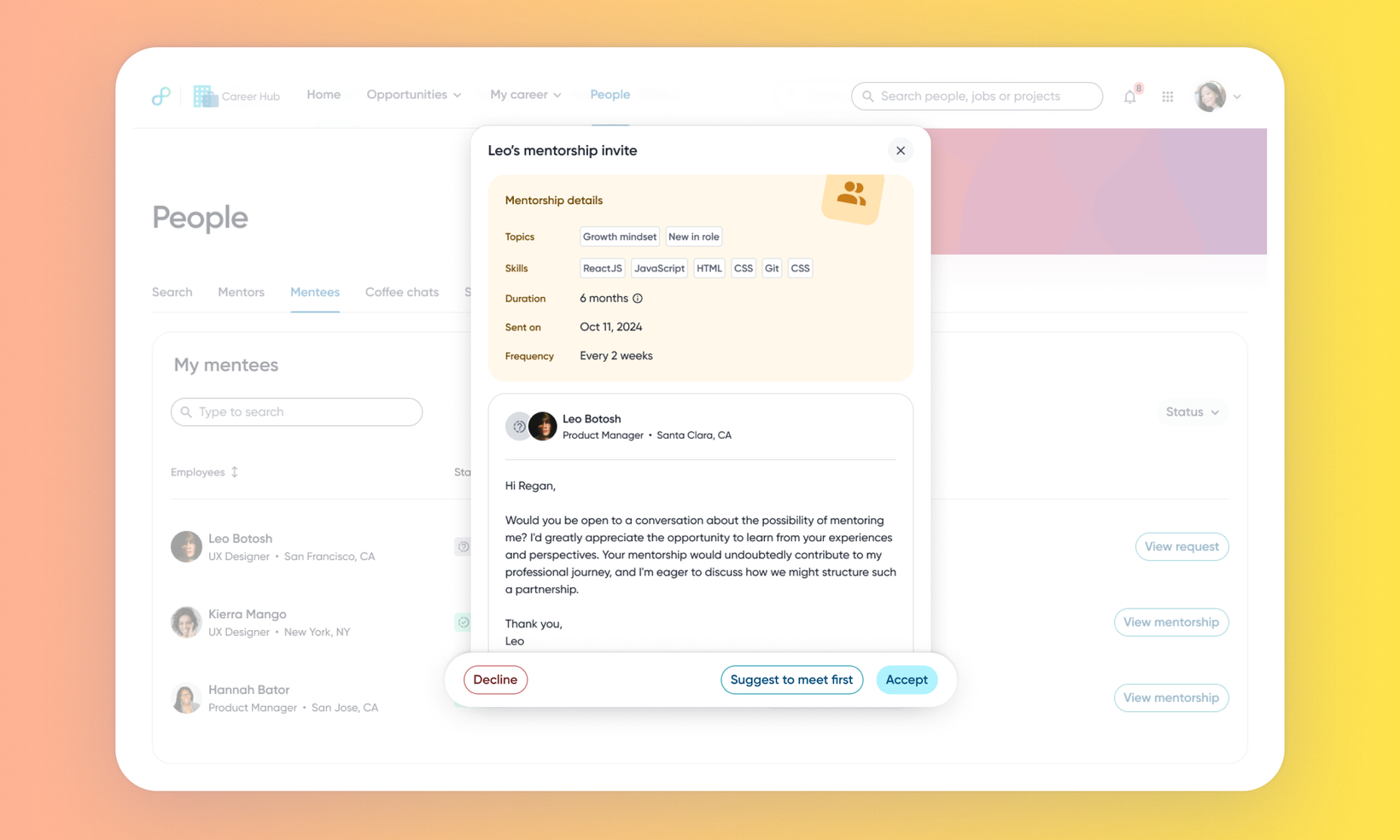
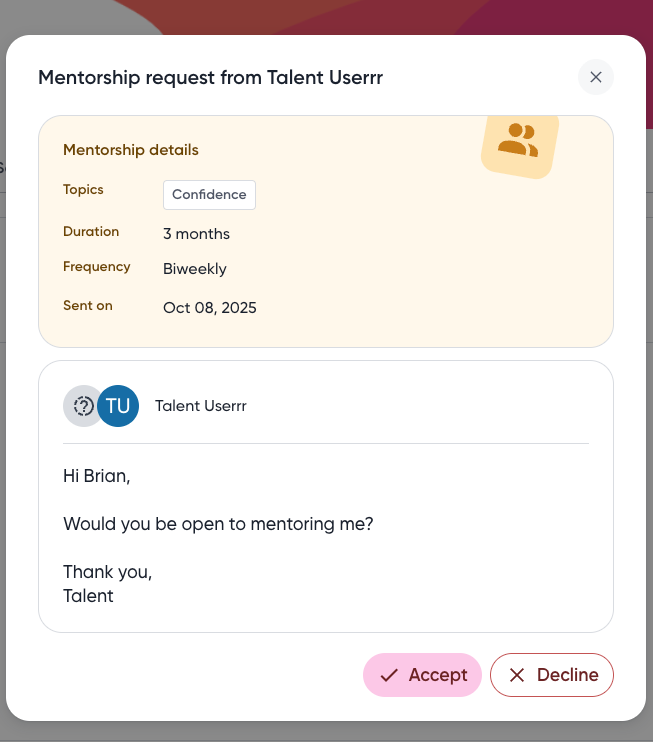
Before: Mentor's view of a request
Users
All employees and people who are enabled for mentorship.
Requirements
Prerequisite: The Mentorship module must be enabled.
Value
Mentors previously had to immediately accept or decline a mentorship request without the option to first have a low-commitment discussion to assess compatibility and alignment with the mentee’s needs.
Now, when reviewing a pending mentorship request, a mentor can select "Suggest to meet first" (instead of only "Accept" or "Decline") to send a message to the mentee with a chat scheduling link. This creates an intermediate step in the request process. The mentee receives an email notification and can then schedule the meeting or cancel the request. After the intro chat, the mentor can return to the original request to accept or decline the mentorship as before.
Before: Mentor can only accept or decline a request.
After: Mentors can select Suggest to meet first to schedule a pre-acceptance introductory chat.
A mentor receives a new mentorship request and selects "Suggest to meet first". They draft a message and send it, which includes the scheduling link. The mentee receives an email notification and views the response in their My Mentors tab. The mentee then clicks "Schedule meeting" to book a time or "Cancel request" if they decide not to proceed.
Impact:
Improved quality of matches by allowing mentors to vet requests before acceptance.
Increased mentor confidence and participation in the program by lowering the initial commitment.
Improved mentee experience by getting a quicker response and a chance to meet the mentor.
Impact on existing workflows
The Mentoring Request workflow now includes an optional, intermediate step, which affects the timing of communication between the mentor and mentee.
Optional Step Added: An optional message step has been added between the mentee's request and the mentor's final response.
Mentor Message Display: If the mentor chooses to send a message, it'll display after the mentee's initial request but before the mentor submits the final Accept or Decline decision.
Initial setup
This feature will be available to customers by default. Customers don't need to do anything to see this change in their Eightfold environment by the sandbox and GA dates.
The setup process for the scheduling link uses the same configuration standard as the rest of the Mentorship module. For information on the detailed steps of this feature, read Mentorship Configuration Guide.
Fallback to Email: If the Teams or Google Calendar integration isn't properly configured for the user or the environment, the system automatically defaults to an Email button.
Email Button Action: Selecting the Email button opens a new mail-to window pre-populated with the recipient's address.
Ensure the mentorship_introductory_chat_gate setting is enabled to complete the configuration.
