- DATE:
- AUTHOR:
- The Eightfold team
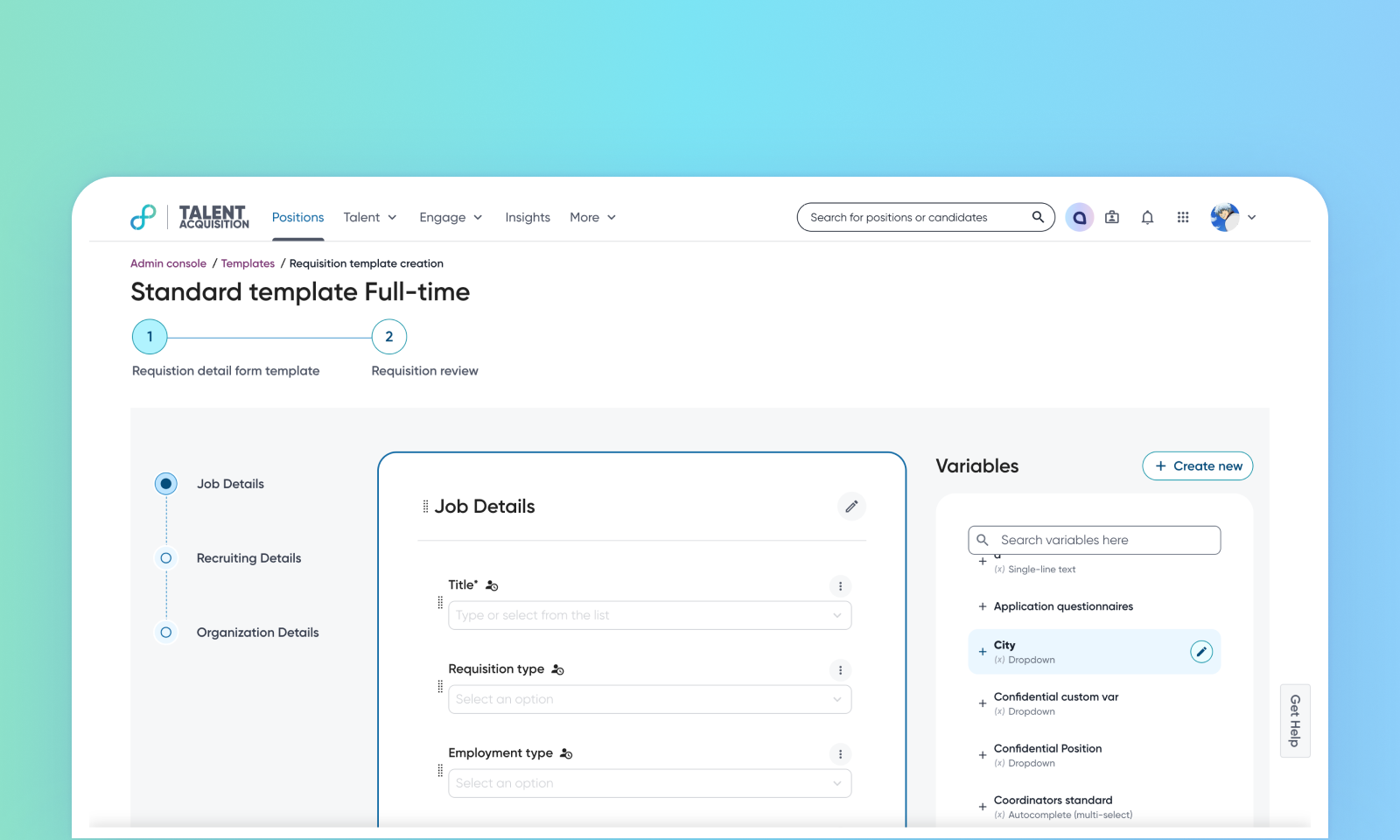
Configurable standard and custom variables
Default on
This feature introduces significant flexibility for administrators to customize standard and custom variables within the Talent Tracking templates. You can now change the different things that standard variables have, and change the fields that are in them, right in the Admin Console. This empowers customers to tailor their intake and offer forms to their specific needs without relying on development efforts for common configuration changes.
Users
Customer Admins
Requirements
This feature is available only for Talent Tracking.
Needs addressed
Previously, organizations faced limitations due to system/standard variables being non-editable, preventing specific configurations. Customers expressed a need to override display and validation attributes for system variables specific to their workspaces.
Customer can now edit standard and custom variables including their label, placeholder, help text, checkboxes, dropdown options, and validation for single-line text variables. They can also change the field type of standard variables between Single Line Text and Dropdown.
The system also supports uploading CSV files to populate dropdown options for standard variables and provides a sample CSV download functionality.
This enhancement allows administrators to precisely tailor talent tracking forms to specific client requirements. It reduces reliance on development teams for minor configuration changes, improving agility and efficiency.
For more details on configuring variables and templates, read Configure Requisition Templates and Configure Offer Templates.
Impact on existing workflows
Changes to standard variables reflect globally across every template.
Changes to custom variables reflect only in the local template where they were edited.
Initial setup
This feature will be available to customers by default. Customers don't need to do anything to see this change in their Eightfold environment by the sandbox and GA dates.
To know more about this feature, see this video:
