- DATE:
- AUTHOR:
- The Eightfold team
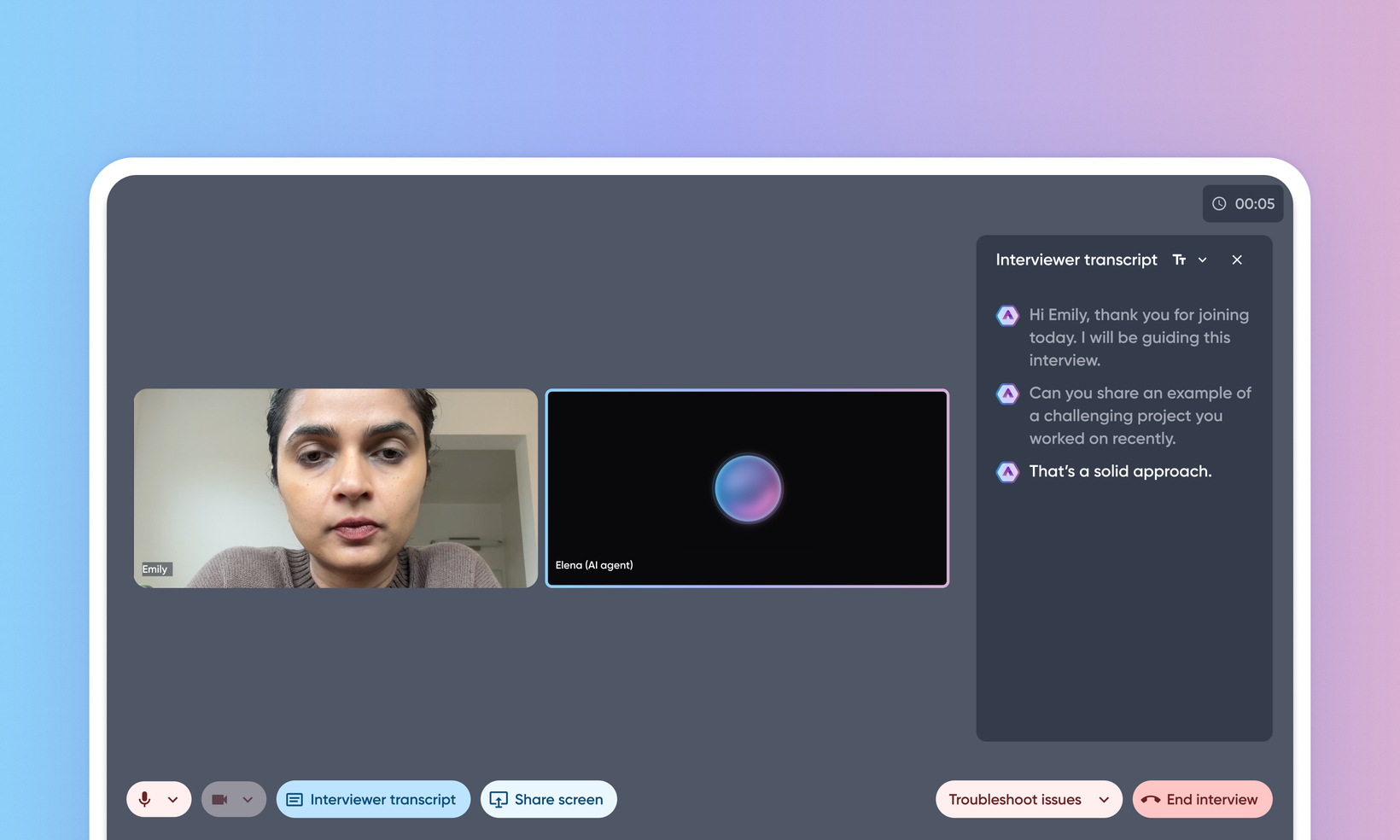
Live transcription for AI interviews
Default Off
Configuration implementation required
This new feature introduces a real-time transcription of the AI interviewer's dialogue during an interview session. Candidates can now turn on a live, synchronized text transcript of everything the AI interviewer says. This transcript appears in a side panel on desktop and a drawer on mobile devices.
This enhancement significantly improves the accessibility of the AI Interview platform, ensuring a more inclusive and comprehensible experience for all candidates, especially those who prefer to read content.
Users
Candidates
Requirements
AI Interviewer must be enabled
Value
The AI interview platform previously lacked a real-time transcription of the AI interviewer's spoken dialogue. This created accessibility barriers for users with disabilities.
This enhancement provides a real-time, persistent transcript of the AI agent's voice. Candidates can enable a synchronized text transcript, allowing them to read along, review previous questions, and better comprehend the conversation.
Using this enhancement provides the following benefits:
Improved accessibility and compliance
Improved candidate experience
Increased inclusivity
Impact on existing workflows
An Interviewer transcript button is available on the interview screen for candidates to enable or disable the transcript.
Users can adjust the transcript's font size (Small, Medium, Large).
When scrolling up to review past dialogue, a Go to Latest button appears to quickly return to the most recent message.
The transcript is recorded continuously, so if a user disables and then re-enables it, the full conversation history from that session will be displayed.
This feature currently doesn't transcribe the candidate's responses.
The feature doesn't translate the transcript into other languages. However, the user interface elements of the transcript window do support i18n translation.
If a candidate interrupts the AI agent, the agent will stop speaking, but the transcript will display the full intended message that the agent was going to say, not just the portion that was spoken aloud.
Initial setup
This feature was earlier released as pre-GA, available within Feature Management > Pre-GA. It's now available within the all features tab.
