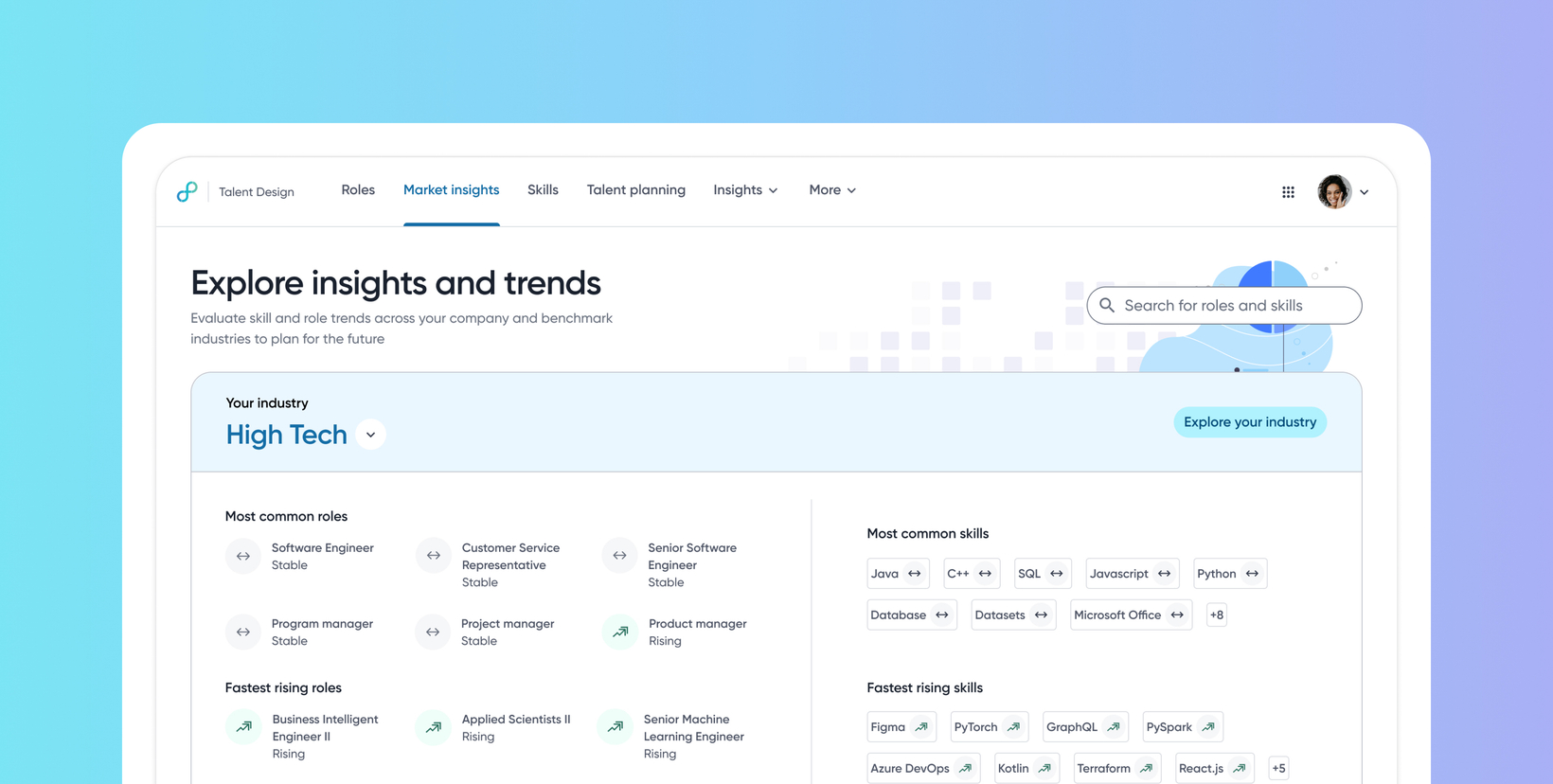
Market Insights UI enhancements
Default on
This release introduces an improved and consistent UI, refined navigation, enhanced data sorting capabilities, search using roles and skills, and a new Skill Exploration page. These enhancements allow users to evaluate skills and role trends across their company and benchmark industries more effectively for future planning.
The new Skills Explore page enables in-depth analysis of skill presence, global prevalence, related competencies, and geographic distribution.
To know more about these enhancements, see this video:
Users
HRBPs, Talent Admins
Value
This release applies an updated design across the Market Insights, Industry Explore, and Role Explore pages, resulting in an improved design.
It also adds a new dedicated Skill Exploration page to provide comprehensive data on skill presence, global trends (YoY graph), and location data with an interactive map and table view.
The Market Insights home page separates search for roles/skills from industry selection, and introduces new column sorting options to improve data exploration across relevant pages.
Customers will experience improved usability, enhanced data exploration, and increased productivity by accessing critical skill and role trend data in a more organized manner.
To know more about Market Insights, read Understand Market Insights.
Impact on existing workflows
Searching for Industry, Roles, or Skills:
Existing Workflow: Users searched for industry or role using a single search box in the body of the page, allowing for industry and role queries.
New Workflow: The search box is now separated and repositioned to the top right. Search functionality is updated to allow for roles and skills queries. Industry selection is handled separately.
Selecting an Industry:
Existing Workflow: Users had to search for the industry in the search box or use an "Explore" option.
New Workflow: Industry selection is now done directly from a drop-down selector, replacing the general "Explore" option.
Role and Industry Data Analysis:
Existing Workflow: Data in sections like role global trend and presence lacked sorting capability.
New Workflow: Sorting options have been added for all column data to improve data exploration.
Quick Access to Present Roles (Industry Explore Page):
Existing Workflow: There was no quick way to immediately get all the roles present within your roles page.
New Workflow: A "start" button has been added to quickly retrieve all roles present, supported by a "Roles present count" stat tab in the Most common roles section.
Tracking Navigation:
Existing Workflow: Breadcrumb navigation was absent in certain explore pages (e.g., Role Explore, Industry Explore).
New Workflow: A breadcrumb navigation UI element is implemented below the search bar on relevant pages (like Industry Explore and Skill Explore) to help users track and navigate consistently. Search bars are now consistently placed on the right side.
In-Depth Skill Research:
Existing Workflow: A dedicated page for in-depth skill exploration and insights wasn't available.
New Workflow: A new, dedicated "Skill Exploration" Page has been added. This page provides specific insights such as equivalent skills, category information, a description, and data visualizations like the Global Trend (YOY Graph).
Viewing Skill Presence:
Existing Workflow: Presence data was generally viewed within existing industry contexts.
New Workflow: The new Skill Explore Page features a "Skill Presence Indicator" (which displays presence of the skill within a selected industry). This data is displayed when an Industry filter is applied; otherwise, it displays “Not available”.
Initial setup
This feature will be available to customers by default. Customers don't need to do anything to see this change in their Eightfold environment by the sandbox and GA dates.
