- DATE:
- AUTHOR:
- The Eightfold team
Improved form and email selection for feedback requests
Default on
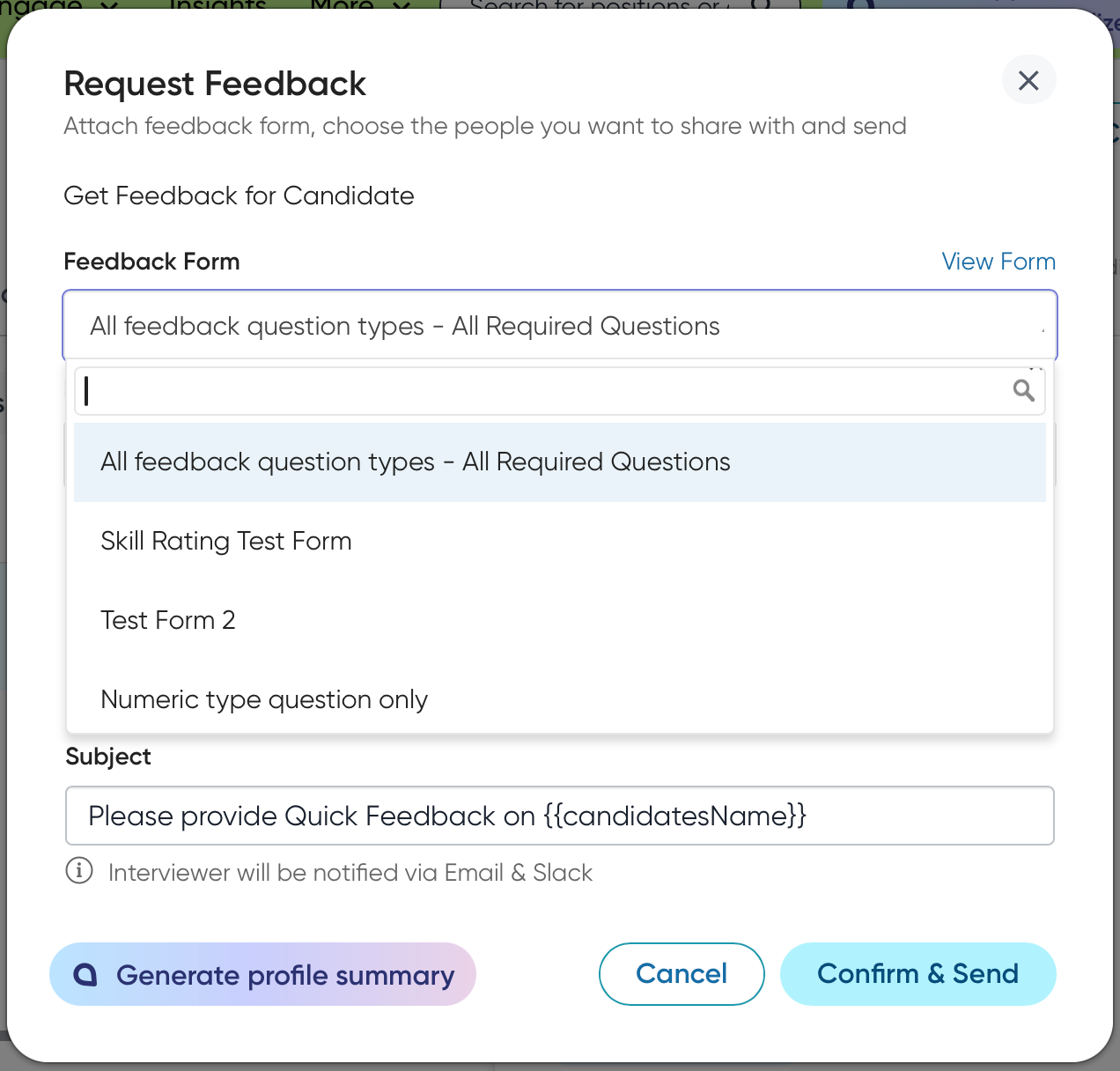
This feature enhances the Request Feedback flow by allowing users to select from multiple Quick Feedback forms and choose the appropriate email template manually. Previously, the system used automatic template pre-selection and only allowed one active Quick Feedback form. This update ensures that recruiters can send feedback requests tailored to specific contexts or languages.
Users
Recruiters, Hiring Managers
Value
Customers required the ability to select the correct feedback form and template when requesting quick feedback. Customers also needed to utilize multiple quick feedback forms tailored for different event types.
Users can now manually select the appropriate quick feedback template and corresponding email template from a new dropdown menu, supporting multiple active quick feedback forms.
This enhancement provides greater flexibility and control over the feedback process by displaying all active quick feedback forms. It ensures that reminders are sent using the language specified in the original email template.
Impact on existing workflows
Users will now see a dropdown menu that allows them to select the desired email template.
The system automatically defaults to the most recent template used or modified, considering the position language and user's current location. The dropdown menu first shows templates that match these settings, followed by all global templates, which are sorted by most recent use or modified.
If the selected feedback form category changes (for example, Quick Feedback to Interview Feedback), the corresponding email template list is automatically updated.
Initial setup
This feature will be available to customers by default. Customers don't need to do anything to see this change in their Eightfold environment by the sandbox and GA dates.
