- DATE:
- AUTHOR:
- The Eightfold team
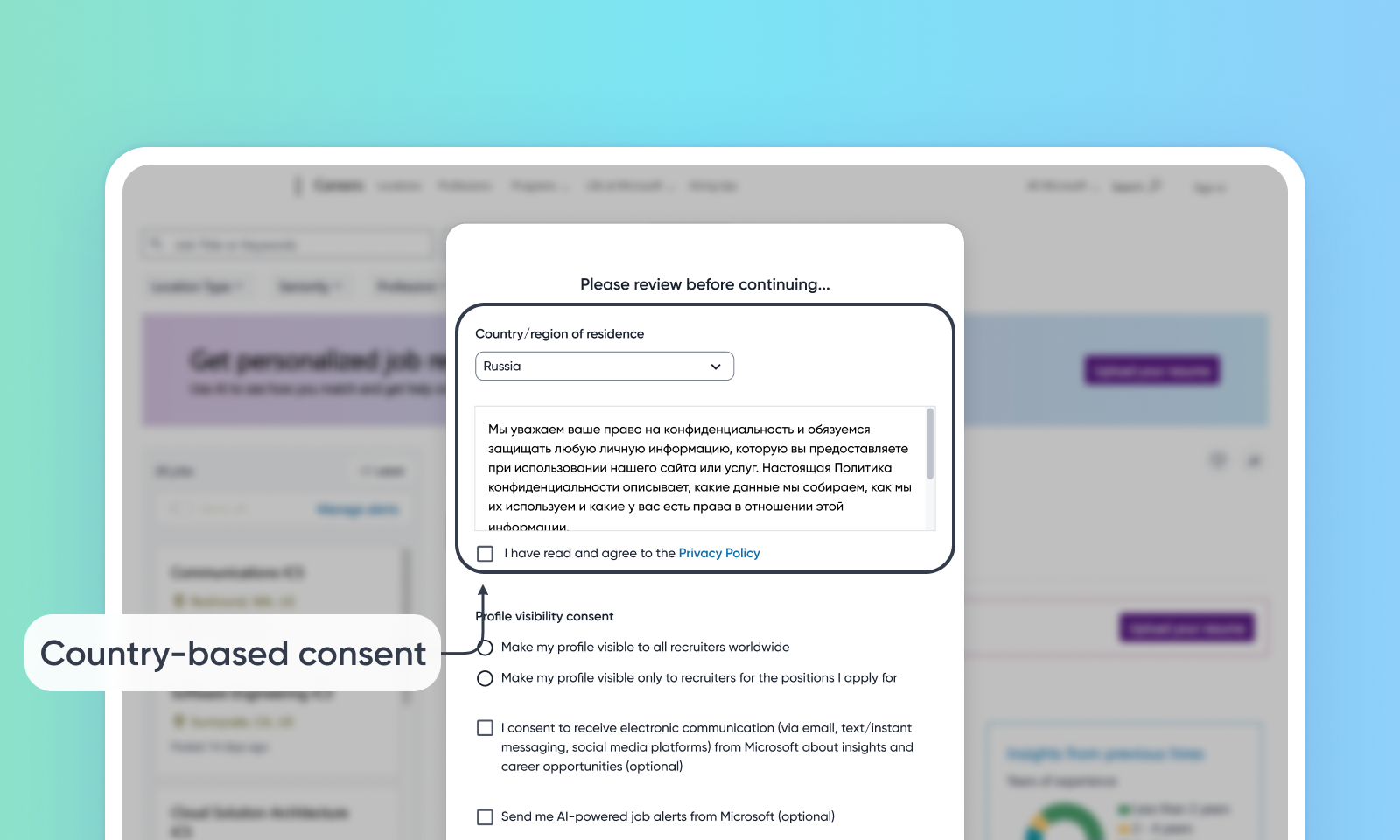
Country-based consent in Candidate Portal
Default Off
Self-service
This release adds a new feature that manages consent. This feature lets candidates choose how privacy policies are shown to them. This feature lets administrators set privacy policies for each country and show the policy text on the signup/sign-in page.
Users
Customer Admins, Candidates
Requirements
Career Site Experience IX enabled
Needs addressed
Customers require more robust consent management capabilities to meet varying compliance requirements across different countries and regions. Candidates need to be shown different privacy policies based on their residence.
This feature adds country-based consent. This lets administrators set up and show different privacy policies for candidates. This is based on their selected country of residence during signup/sign-in, onboarding, profile updates, and application form submission within the Candidate Portal.
Additionally, customers can now choose to display privacy policy text on-page (instead of just a hyperlink). This is applicable to any privacy policy text, and isn't limited to country-based configuration
Using this feature provides the following benefits:
Improved compliance by delivering relevant privacy policies based on a candidate's location.
Increased transparency with the option to view the full privacy policy text directly during signup.
Improved auditing capabilities for admins with the tracking of consent timestamps and associated countries.
Impact on existing workflows
These improved consent flows are only for Candidate Portal (Logged-in PCS) flows. They don't apply to Career Site (Logged-out PCS) scenarios, like resume uploads or the Join Talent Network.
Initial setup
To configure this feature, see this video.
For more configuration details, read Configure consent flow for sign-up/sign-in.
