- DATE:
- AUTHOR:
- The Eightfold team
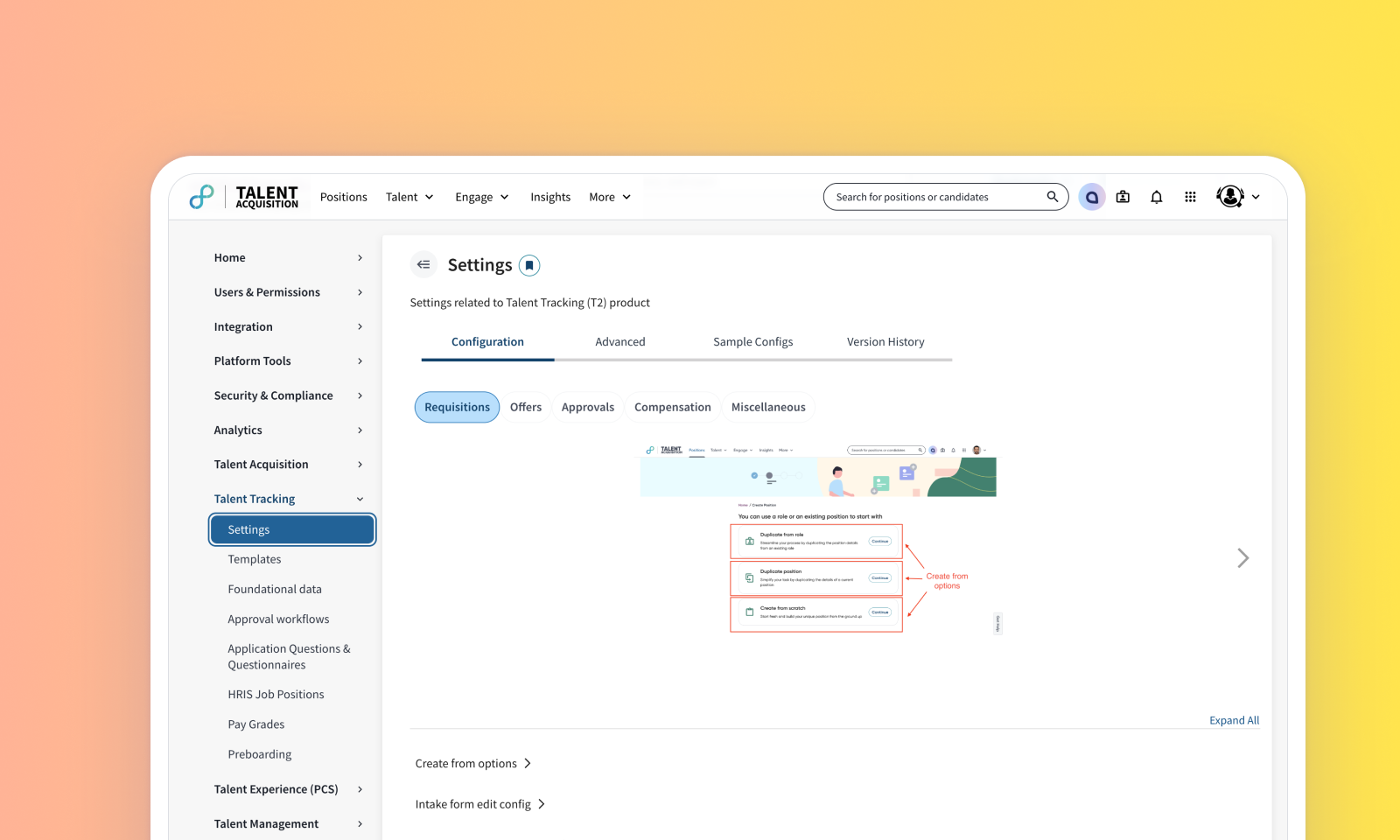
Unified Talent Tracking and Talent Acquisition settings
Default on
Who: Customer Admins, Implementation Partners
Requirements: Admin Console access with Talent Acquisition and Talent Tracking enabled.
What's new: The Admin Console has been optimized by merging Talent Tracking and Talent Acquisition configurations into a unified, restructured section. Instead of being dispersed across the platform, settings are now grouped by specific workflows to improve efficiency. For instance, all Position-related configurations—including creation, approval, calibration, and home settings—are now centrally located, eliminating the need for admins to navigate between disparate pages. This update also introduces granular control via tab and sub-tab level support for advanced configurations, version history, and documentation, ensuring smoother change management. These enhancements create a more intuitive Admin Console with a direct connection between configuration options and their corresponding workflows. To learn in detail how these changes apply to TA and TT customers, read the the following:
Note: These change apply to customers using Talent Acquisition only, as well as those using both Talent Acquisition and Talent Tracking. No configuration values have been modified — only the placement of these pages within the navigation has changed.
How it works: Access Admin Console and navigate to Talent Tracking, where settings are categorized by workflow buckets like HRIS data, Position, Job distribution, and Offer. Each page uses tabs and sub-tabs for configuration, version history, and documentation. Custom setup pages for templates and approvals are also grouped logically, while a global search allows for quick navigation to specific features or users.
Value: Improve Recruiter Experience via Technology
