- DATE:
- AUTHOR:
- The Eightfold team
Role change workflow improvements for Succession Planning
Default on
This new enhancement automates updates to succession plans when an employee's role changes, ensuring that your succession data remains accurate and relevant in real-time. It significantly reduces the manual effort previously required from HR Business Partners (HRBPs) and helps maintain an up-to-date talent pipeline. This enhancement improves the existing Role Change feature available in Succession Planning.
Users
HRBPS and Managers
Requirements
A prerequisite is a role change in succession planning.
Value
Previously, HRBPs spent considerable time manually updating succession plans when employees changed roles or left the organization, often leading to outdated plans. The new feature automates these updates, ensuring accuracy and reducing the administrative burden on HRBPs.
When an incumbent's external_job_id changes or they are terminated, the system now automatically removes them from the incumbent role in the succession plan. This ensures immediate accuracy, as an individual cannot be an incumbent for a role they no longer hold.
When a successor's external_job_id changes, they are flagged for review rather than automatic removal. This allows HRBPs to make informed decisions and prevents premature removal of potential candidates, as a successor's new role doesn't necessarily invalidate their potential for the succession role.
For more details on the full Role Change feature, read Succession Planning Role Change Workflow Enablement Guide.
Impact on existing workflows
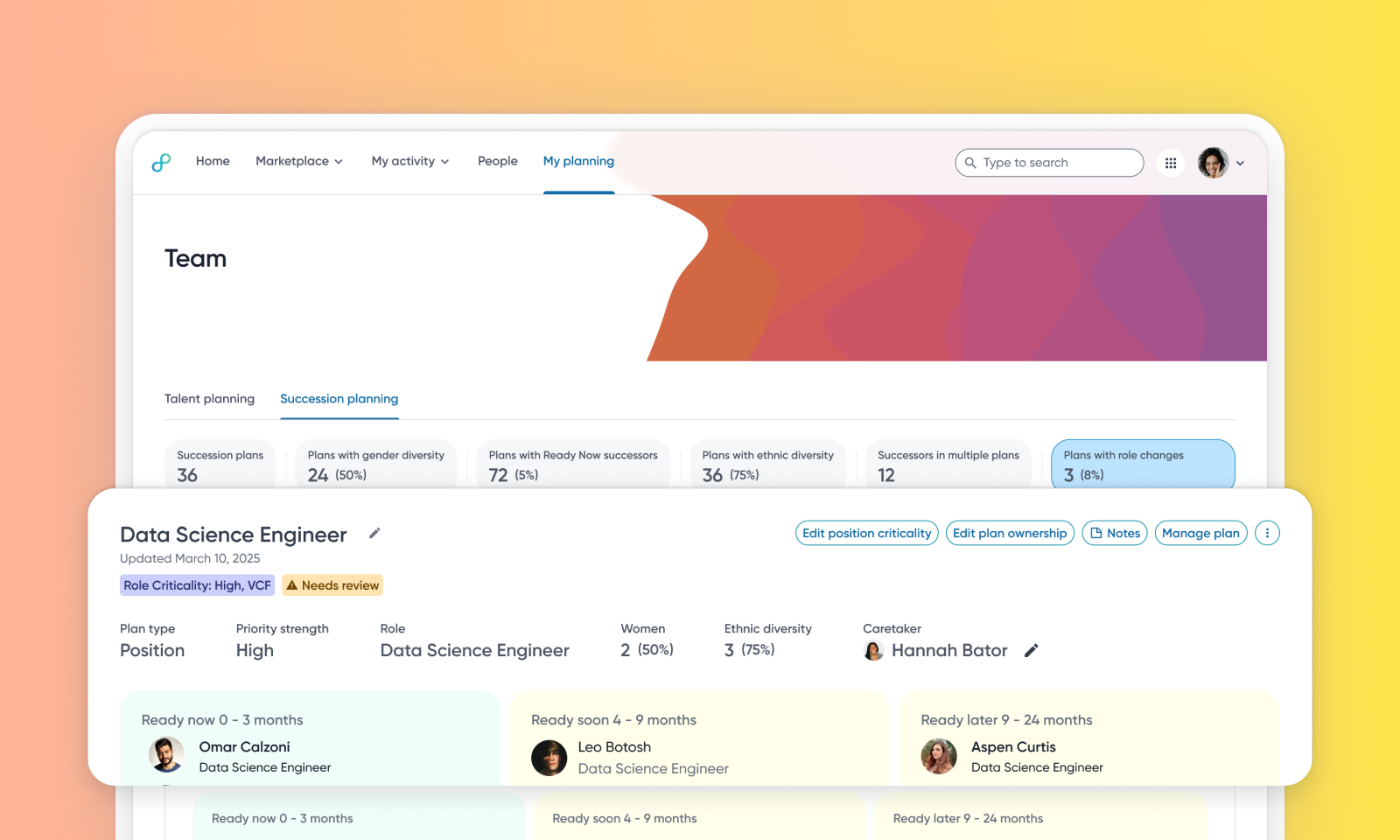
Users will now see a banner on the succession planning listing page, notifying them of position changes in their plans.This banner displays text like "Changes in {n} succession plans" and include a "Review" option.
Clicking Review on the banner or using the Plans with position changes filter will refresh the list to show only the affected succession plans.
Each succession plan with an incumbent change or successor position change will display a warning symbol with "Needs review" text.
If an incumbent is removed due to a position change, a banner will be displayed to the HRBP with the message "Incumbent removed due to position change" and an "Add incumbent" CTA.This banner will remain until a new incumbent is manually added. The audit log will also reflect this change.
For plans with successor position changes, a banner will state "Position changes for {n} successors" with an "Acknowledge" CTA. The banner and warning sign will disappear upon clicking "Looks fine". An audit log entry will be created upon acknowledgment.
Successors with position changes will be flagged with a warning symbol, and hovering over it'll display a tooltip: "Position changed. Move to a different state or remove.".
Initial setup
This feature will be available to customers by default. Customers don't need to do anything to see this change in their Eightfold environment by the sandbox and GA dates.
To know more about enabling Role Change for Succession Planning, see this video:
