Source tracking in Talent Acquisition
WHAT’S INCLUDED
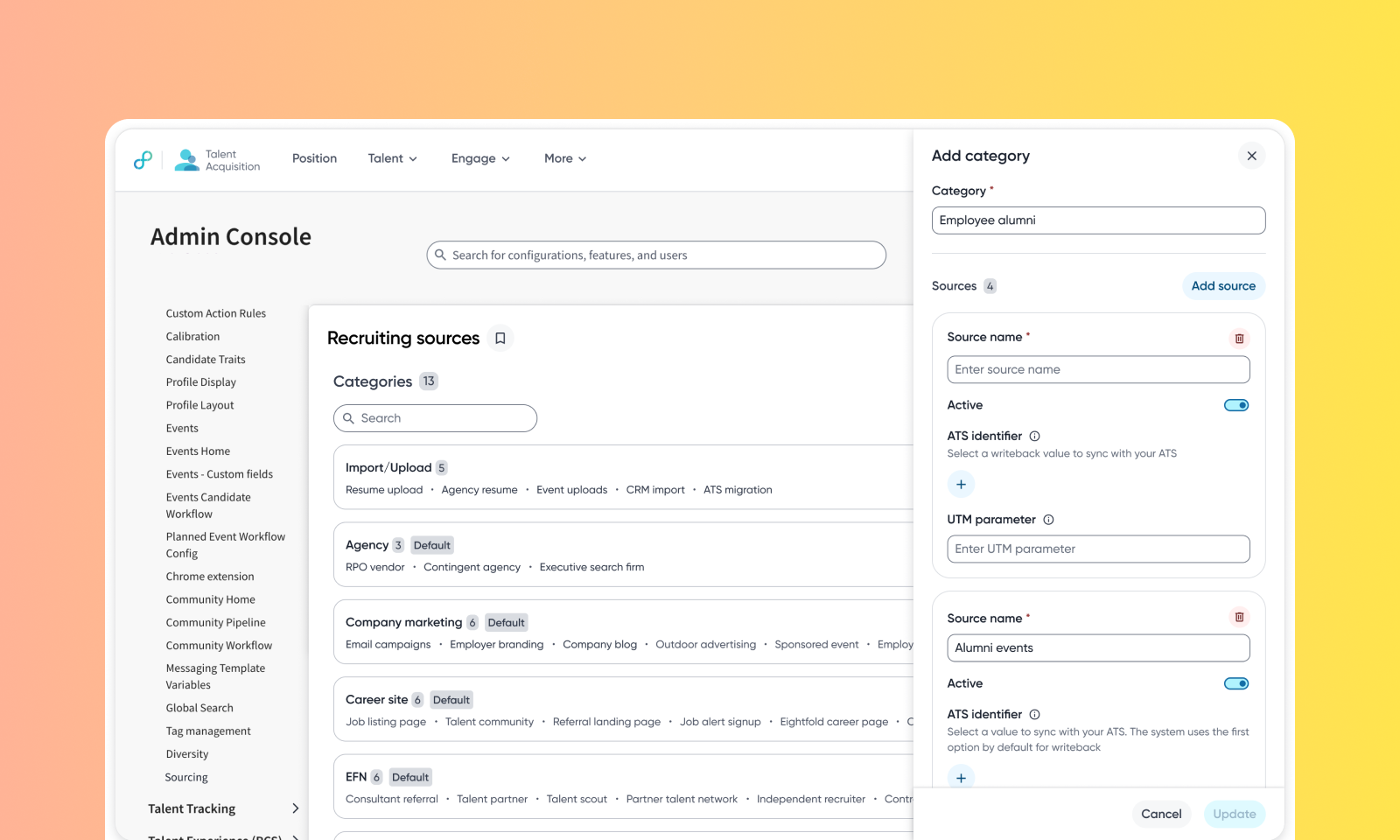
Track exactly where every candidate and application came from with a fully customizable source-tracking system. Define your own sources and categories in Admin Console on top of the defaults, and the platform records where every profile and every application came from.
Each profile record stores a Source (the channel) and a Sourced by (who or what brought them in). Each application record stores a Source, a Source category, and a Credited to (who or what gets credit for that application).
Recruiters can add a source when importing a profile, or share tracking links that capture an application's source automatically. Every other touchpoint captures its source automatically too. This data powers the new Source Analytics dashboard, where TA leaders can see exactly which channels and recruiters are driving talent-network growth, applications, and hires.
WHY IT MATTERS
Recruiters and TA leaders always know which channel and which person gets credit — no manual tagging needed on job distribution links or campaign URLs.
TA leaders get channel and recruiter performance reporting out of the box, through the new Source Analytics dashboard.
FEATURE DETAILS
Who can access | Recruiters, Sourcers, Customer Admins, TA Leaders |
Feature type | Default On |
Requirements | Existing people and applications sources are backfilled automatically from source data already on record. ATS writeback of new source values requires extra ATS configuration; until then, your ATS keeps showing the old source names, though Eightfold still records the correct source internally. Enabling ATS writeback requires Eightfold Support assistance. |
GETTING STARTED
Admins: In Admin Console → Platform Tools → Recruiting Sources, create your categories and sources, then map each career-site tracking parameter and ATS source string to one — several ATS strings can share a source. Choose which roles can edit a profile source.
To know more, read Configure recruiting sources.
Recruiters: A profile record shows Source and Sourced by; an application shows Source, Source category, and Credited to. Pick a source on resume import or manual add. Generate a job distribution link from a position to credit a channel and a person; campaign and outreach URLs are tagged for you. Profile source edits need permission and are tracked in the activity tab.
TA leaders: Open Insights → Talent Acquisition → Source Analytics. Application Source covers application and hire share, candidate quality, and recruiter performance. Profile source covers talent network growth, channel mix over time, and category performance from new profiles through hires. All filter by date, source, and credited user.
To know more, read Source Tracking in Eightfold.
