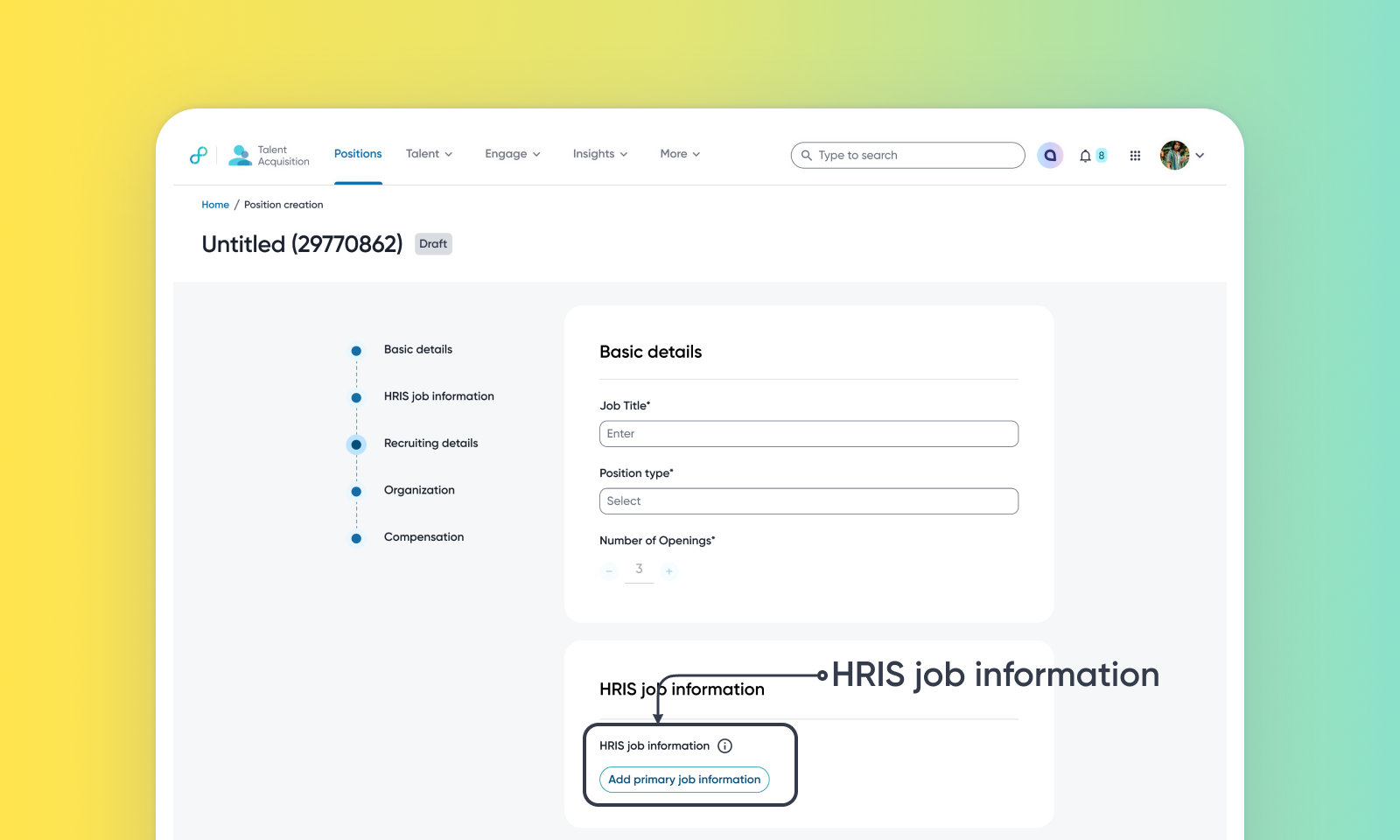
Unified HRIS position management for requisitions
Default on
Who: Recruiters, Hiring Managers, and Customer Admins.
Requirements: Talent Tracking must be enabled. To use this feature, an active HRIS integration must be enabled, and the HRIS job information variable must be added to the position template within the Admin Console.
What's new: This update streamlines headcount management by enabling recruiters to access validated HRIS position data within the requisition workflow. Each requisition is linked to the HRIS position record instead of being re-entered by hand. Approved HRIS positions can either flow in and auto-create a draft requisition, or be searched and linked manually from the intake form. This enhancement establishes a single source of truth for headcount, improves hiring governance, and accelerates the move from budget approval to active recruitment.
How it works: Create requisitions from an HRIS position using one of the following methods:
Automatic: once an approved HRIS position is ingested, a requisition is created and saved in the “Draft” stage, and the hiring team only needs to review and submit it.
Manual: on the intake form, search for and select one or more HRIS positions to link to the requisition - multiple positions can be linked, and the primary position pre-fills the requisition form, with a side panel previewing full position details before linking. Selecting a position already linked as a primary job elsewhere surfaces a reuse warning. Customer Admins can filter, preview, and manage incoming HRIS jobs from the admin console. For instructions to set up and use this, read HRIS syncing in Eightfold Talent Tracking.
Value: Enhance Recruiter Productivity
