- DATE:
- AUTHOR:
- The Eightfold team
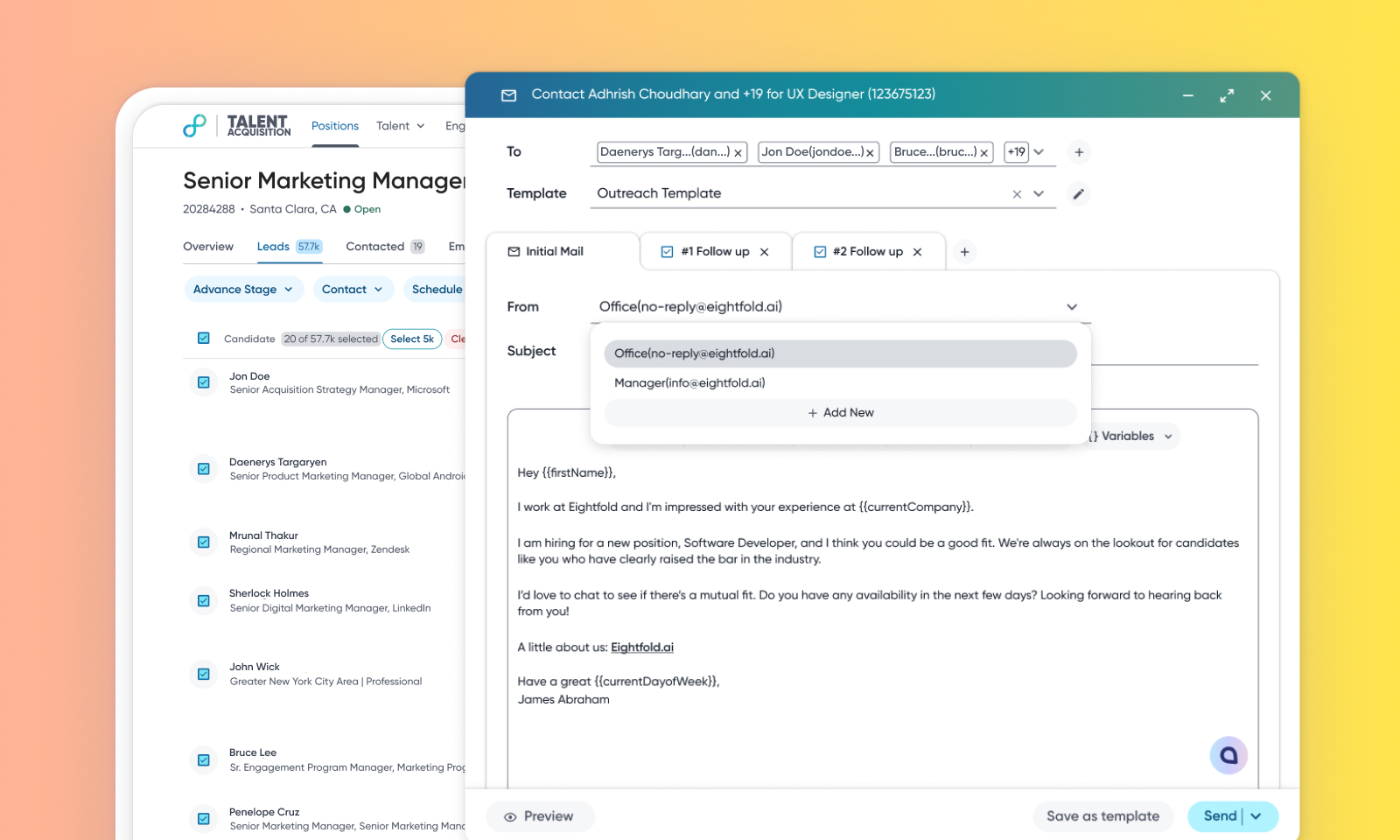
Enhanced email editor in TA
Default On
This release introduces the launch of an upgraded and enhanced email contact feature, featuring a revamped email wizard. This new version replaces the previous email editor and introduces a modern interface that significantly improves performance, reliability, and user experience. This update makes it easier for all users to create and send emails, especially those with custom templates.
Users
Admins, Recruiters
Requirements
NA
Needs addressed
The existing email wizard was unsuitable for modern dynamic applications, cumbersome for adding new features, and prone to performance issues. Its design and UI were inconsistent with other communication channels like SMS and WhatsApp.
The new contact wizard is a newer version of the email contact modal used for editing email recipients and message details. This enhanced editor comes with better performance, reusability of components, easier state management, and enhanced interactivity, which facilitates adding new and complex functionalities.
Users can now add a candidate's email address on the fly without leaving the email composer if it's missing from their profile.
Other enhancements include:
HTML and advance editing (fonts, images, indentation)
Intuitive preview mode
Branding support
Intuitive UI
Recruiters will be able to use the templates set up by administrators or themselves, make minor tweaks, and see how candidates would receive their emails before sending them out.
For more information about how this feature works, read Email editor for managing candidate communication.
Initial setup
This feature will be available to customers by default. Customers don't need to do anything to see this change in their Eightfold environment by the sandbox and GA dates.
