- DATE:
- AUTHOR:
- The Eightfold team

Ability to turn off Project Invitations for Employees
Default Off
Self-service
Now, employees can easily manage their project invitations and choose when to participate, empowering individual choice and focus. This ensures project managers connect with interested contributors, leading to more efficient collaboration.
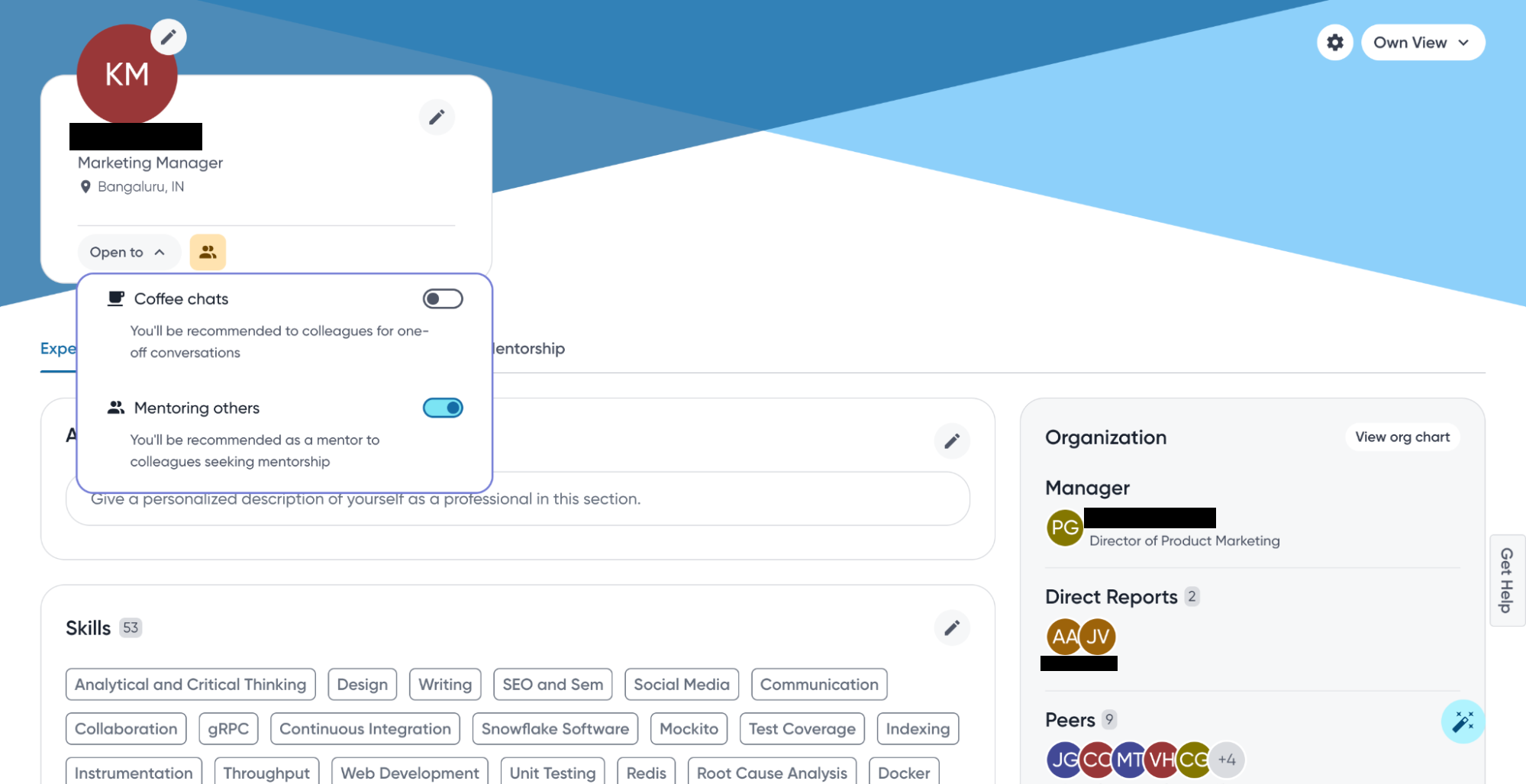
Before: Disinterested employee couldn't opt-out of projects, and as a result were being invited & added to projects
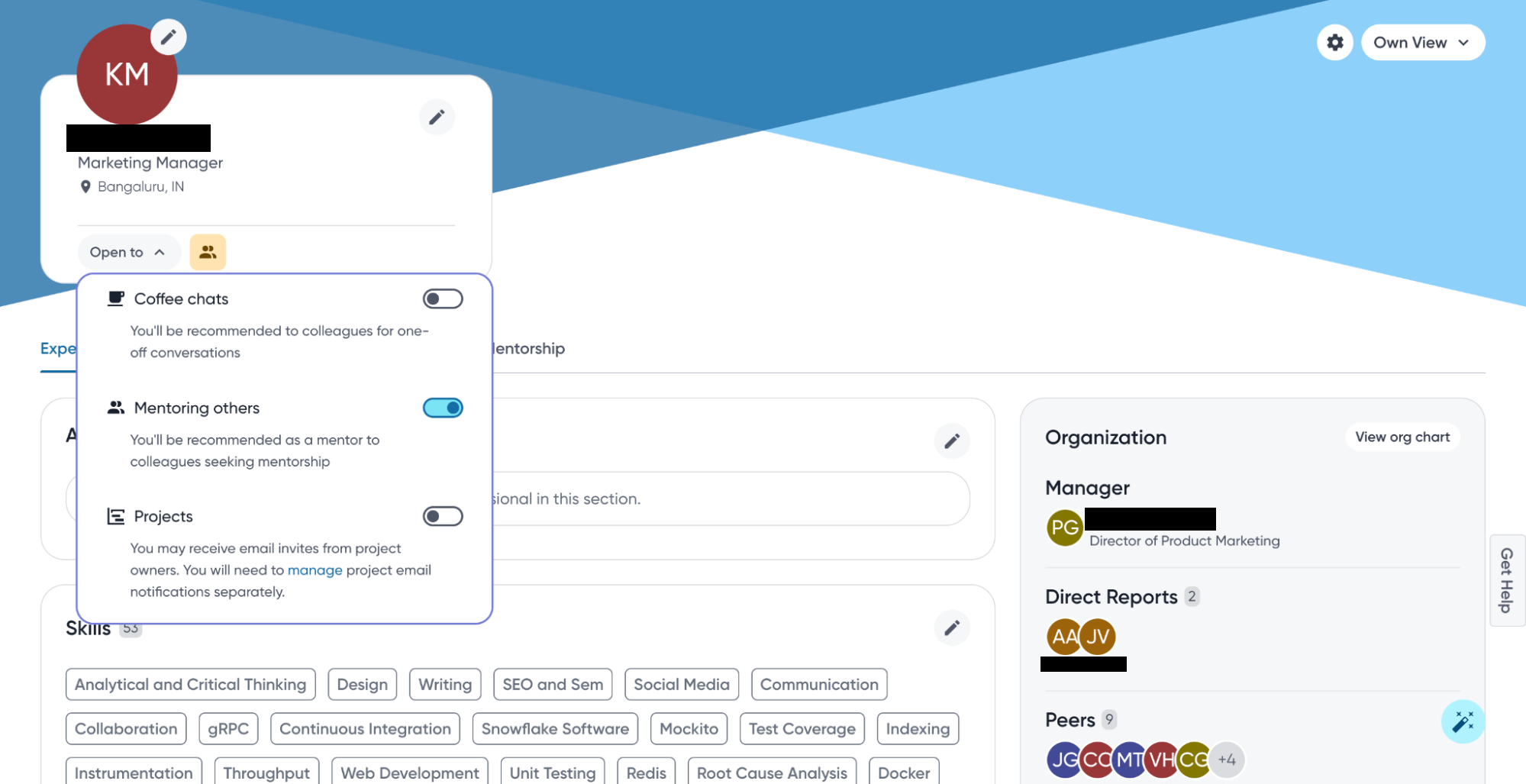
After:
Disinterested employee can opt-out of being invited or added to projects, from their Career hub Profile page
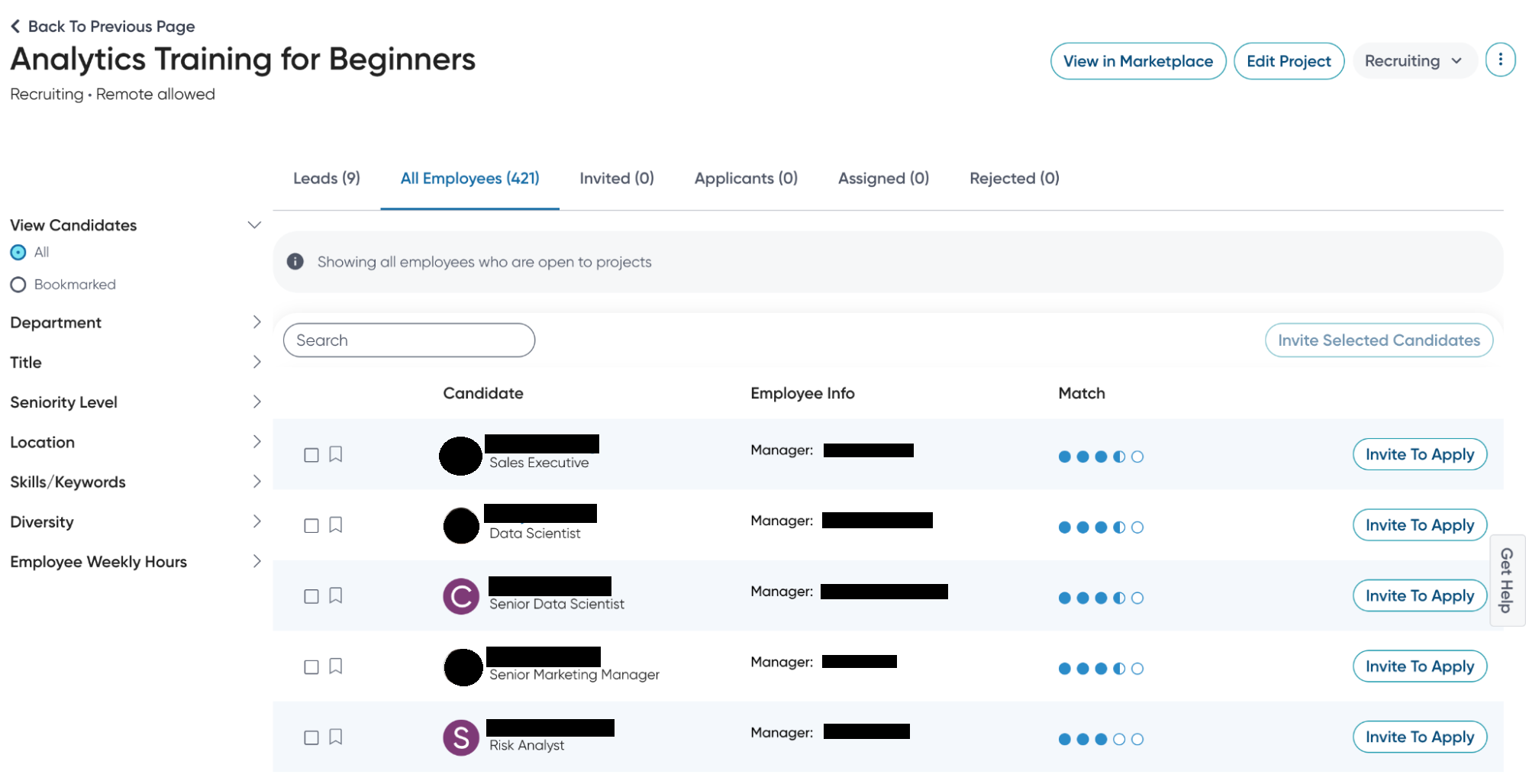
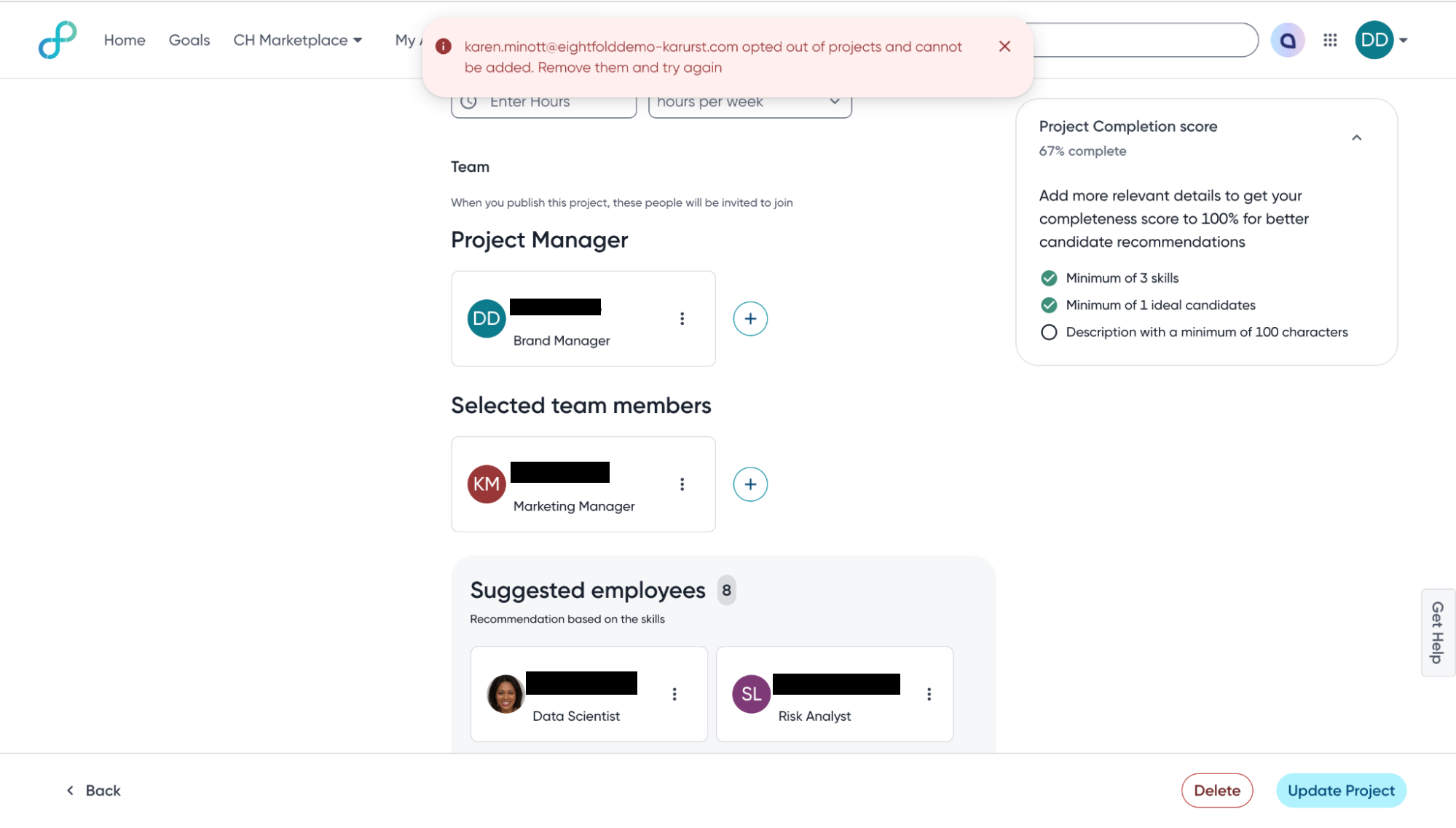
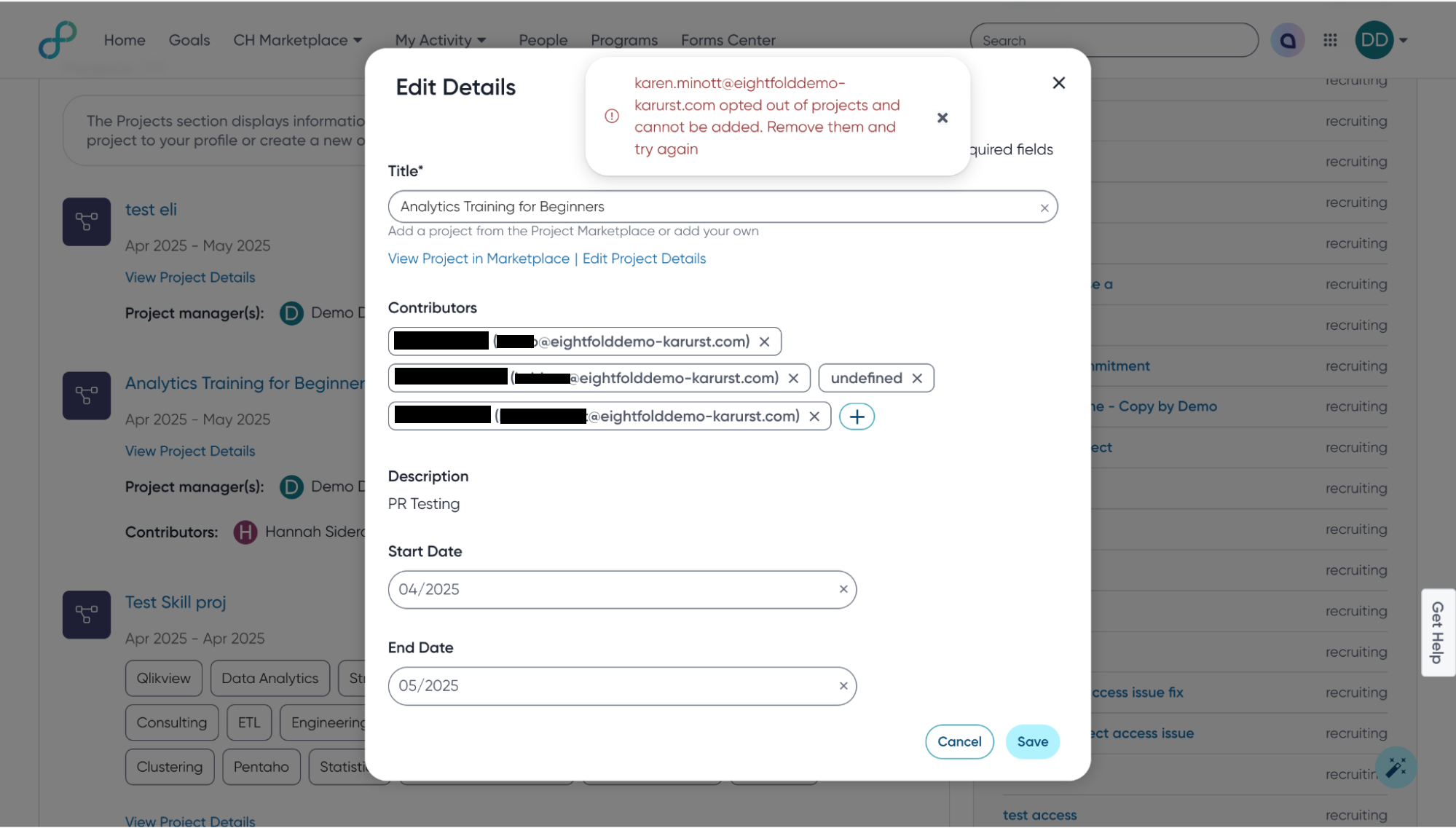
Employees opted-out of projects will be removed from the ‘All Employees’ and ‘Leads’ section of the project pipeline page. As a result, the project manager can't invite such employees.
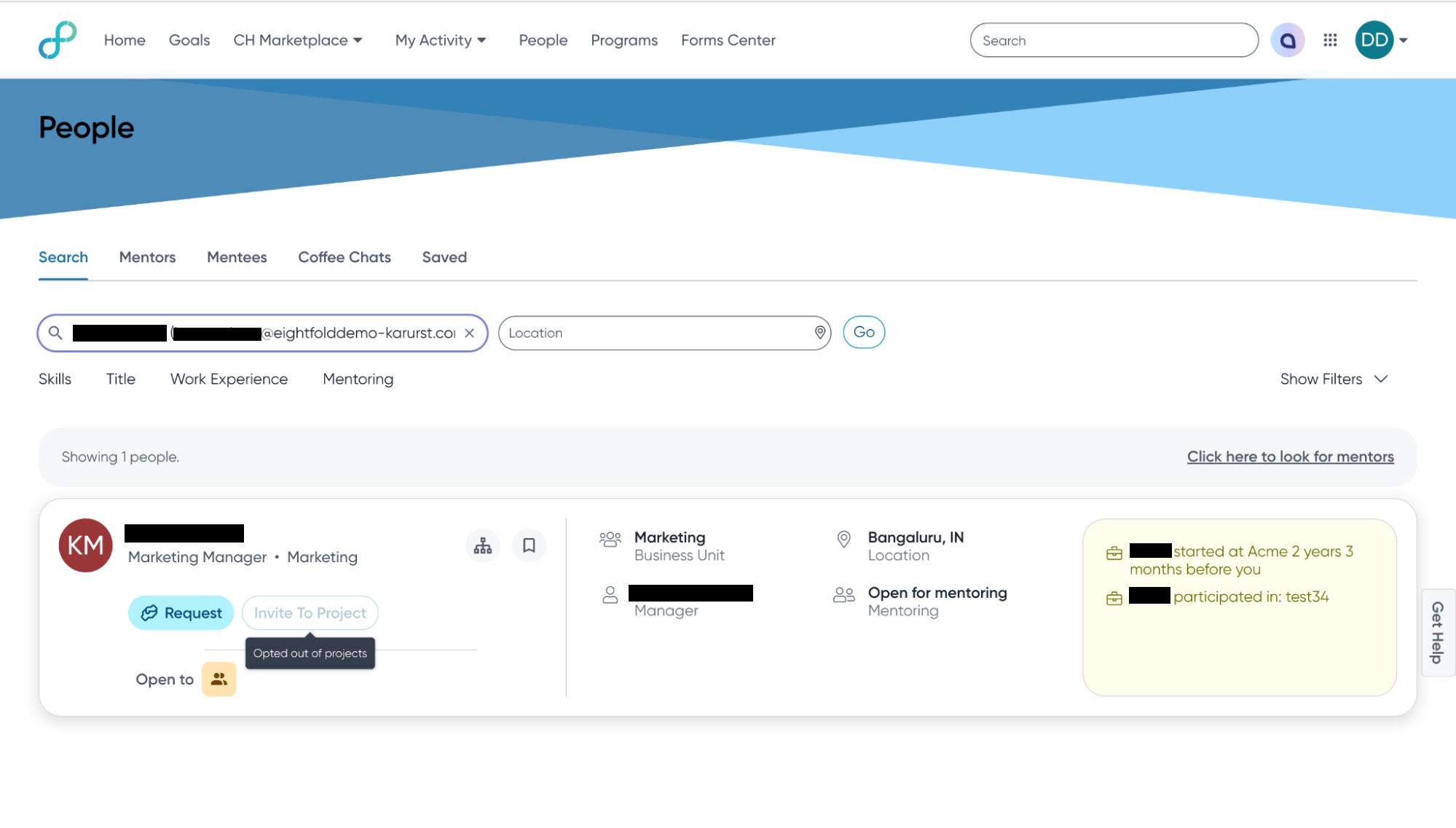
Project manager won't be allowed to invite opted-out employees to their project from the ‘People’ page
Project managers won't be allowed to add opted-out employees directly to the project team
Users
Employee, Project Manager
Requirements
Project Marketplace 2.0 enabled
Needs addressed
Opportunity for employees disinterested in projects to proactively opt out of being invited to and added to projects.
To reduce recruitment time for project managers with better acceptance rate.
Leading organizations believe that employees should have the agency to choose whether or not they participate in projects. However, the current state of affairs across many organizations is such that all employees can be invited or added to any project, with no mechanism to opt out of receiving such invitations. As a consequence, disinterested employees continue to receive invitations, and project managers invest time in soliciting their participation, only to be met with refusals that hinder project advancement.
Impact on existing workflows
Employees who don't want to be recommended projects would still have to manually turn off the project recommendation notifications from their Settings page
Employees can only opt out of being invited or added to any project by the project owner. As a result of opting out, a project owner cannot invite or add them to a project.
The employee can still view and apply to any projects in Project Marketplace; an opted-out employee can still view these projects in the marketplace and explicitly apply.
Initial setup
Go to Admin Console > Home > Feature Management and enable the Ability to turn off Project Invitations for Employees feature.
