- DATE:
- AUTHOR:
- The Eightfold team
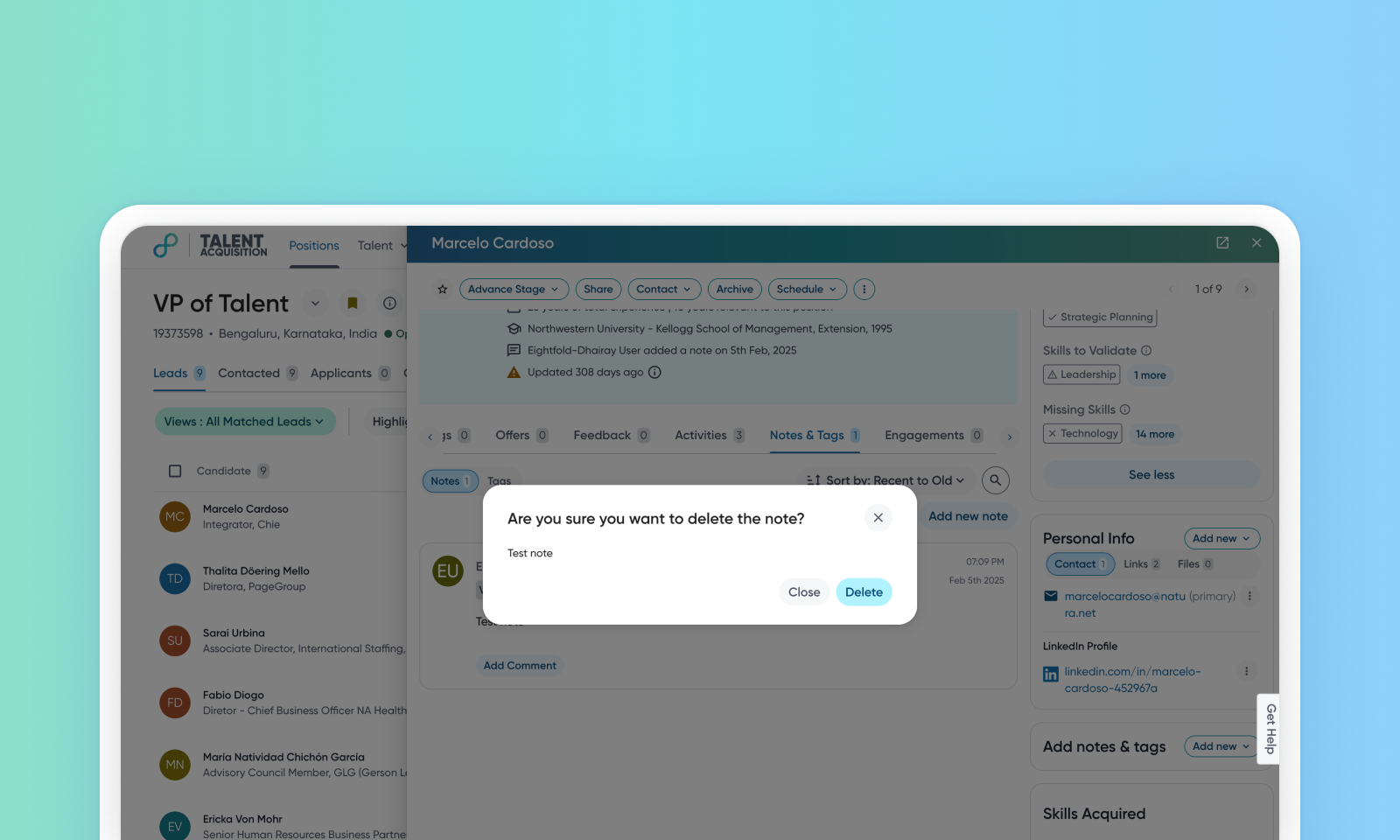
Delete notes from a candidate profile
This enhancement enables users to easily delete notes from candidate profiles. It provides users more control over managing profile data, addressing concerns about confusion and data integrity issues that can arise from incorrect or sensitive notes. The ability to delete notes ensures the accuracy of profile data.
Default on

Users
Admins, Recruiters
Needs addressed
Currently, users can only edit notes and add a comment to a candidate's profile. Recruiters need the ability to delete notes entirely in cases where a note was added to the wrong candidate profile, or if the note includes sensitive information. This capability will help prevent confusion and data integrity issues.
This enhancement allows deletion of notes while maintaining an audit trail for tracking purposes.
Regular users (with perm_delete_all_notes permission) and note creators can delete their own notes, while admin users have the permission to delete any user's notes.
To delete a note from a candidate's profile, follow these steps:
Navigate to the Notes & Tags section of the profile.
Click Delete for the note that is to be deleted.
Initial setup
This feature will be available to customers by default. Customers don't need to do anything to see this change in their Eightfold environment by the sandbox and GA dates.
