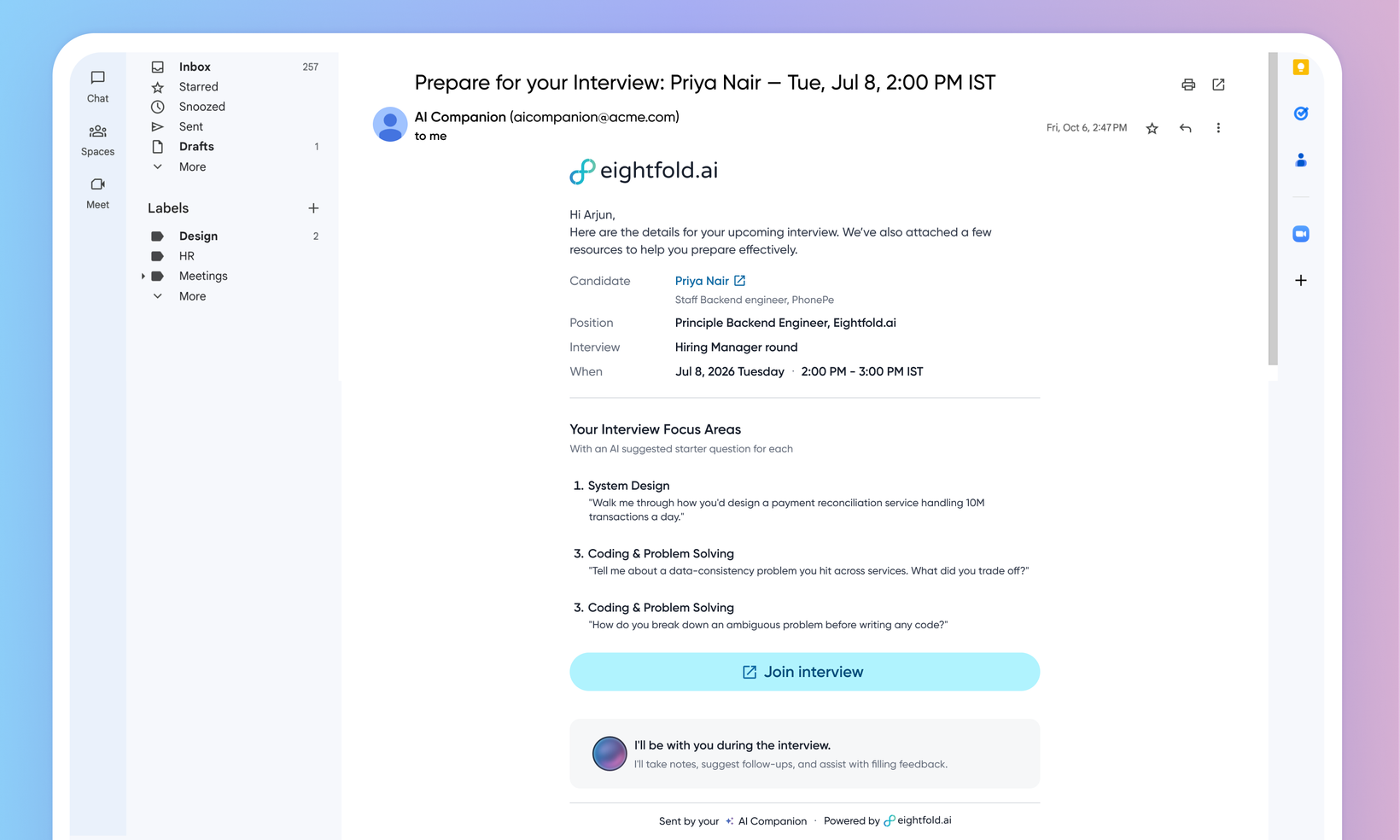
Interview prep by AI Companion
WHAT'S INCLUDED
Interviewers are busy, and prep emails often go unread. Interviewer Prep sends a short, prepared email before each interview. It carries only what's useful at a glance: the candidate's resume PDF, a candidate snapshot with a profile link, the role, a few suggested focus areas with a starter question each, and a one-tap link to join. The interview's key details — profile link, join link, and job description link — also ride along on the calendar invite.
WHY IT MATTERS
Interviewers walk in prepared instead of skimming a resume at the last minute.
The prep lands in the interviewer's inbox, so there's no new tool to open.
Suggested focus areas come from the round's feedback form and the candidate's profile, so they reflect what the interview is actually for.
FEATURE DETAILS
Who can access | Interviewers, Customer Admins, Recruiters |
Feature type | Default On |
Requirements | AI Interview Companion enabled. Interviewers reachable on email. |
GETTING STARTED
Admins: Confirm the AI Interview Companion is enabled in Admin Console ▸ Product Setup ▸ AI Agents ▸ Configure AI Interview Companion. Prep then sends for companion interviews that have a feedback form — an interview scheduled without a feedback form is skipped and receives no prep email.
End users: Before each companion interview, the interviewer gets a short prep message in email, with key details on the calendar invite. It includes a candidate snapshot with a profile link, the role, a few AI-suggested focus areas with a starter question each, and a join link. No prep email is sent for an interview scheduled without a feedback form, or when the interview is cancelled, declined, or the AI Companion is removed.
To know more, read Interview prep by AI Companion.
