- DATE:
- AUTHOR:
- The Eightfold team
Editable value field for dropdown choices in Talent Tracking templates
Default on
Requirements: Your organization must have Talent Tracking Suite enabled. For tenants with active HRIS integrations, coordinate with your implementation partner before modifying existing dropdown values, as changes may affect data mapping across connected systems.
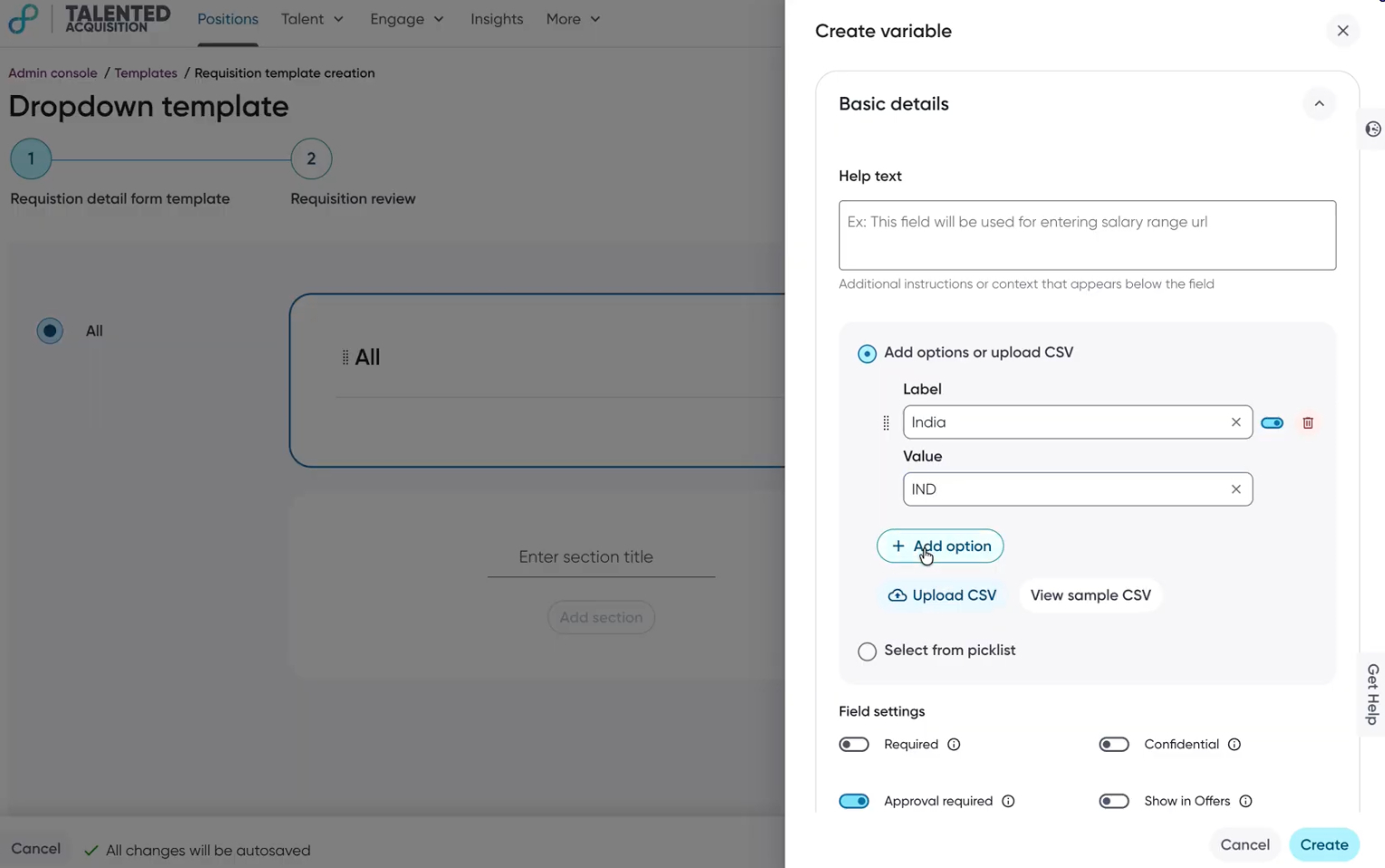
What's New: Talent Tracking dropdowns now support a distinct value field alongside the display label, enabling consistent, machine-readable values across both standard requisitions and HRIS-connected workflows (e.g., full_time, contract). Admins can use an expanded three-column CSV format (Label, Value, Enabled) for bulk uploads.
How It Works: In the Admin Console, open the Talent Tracking templates variable editor for any dropdown or dropdown-multi-select variable. For each choice, enter the user-facing label and a distinct value; note that once a value is set and saved, it is non-editable to preserve integration mappings. Use the enable/disable toggle to deactivate options without removing them, or upload a CSV with LabelValue, and Enabled columns to configure choices in bulk.
Value: Enhance Recruiter Productivity
