Automated offer data refresh
Default On
Who: Customer Admins, Recruiters, Hiring Managers
Requirements: Talent Tracking must be enabled. Enable the Offers module and link it to your external data (candidates, jobs, and pay).
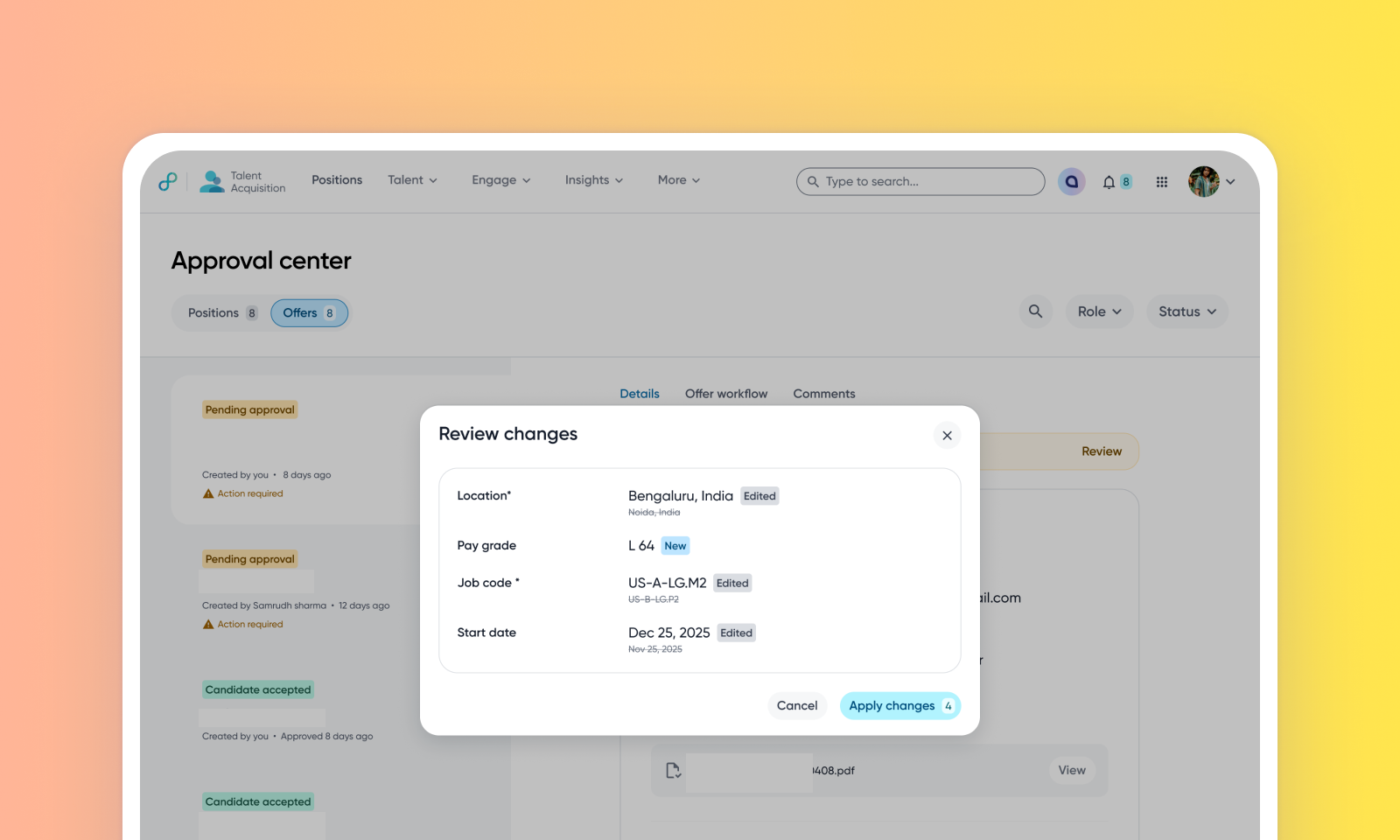
What's new: This feature automatically detects when external data - like candidate name, phone number, address, position details, pay grades—changes upstream and flags those updates in your active offers. Recruiters can quickly sync these changes without having to restart the offer process. While you can review all changes before applying them, you also have the option to auto-sync specific kinds of fields, such as candidate information, to keep data current without manual effort.
How it works: When a linked source entity changes, an 'Action Required' indicator appears on the offer form, approval center, and candidate preview page. Recruiters can use the “Review Changes” modal to selectively sync current and incoming values. To know more, read Streamlining offer updates with automated data refresh.
Value: Enhance Recruiter Productivity
