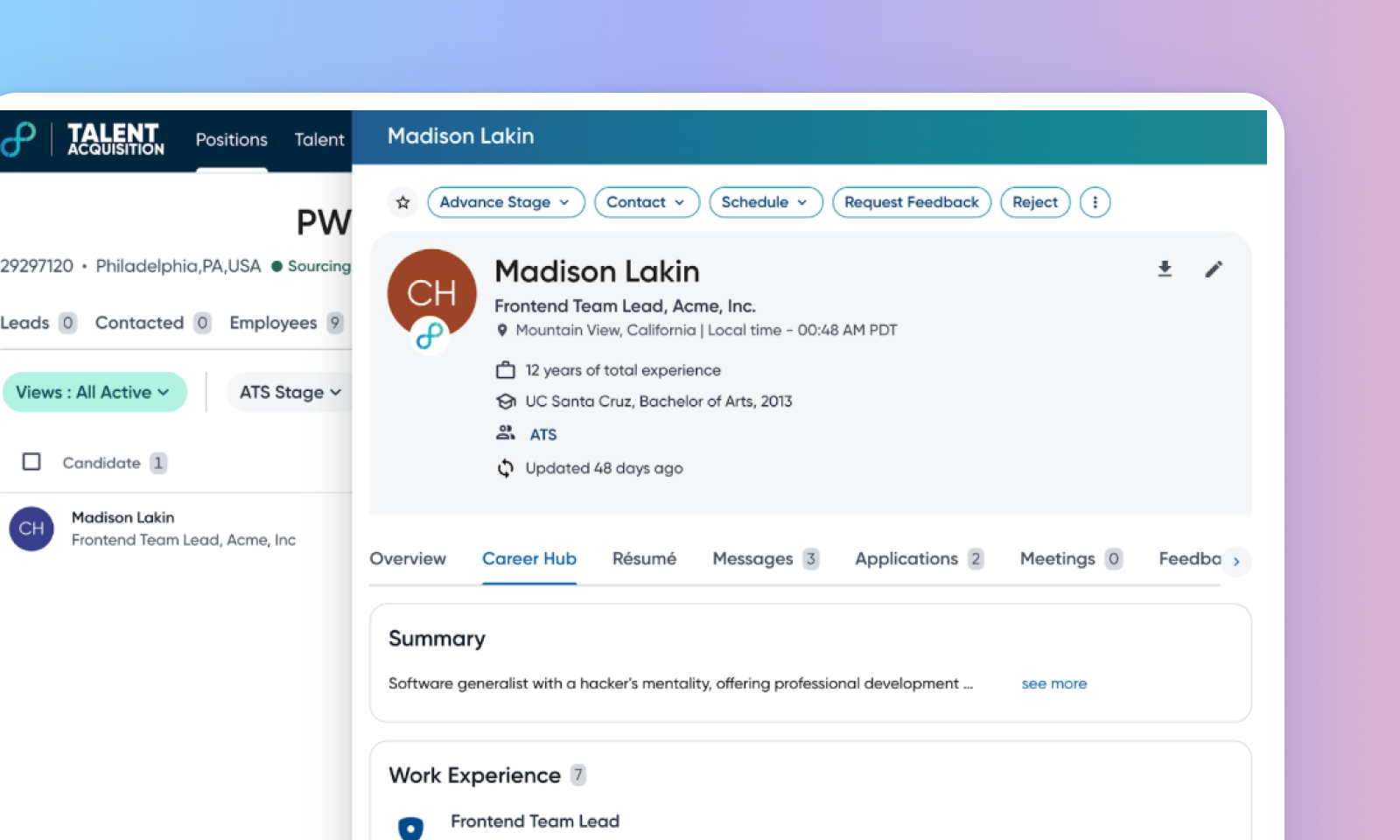
Career Hub tab in TA candidate profile
Default Off
Self-service
This feature improves the candidate profile view by introducing a Career Hub tab for candidates who are both employees and in the pipeline. Recruiters can now view both the candidate's application profile and their employee profile data together. This allows recruiters to make more informed decisions by providing comprehensive access to both profiles.
Users
Customer Admins, Recruiters
Value
Currently, when recruiters view a candidate profile in the pipeline, they only see the application profile data, even if the candidate is also an employee. This means they lack direct access to the employee's internal profile details.
The Overview tab displays the exact ATS data from the application profile, while the Career Hub tab hosts data from the employee (Talent Management) profile. Recruiters can easily switch between these tabs to compare information and get a holistic view.
For more details about a candidate profile in TA, read Profile Overview.
Initial setup
This feature is controlled by this configuration: profile_display_config::show_careerhub_tab_on_pipeline_application.
To view non-canonical profiles, enable show_non_canonical_profile_on_dupe_profile_widget.
Links
