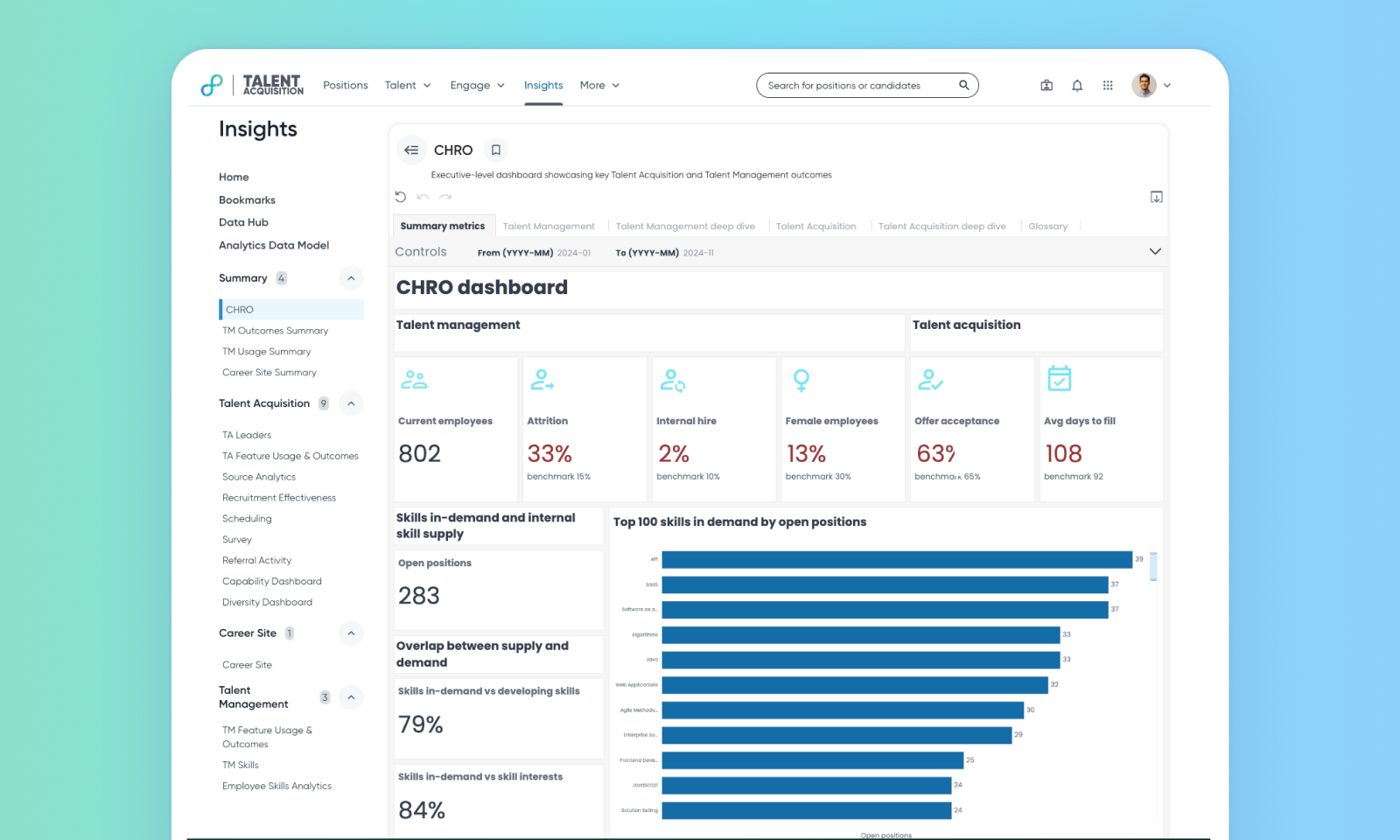
CHRO Dashboard
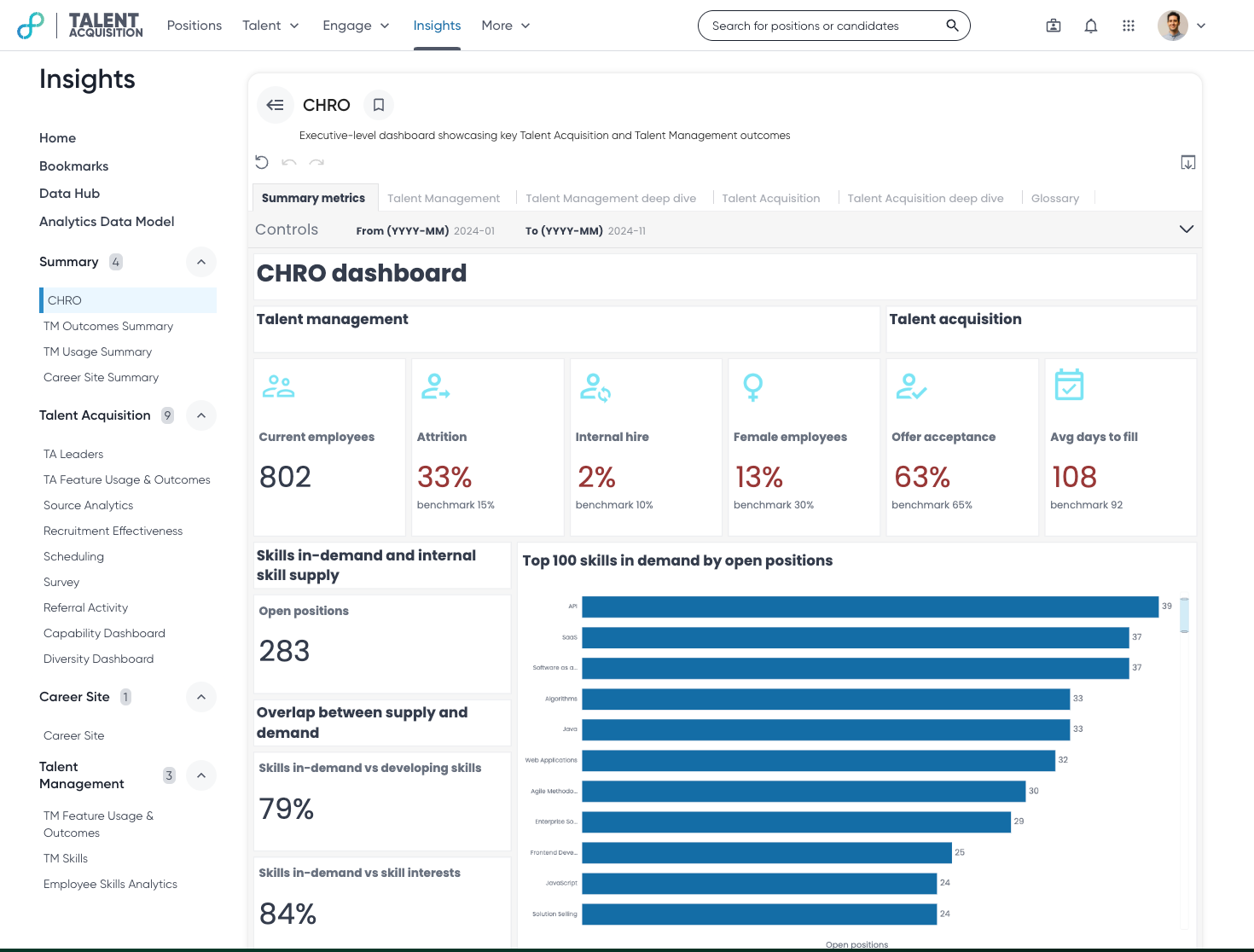
The CHRO Dashboard provides a high-level, summarized view of key talent acquisition and talent management metrics. It's designed for users who need a quick overview of workforce trends and performance.
Default On
Users
CHRO of the organization
Requirements
No licenses or prerequisite features required.
Needs addressed
Market Need: The CHRO of an organization needs a quick, comprehensive overview of their organization’s talent landscape to make informed, strategic decisions. Without a centralized view of talent metrics, users may struggle to identify trends, potential risks, or opportunities for improvement in talent acquisition and management.
Solution: The CHRO Dashboard provides a single, consolidated view of key talent metrics, including headcount, attrition, diversity, internal mobility, and skills gaps. This empowers leaders to quickly assess the overall health of their workforce and make data-driven decisions.
Use Case: User logs into Eightfold and accesses the CHRO Dashboard. They quickly review key metrics, identify a potential increase in attrition in a specific department, and drill down to understand the underlying causes. Armed with this information, they collaborate with HR and department leaders to develop targeted retention strategies.
Impact: Streamlines access to critical talent data, enabling data-driven strategies, proactive retention efforts, and long-term workforce planning aligned with business goals.
For more details on this feature, read CHRO Dashboard.
Note: To manage dashboard access, a permission called ‘perm_manage_chro_dashboard’ has been assigned to the dashboard. Admins will have this permission assigned against their role by default. Only users who have this permission assigned to their role will be able to view the dashboard on the Insights home page. Customers need to contact their admin to obtain the necessary permission to view the dashboard.
Impact on existing workflows
No impact on existing workflows
Limitations:
The dashboard isn't customizable as the datasets are aggregated for optimal performance.
The dashboard uses a 24-hour refresh interval to ensure optimal performance. This refresh interval cannot be modified.
Initial setup
This feature will be available to customers by default. Customers don't need to do anything to see this change in their Eightfold environment by the sandbox and GA dates.
Links
