- DATE:
- AUTHOR:
- The Eightfold team
Custom attributes and variables on standard Org Unit types
Default on
Who: Admin / Customer Admin
Requirements: The Talent Tracking module must be enabled on your tenant. Standard org unit types (Job Code and Office) must exist in your Foundational Data setup.
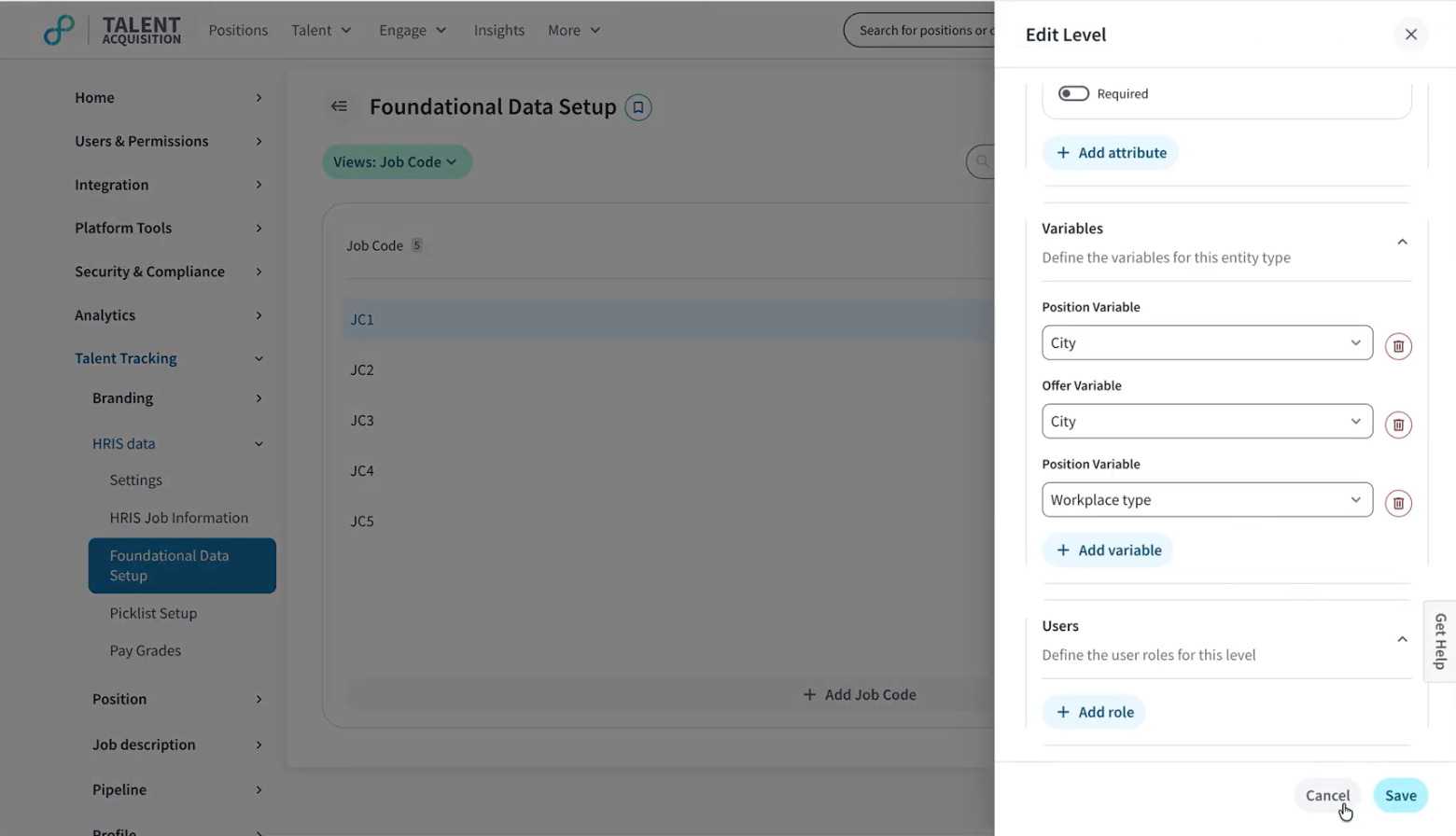
What's New: Standard org unit types — Job Code and Office — were previously locked in Admin Console, preventing admins from adding custom attributes or variables to them. You can now edit these types directly to define custom attributes and map variables, enabling job requisition fields to auto-populate based on org unit selection.
How it works: Navigate to Admin Console → Talent Tracking → Foundational Data → Foundational Data Setup, select a standard org unit type such as Job Code, and use the Edit Level panel to add custom attributes and variables. Once saved, these values auto-populate the corresponding requisition fields when the org unit is selected during job req creation.
Value: Enhance Recruiter Productivity
