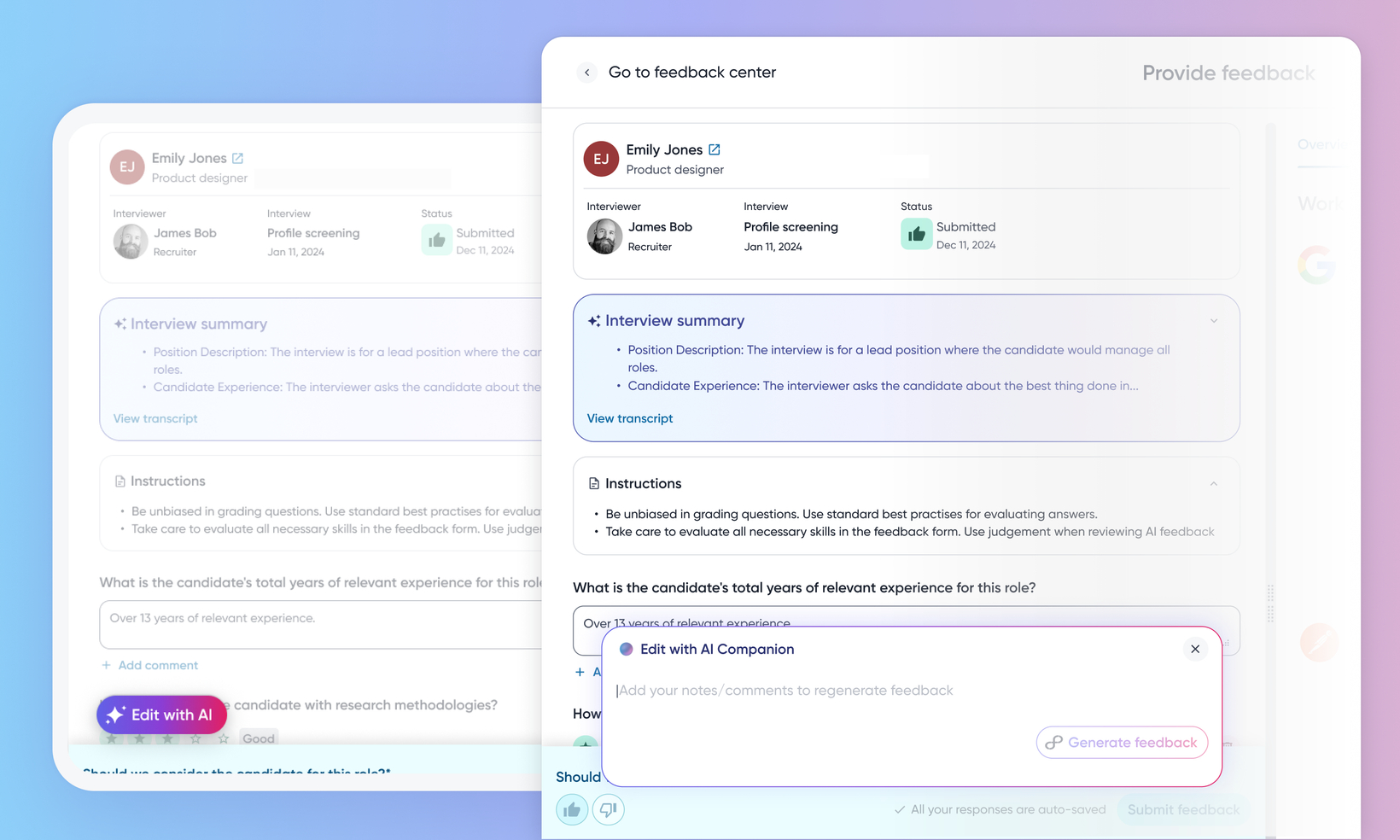
Edit feedback with AI Companion
WHAT'S INCLUDED
AI Companion already drafts interview feedback from the interview transcript. This release lets an interviewer add their own notes and regenerate just the affected answers, reviewing each proposed answer against the current one before accepting it.
WHY IT MATTERS
Rather than editing around a generic first draft, add what you actually observed and let the companion rework the answers it affects.
Each proposed answer is shown next to the current one, and you accept or ignore them one at a time or in bulk.
Feedback questions your notes don't touch are left exactly as they are, so a targeted note doesn't trigger a wholesale rewrite.
FEATURE DETAILS
Who can access | Recruiters, Hiring Managers, Interviewers |
Feature type | Default On |
Requirements | AI Companion enabled for the tenant, and the interview conducted with the companion attending so a transcript exists. |
GETTING STARTED
Admins: No configuration effort is required from customer admins.
End users: A floating Edit feedback with AI button appears on the interview feedback form. Selecting it opens a panel headed Edit with AI Companion where the interviewer adds notes and generates feedback. Proposed answers appear for review with Current answer and Proposed answer shown together, and the interviewer accepts or ignores the suggestions. Accepted answers land in the form, which the interviewer then submits as usual.
For more info, read Understand and work with the AI Interview Companion.
