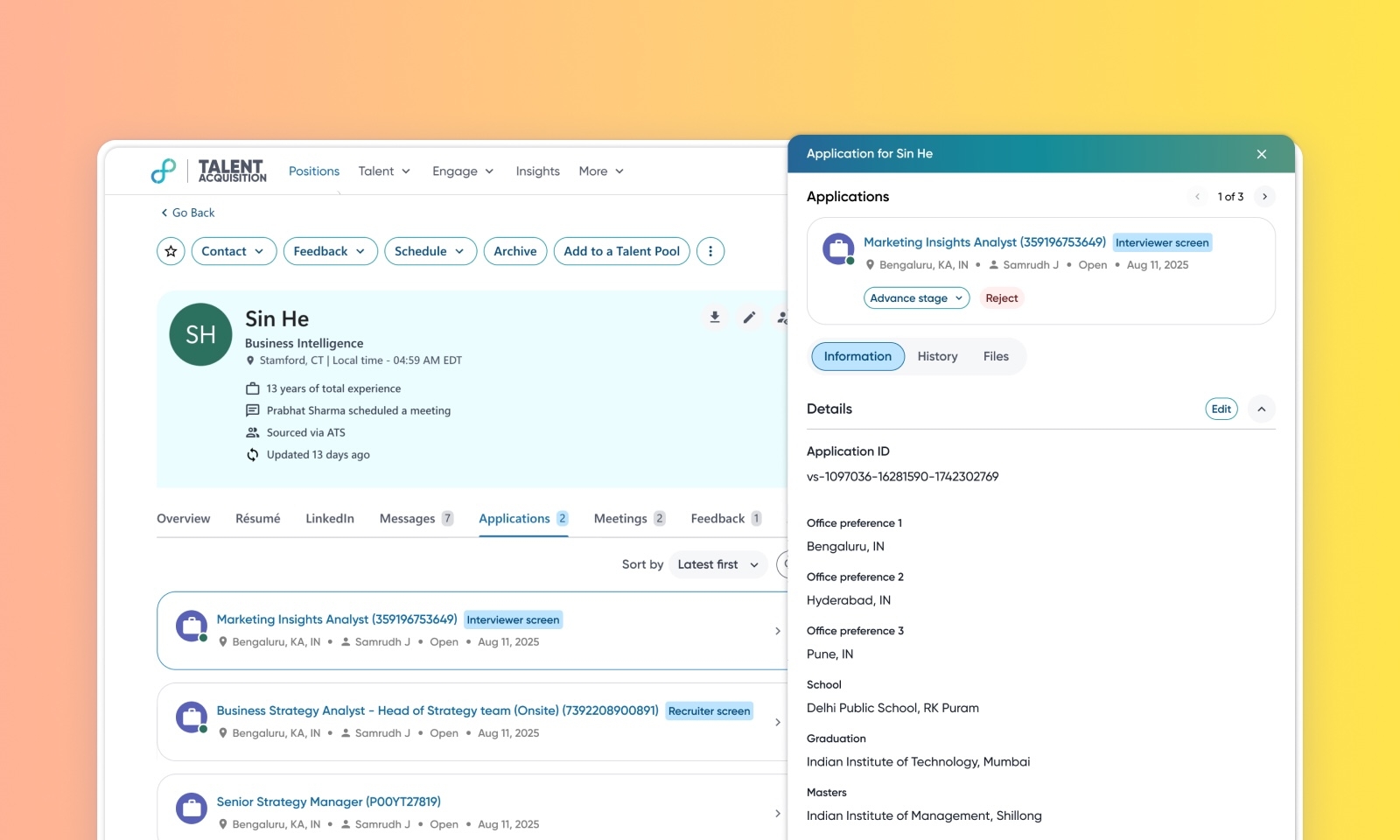
Enhanced candidate application view
Default on

Who: Recruiters, Sourcers
Requirements: Users require standard ATS permissions (PERM_ADVANCE_ATS, PERM_REJECT_ATS) to perform stage actions.
What's new: This enhancement replaces the previous application list view with a side-panel to better manage candidates with multiple active applications. Users can now view/edit comprehensive application history, files, and Q&A without navigating away from the profile. Additionally, a new position picker allows recruiters to search, filter, and associate candidates to positions more efficiently.
How it works: Clicking an application on a candidate profile opens a side panel displaying stage history, application data, and uploaded files. To advance a candidate, use Advance Stage or Reject directly within the panel or use the enhanced position picker to associate the candidate with a new requisition. To edit the application details or Q&A, open the same panel while in the edit mode of the profile.
Links
