- DATE:
- AUTHOR:
- The Eightfold team
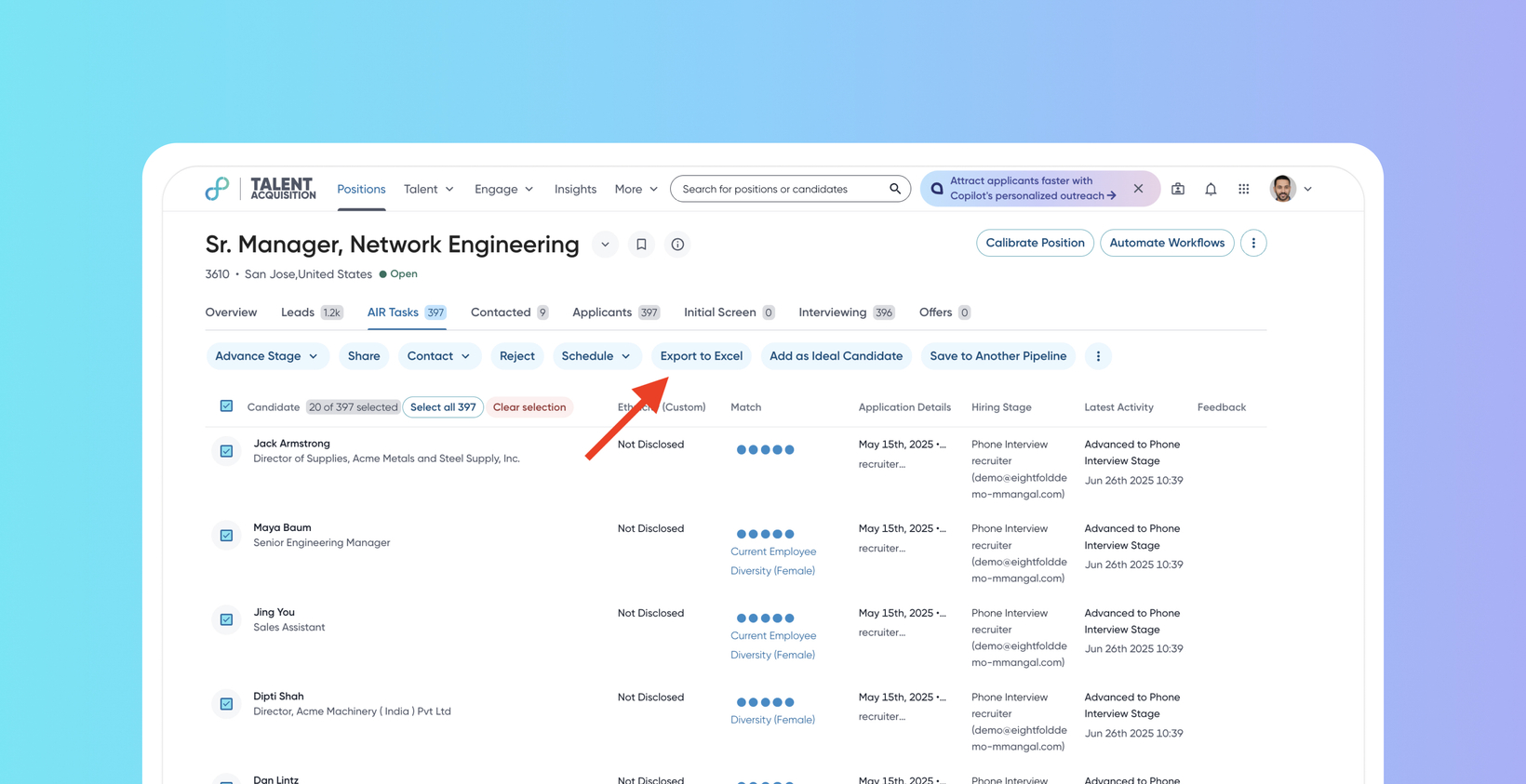
Enhanced candidate profile export
Default Off
Self-service
This enhancement allows recruiters to download candidate data directly from Pipeline, Community, and Event pages. It replaces the previous ‘Export to CSV’ option, offering a significantly improved experience by providing "What you see is what you get" (WYSWYG) data in an Excel format. This enhancement aims to streamline offline tracking of candidates and provide a more intuitive and scalable export solution.
Users
Recruiters, Schedulers, Event Managers
Value
Recruiters often need to export candidate data to manual sheets for offline tracking. The previous ‘Export to CSV’ option had some limitations, often resulting in discrepancies between visible UI data and exported data.
This new solution supports exporting data exactly as it appears within the UI ("What you see is what you get"), downloads data in a more modular Excel format, and supports bulk exports by working asynchronously for larger datasets (>100 candidates). For smaller exports (<100 candidates), downloads are instantaneous. The processed Excel file is then sent to the user's email. This approach ensures zero configuration for common export scenarios.
Recruiters can now easily export candidates from their Pipeline, Community, or Event views. They can navigate to the desired workflow, select the candidates for export, and click Export to Excel from the actions menu or kebab menu.
Initial setup
To know more about configuring this feature, read Configure 'Export to Excel' action for candidate profiles.
