Enhanced interview score with AI interview insights
Default Off
Configuration implementation required
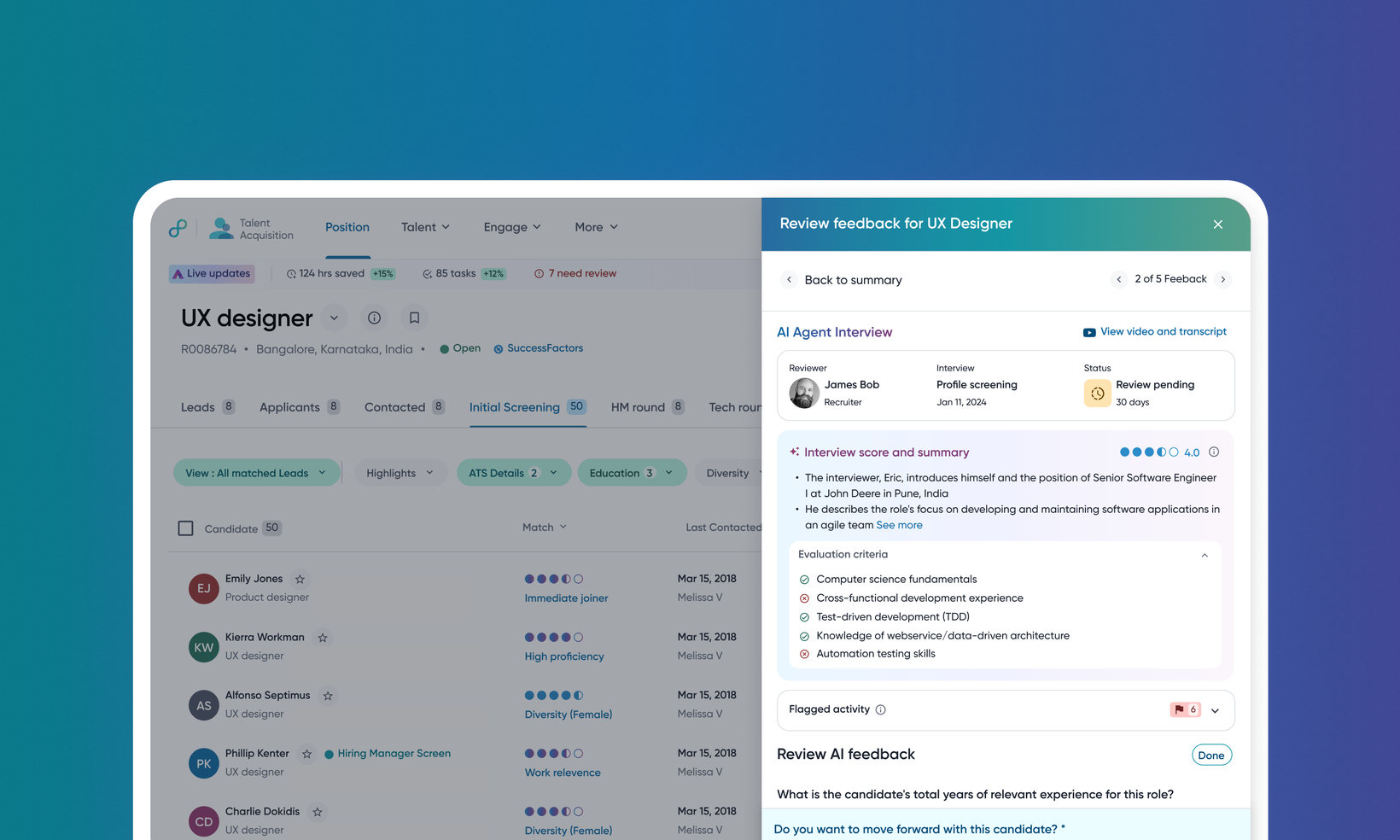
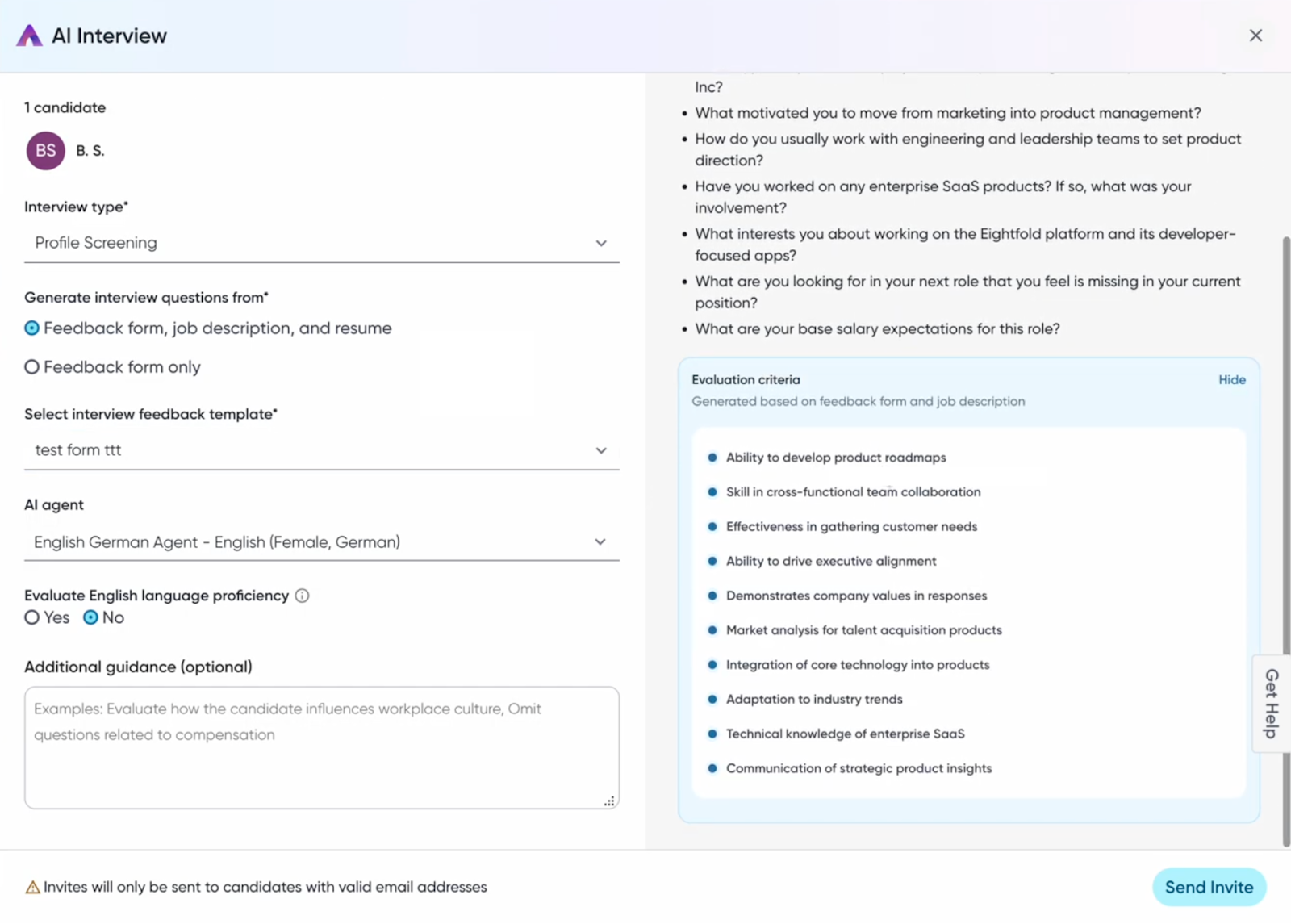
This release adds more insights to the candidate's AI interview score by showing a detailed breakdown of the evaluation criteria. The evaluation criteria are derived from job descriptions and feedback forms, giving you a clearer understanding of the key requirements for the job.
Each candidate interview is analyzed to check if they met the interview criteria. This is displayed as part of the feedback form.
Users
Recruiters, Hiring Managers
Requirements
AI Interviewer must be enabled
AI interview score must be enabled
Value
Recruiters need to quickly and confidently identify top candidates from a large applicant pool. Just the match score may not be enough; they need to understand the reasoning behind it to trust the recommendation and make data-driven decisions that go beyond a resume.
The AI Interviewer automatically generates a comprehensive set of evaluation criteria by intelligently sourcing information from multiple key areas. This ensures the AI interview is tailored and relevant to the specific role.
To understand how scoring works, read Understand AI interview score.
Impact on existing workflows
For Profile Screening interviews, a new Evaluation Criteria section will be visible during scheduling. These criteria are automatically generated and consistently applied to all candidates for the same role.
The feedback page will now display the AI's evaluation against each specific criterion, showing if the candidate's performance met the requirements.
If a candidate retakes an AI interview, only the feedback and score from the most recent attempt will be used for the Match Score calculation; previous attempts are archived.
Initial setup
Feature can be enabled through FMT. Requesting enable will initiate a support ticket to get you the assistance you need.
Note: This feature was earlier released as pre-GA, available within Feature Management > Pre-GA. It's now available within the all features tab.
