- DATE:
- AUTHOR:
- The Eightfold team
Enhanced notification testing with mock data
Default on
Who: Admin / Customer Admin / Talent Admin, Implementation Engineer
Requirements: Users must have Admin permissions.
What's new: This update adds a testing framework for scheduled notifications, allowing admins to preview and test alerts using either mock data (when live data is unavailable) or real data. Users can verify template layouts and branding for alerts like saved search results or project expiries in multiple languages and countries at once. This ensures communication accuracy and simplifies the testing process during implementation.
How it works
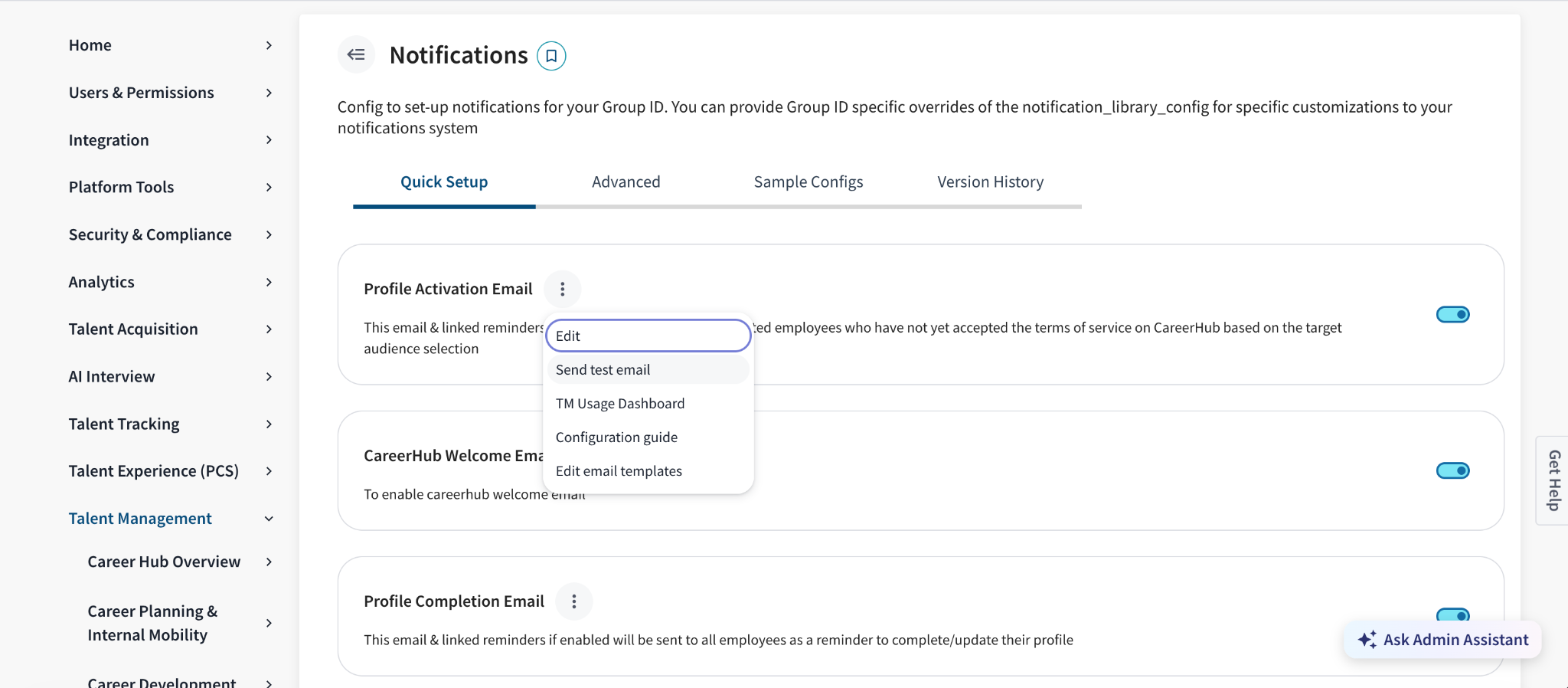
Go to Admin ConsoleTalent ManagementNotifications
Locate the specific notification you wish to test from the list of available templates (e.g., "Project Expiry Email").
Click the three-dot action menu icon next to the notification and select Send test email.
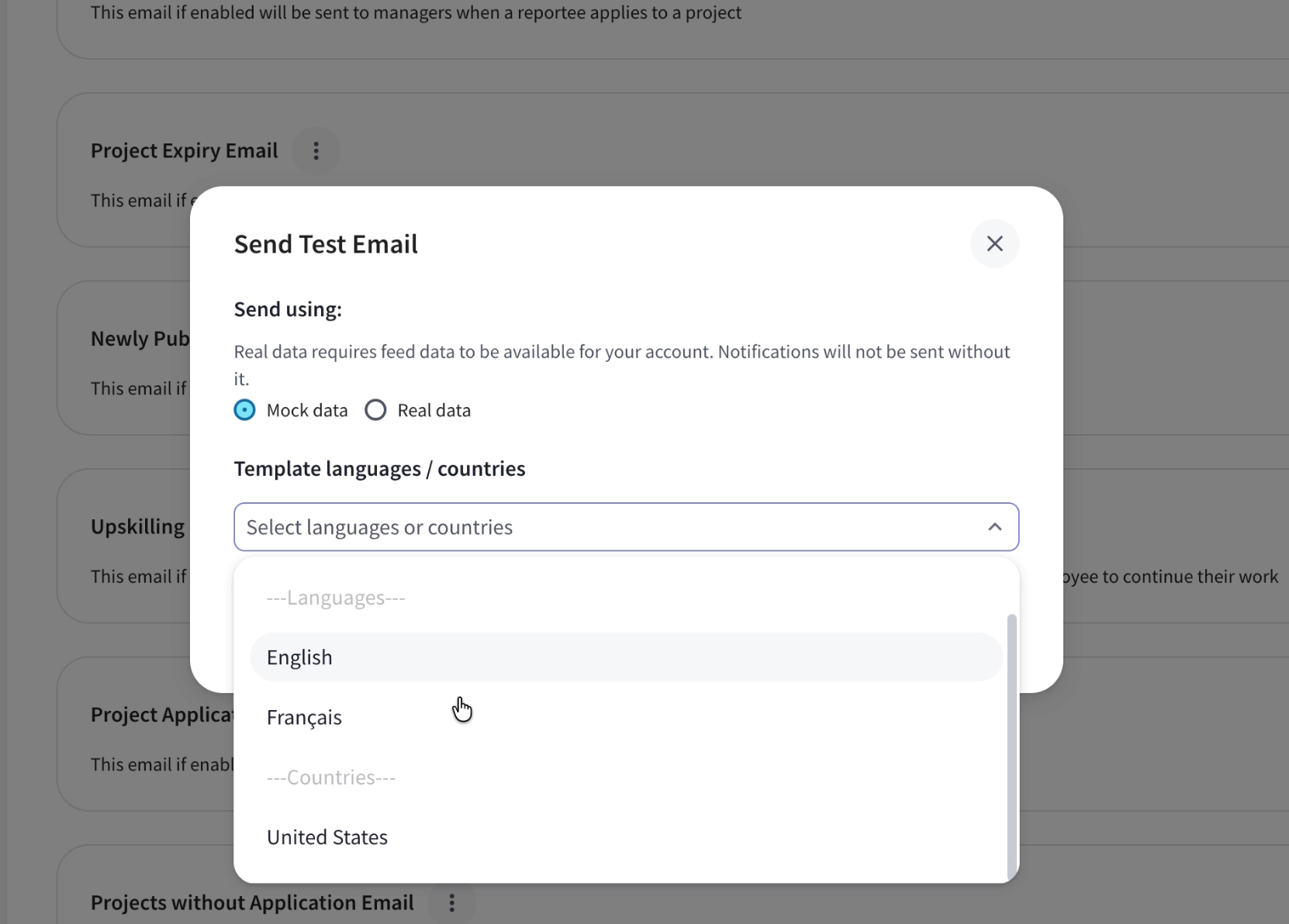
In the modal, choose your data source:
Mock data: Use pre-configured test data (no live feed required)
Real data: Use actual account data (feed data must be available)
Under Template languages / countries, select the language(s) or country/countries you want to preview from the dropdown.
Click Send to test the template(s) in your inbox. Note: Only templates configured in Communication Templates will appear in this dropdown.
Value: Enhance Recruiter Productivity
