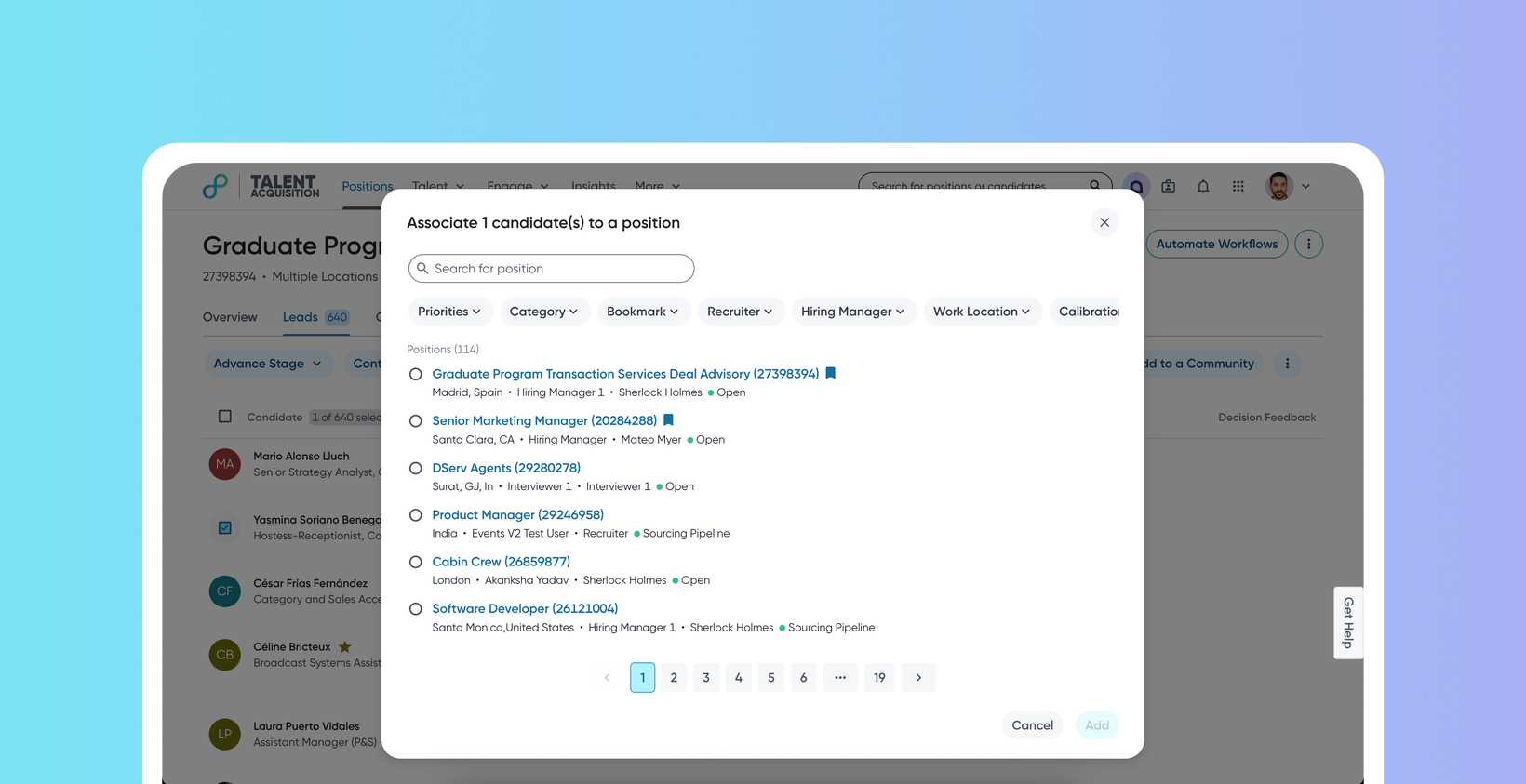
Enhanced Position, Event, and Communities selection
Default Off
Self-service
This enhancement makes it faster and more accurate for recruiters to place candidates into the correct job context. It introduces strong search and filtering capabilities tailored for large volumes of positions and events, along with clear metadata displayed directly within the selection pickers.
Recruiters can now efficiently navigate through thousands of positions, events and communities, drastically reducing misplacements and boosting productivity. The overall user interface is also modernized to align with the consistent design language of other products.
Users
Recruiters, Schedulers
Value
Recruiters often need to transfer candidates between requisitions and from requisitions to events (for example, campus hiring events). Previously, an intuitive flow was missing, which led to misplacement and inefficiencies, especially for large organizations which manage thousands of positions and events daily.
This enhancement provides the following:
Robust search and filtering within Add to Event, Add to Position, and Add To Community flows, including filters for event type, category, tagged positions, ownership, status, recruiter, hiring manager, work location, department, and configurable custom fields (for example, Parent ID).
Intelligent autocomplete that displays relevant suggestions and updates based on applied filters.
Ability for admins to configure the home pages of the respective entities.
Support for multi-selecting positions within the same flow in Events.
For more details on this feature, read Position, Event, and Community selection.
Impact on existing workflows
The Add to Event, Add to Position, and Add to Community modals have been improved from a simple checkbox search to a more comprehensive interface with visible filters, search bars, and metadata displays.
Initial setup
Customers can enable this feature from the Feature Management Tool (FMT) within the Admin Console.
