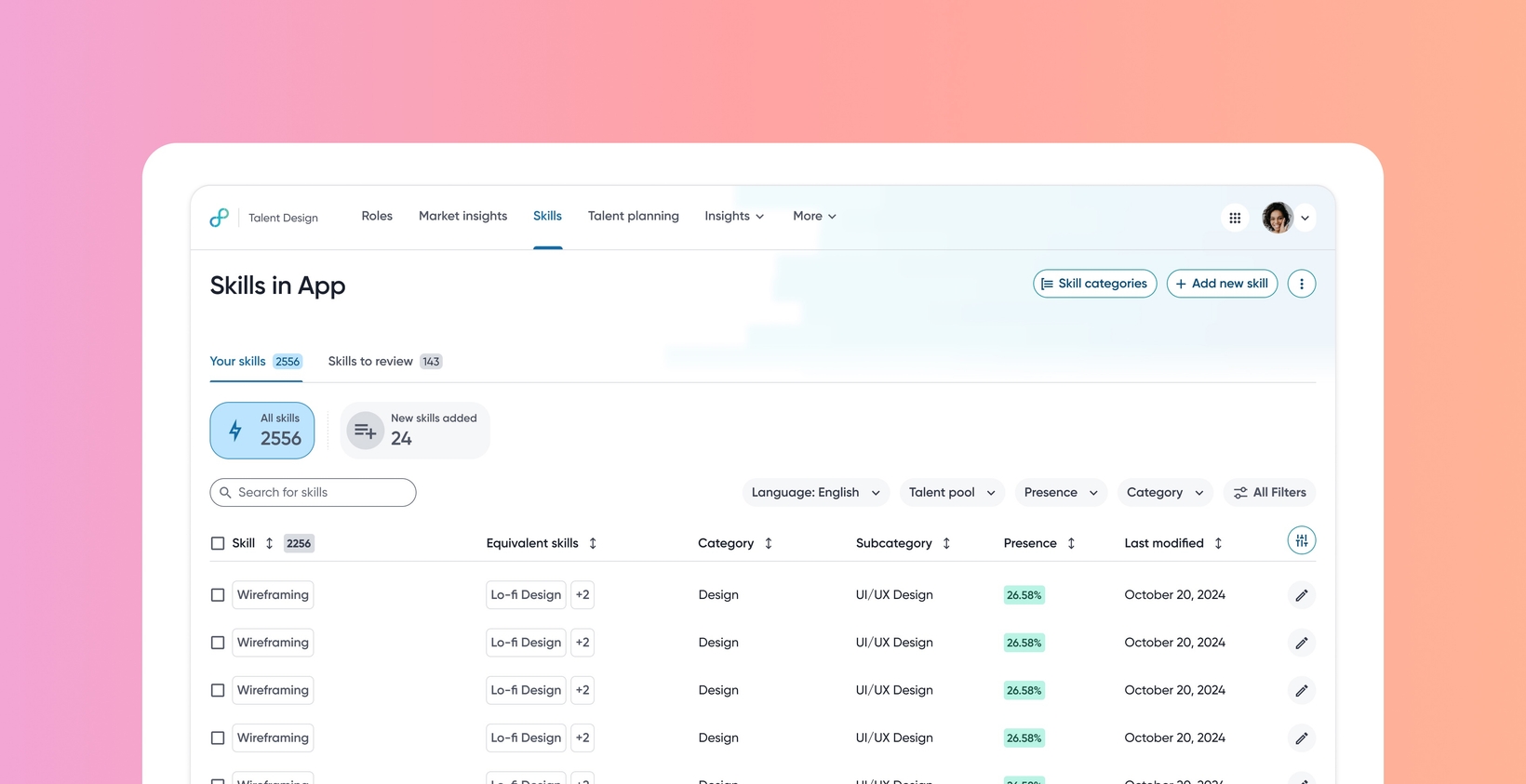
Enhanced Skills Design management
Default on
This release introduces a revamped user interface and significant usability improvements to the Skills Design page. It streamlines skill governance, providing dedicated tabs for managing existing skills (Your Skills) and reviewing skills suggested by AI (Skills to Review).
Key changes include the following:
Removal of the manual ‘Save Skills Design’ option for immediate action processing
Enhanced bulk management capabilities
Improved filtering
A detailed activity log
This ensures a more reliable and continuously standardized skills taxonomy.
Users
HRBPs, Talent Admins
Value
Organizations require tools to maintain a reliable skills taxonomy by standardizing and unifying global data from different sources continuously. Further, admins need efficient mechanisms to review and manage skills inferred by Eightfold based on talent pool changes (company data) and industry benchmarks.
This release provides a robust, standardized UI for managing skills, ensuring unification and harmonization of skills data. The introduction of Autosave streamlines administrative tasks. Dedicated tabs (Your Skills and Skills to Review) allow for clear segmentation of current skills versus AI-inferred skills needing approval (New from {company} and New from {benchmark industry}). The ability to perform bulk actions greatly increases efficiency in processing many suggested skills.
With this release, customers will experience improvements in productivity, data governance, and data integrity.
To know more about skills, read Skills management.
Impact on existing workflows
The explicit step of saving changes is removed; changes are immediately active (Autosaved).
Bulk selection on the Main Skill Engine page enables bulk delete and bulk export. On the Skills to Review section, bulk selection enables Add skills, Delete skills, and Export skills.
Skill splitting is disabled if the skill being edited doesn't have equivalent skills present.
Initial setup
This feature will be available to customers by default. Customers don't need to do anything to see this change in their Eightfold environment by the sandbox and GA dates.
Links
