- DATE:
- AUTHOR:
- The Eightfold team
HRIS Sync status for New Hire activities
Default on
Who: Recruiter
Requirements: This feature requires a Talent Tracking (HRIS) integration to be enabled for the application's group and system. The relevant hiring stages must also be included in the initiate_hire_employee_stages configuration, which triggers new hire write-back from stage advances.
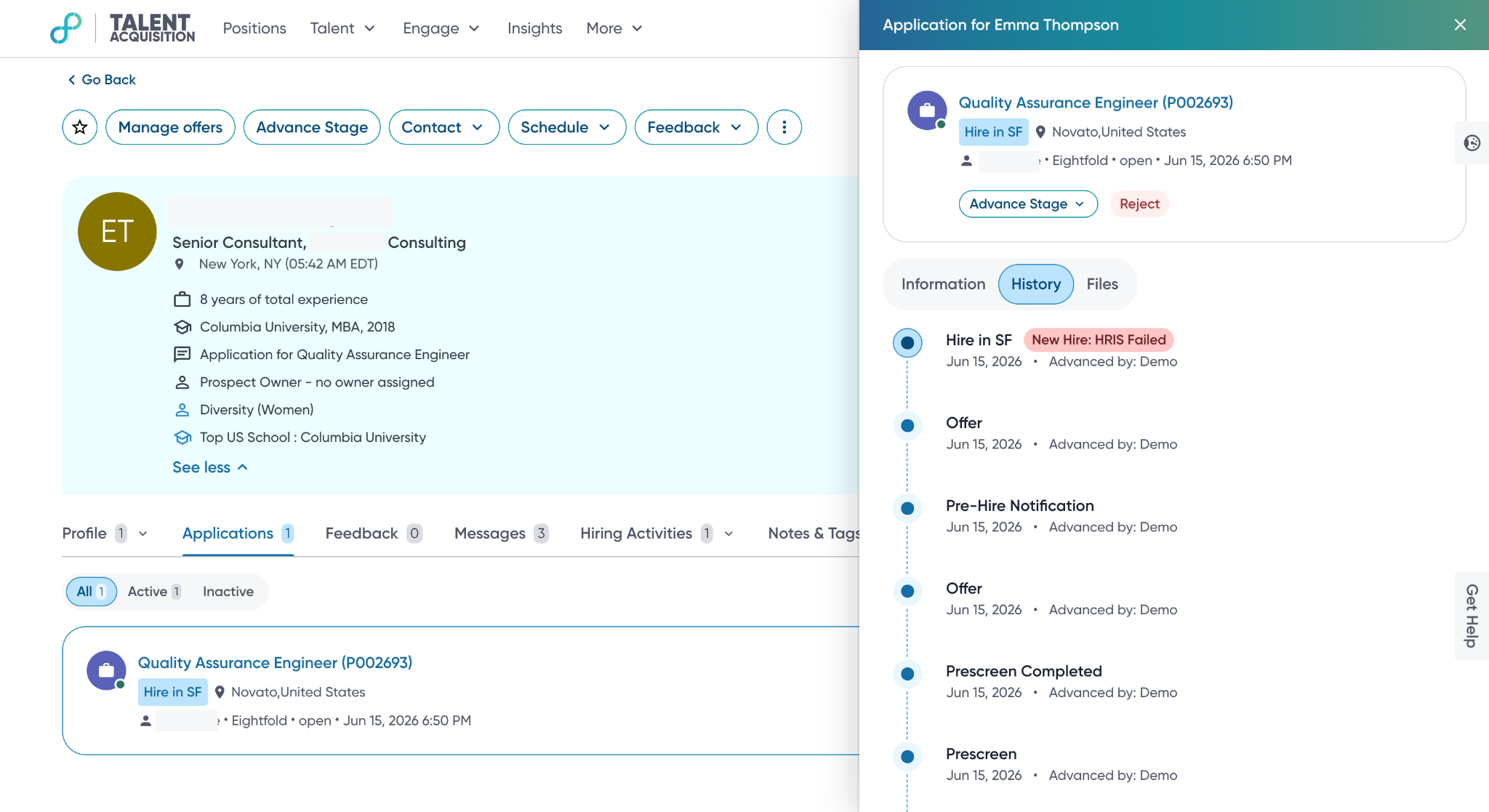
What's New: Candidate profiles now display the HRIS write-back status for new hire and cancel hire activities within the application stage history. Previously, teams had to verify hire record success outside the platform due to a lack of visibility. Status pills like "New Hire: HRIS Successful" or "Cancel Hire: HRIS Failed" now appear next to the triggering stage, enabling recruiters to identify and resolve sync issues directly within the candidate profile.
How It Works: When a stage advance that initiates a hire completes, a status pill appears next to the stage name in the candidate's application stage history, reflecting the current state of the HRIS write-back. If a candidate goes through multiple hire events (hire, rescind, rehire), each stage shows the status of its most recent hire or cancel activity. The following statuses are possible:
New Hire: HRIS Failed - The new hire activity failed after a stage advance to a hiring stage.
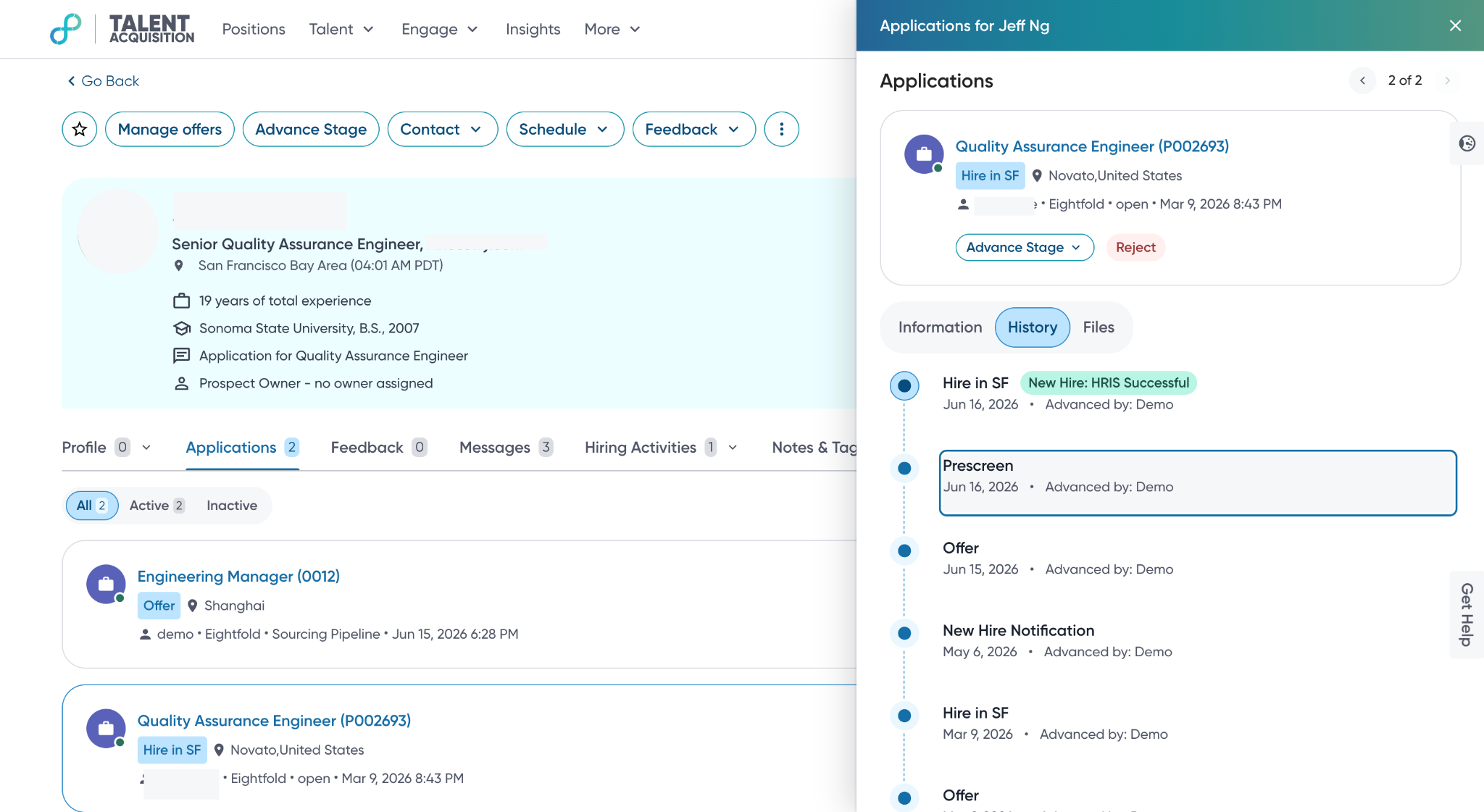
New Hire: Pending to HRIS - The new hire activity is pending.
New Hire: HRIS Success - The new hire activity succeeded.
Cancel Hire: HRIS Failed - The cancel hire activity failed after a stage advance from a hiring stage.
Cancel Hire: Pending to HRIS - The cancel hire activity is pending.
Cancel Hire: HRIS Success - The cancel hire activity succeeded.
Please refer to Diagnostics for a detailed analysis of successful and failed scenarios, including information such as failure reasons and specific API errors.
Value: Enhance Recruiter Productivity
