- DATE:
- AUTHOR:
- The Eightfold team
Introduction to Events 2.0
Default on
Events 2.0 is a significant evolution of our event recruiting capabilities, designed to streamline and enhance high-volume hiring processes. This upgrade introduces a suite of powerful features aimed at improving efficiency, candidate experience, and collaboration across your organization.
Key enhancements include:
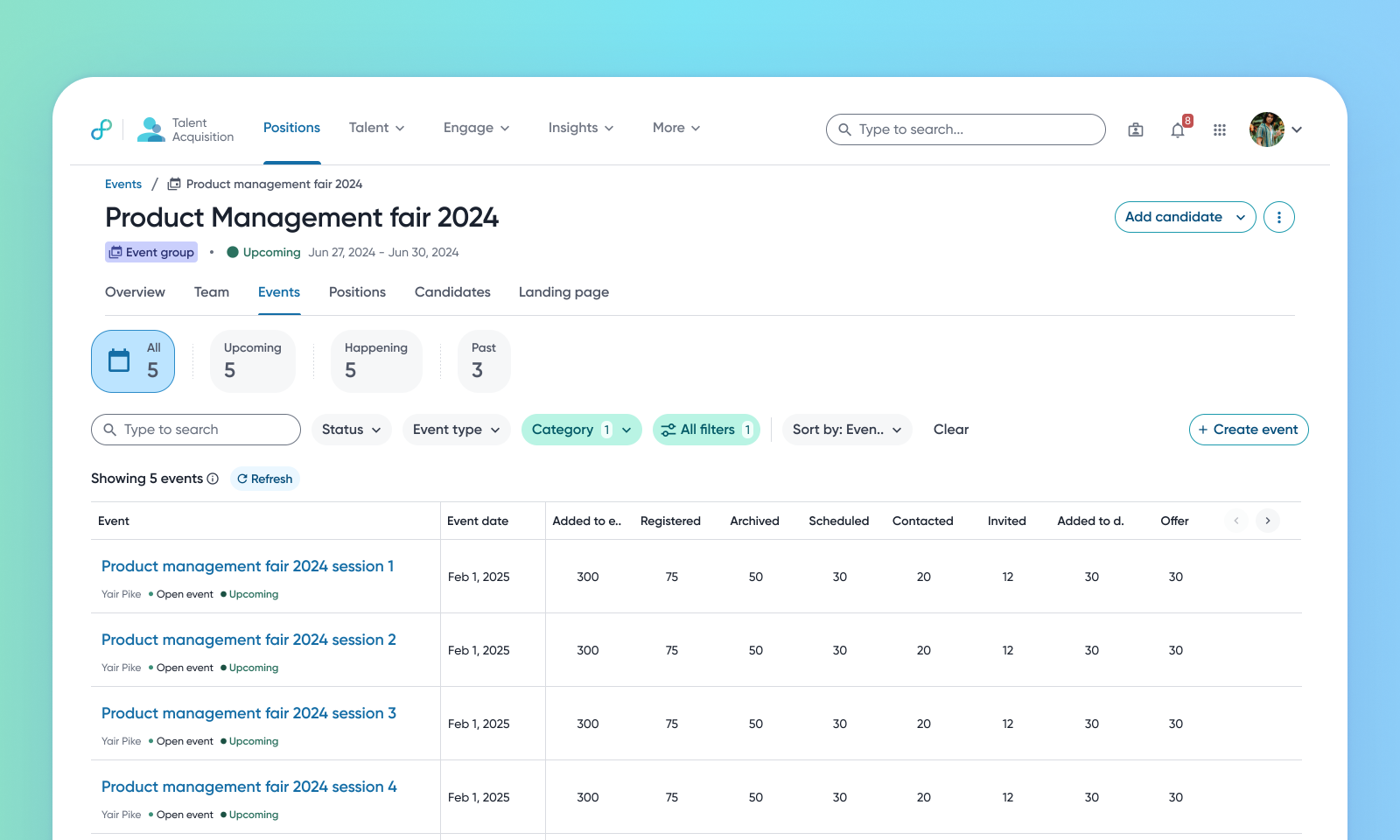
Event groups: this allows users to organize multiple events with a common objective into a group. It enables the creation of recurring nested events in bulk and central pooling of candidates who can be invited to events within the group.
Stages in events: customizes candidate workflows based on event type.
Custom event teams: allows the creation of tailored teams with localized permissions.
Interview breaks: ability to configure breaks between consecutive interviews, specifically within event scheduling. Recruiters can set break durations in scheduling templates, ensuring smoother interview workflows.
Other useful enhancements added to Events 2.0 include:
Event team sign-up: allows internal employees to sign up for events.
Panel management on Event Scheduling: manages scheduling at a panel level.
Bulk actions in Events: performs candidate actions at volume.
Improved Events home page: features a modern design, location filters, and configurable columns.
Scheduling directly from event: improved user experience by displaying the scheduling pages directly from the live schedule within the event.
Internal publishing: enables the internal publication of events to employees.
Configurable Event headers: allows the configuration of actions based on roles.
Improvements to Event tabs: provides options to remove tabs for specific roles or event buckets.
Event team auto-provisioning and calendar invites: automates user provisioning and sending calendar invites to team members.
Auto-initiate assessments: automates the triggering of online technical assessments like HackerRank when candidates move to specific stages within an event workflow. This streamlines high-volume recruitment efforts by eliminating manual assessment linking.
Notifications: the system automatically triggers notifications and requests, such as sending assessment invitations, scheduling requests, or prompts for feedback and decisions. This happens when candidates move to specific stages within an event's recruitment process.
Users
Admins, Recruiters, Schedulers, Event Coordinators, Hiring Managers
Requirements
For certain features such as online assessment triggers, the HackerRank assessment integration needs to be enabled
Needs addressed
The previous event recruiting process lacked the necessary features for efficient high-volume, high-velocity hiring. There was a need to better organize multiple events with a common objective, streamline event team collaboration, implement structured decision-making, automate workflows, and enhance the overall experience for users.
This release introduces a suite of enhancements designed to modernize and streamline event recruiting. These features together provide a more scalable, flexible, and efficient way to plan, run, and track recruiting events.
Events 2.0 is expected to lead to improved event manager productivity through bulk actions, automated workflows, and centralized management. The candidate experience will be enhanced with clearer communication and more flexible scheduling options. This feature is also expected to expedite the hiring process and improve time-to-hire, particularly for high-volume event hiring. Overall, Events 2.0 aims to be a more scalable and flexible solution for enterprise-level recruiting events, making high-volume hiring easier and more efficient.
To know more about these Event enhancements, read:
Impact on existing workflows
Existing events can't be directly added to a newly created event group.
Event groups can't be nested within other event groups.
Initial setup
This feature will be available to customers by default. Customers don't need to do anything to see this change in their Eightfold environment by the sandbox and GA dates.
