- DATE:
- AUTHOR:
- The Eightfold team
Lock Resource Management entities
WHAT'S INCLUDED
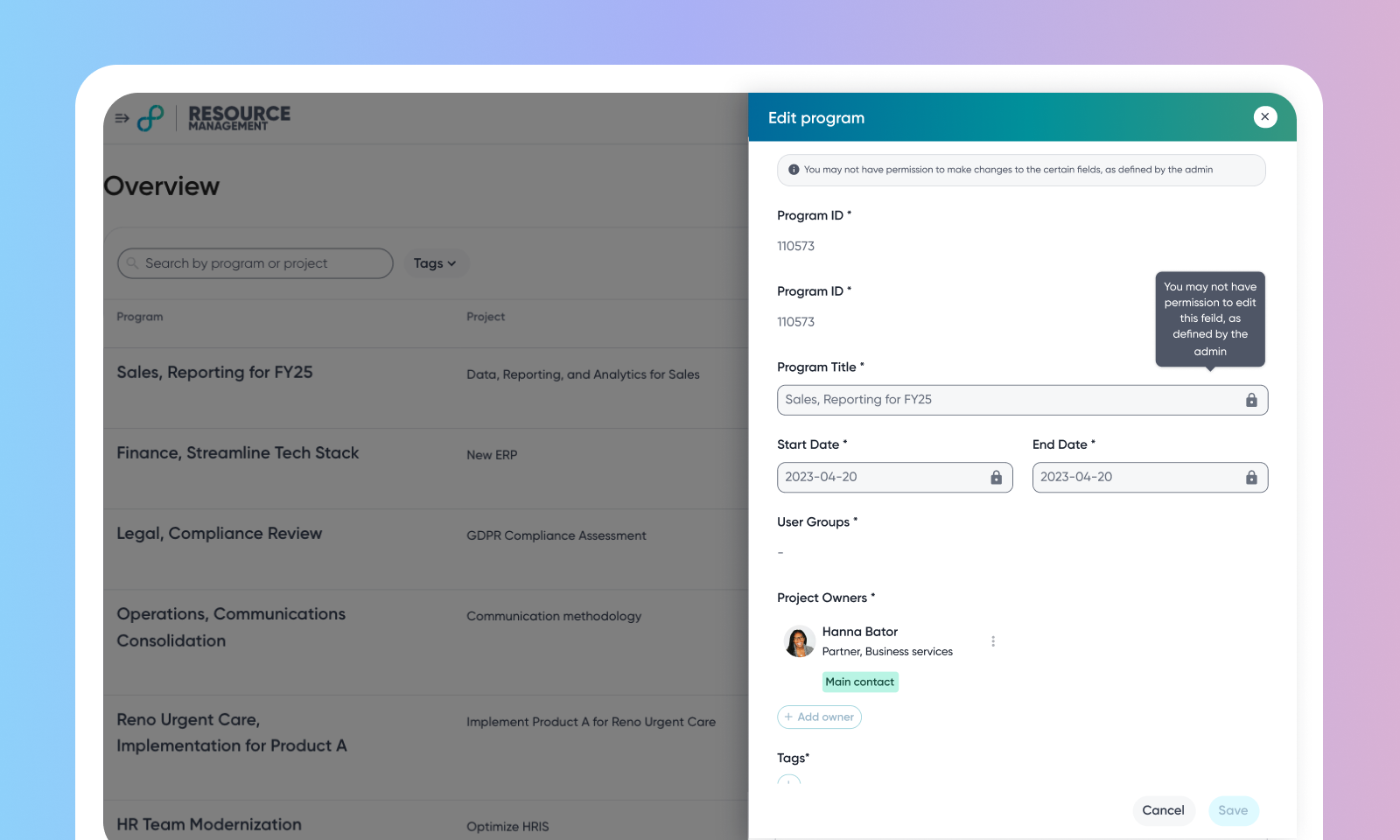
This release introduces a locking mechanism in Resource Management that locks keep records that an external source system owns from being edited in the Eightfold UI.
Lock | What it makes read-only | Where |
Program and Project lock | The Program and Project records that have an external ID | Resourcing Overview page |
Demand form lock | A demand's fields, its calibration action, and row operations (delete, archive, duplicate) | Demand Calibration page |
WHY IT MATTERS
Prevents UI edits that the source system would overwrite
An editable-fields list keeps chosen standard or custom fields writable.
Each lock is a property of the record, so all users see the same read-only state.
FEATURE DETAILS
Who can access | Resource Managers, Demand Managers, Customer Admins |
Feature type | Default Off (Config implementation required) |
Requirements | Resource Management staffing is in use and the demand-hierarchy (Program and Project) capability is enabled. |
GETTING STARTED
Admins: Ask Eightfold to enable the locks, then configure each:
Program and Project lock — define the rule condition that selects which programs or projects to lock and the editable-fields list.
To know more, read Configure Program and Project form lock.Demand form lock — define the rule condition that selects which demands lock (using demand calibration fields such as user group, status, or location), and set the editable-fields list.
To know more, read Configure Demand form lock.
End users: A locked Program, Project, or demand opens read-only with a lock indicator and banner.
For a locked Program or Project, creating new child records is disabled — no new Projects under a locked Program, and no new demands under a locked Project.
For a locked demand, its fields, calibration action, and row operations are disabled; Demand Pipeline actions are unaffected.
Editable-list fields stay editable; other changes are made in the source system.
