- DATE:
- AUTHOR:
- The Eightfold team
Reject candidate flow in Events
Default on
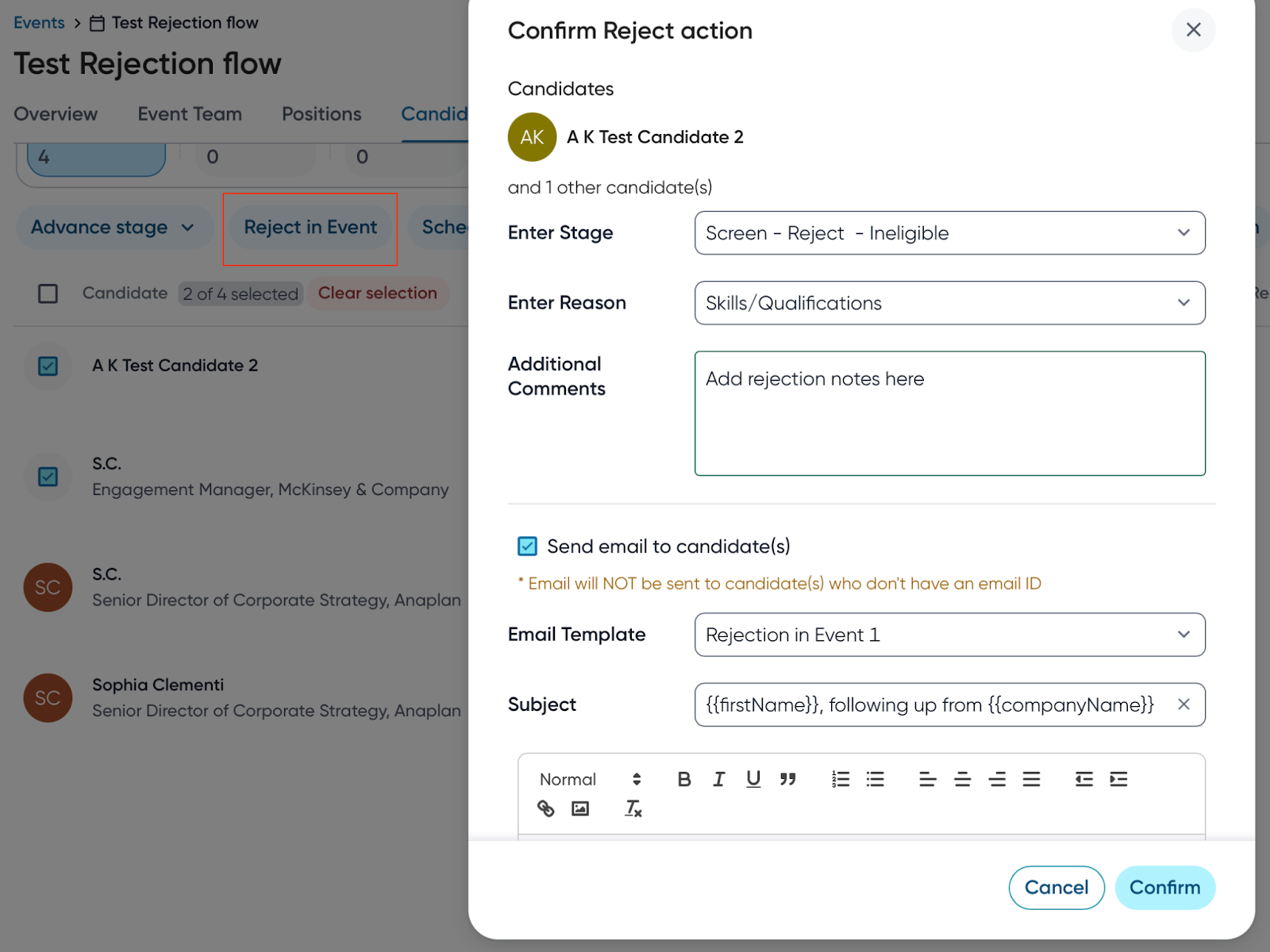
This feature introduces a dedicated ‘Rejection’ workflow to efficiently manage candidates within Events. Previously, users often relied on workarounds such as custom stages or using the rejection flow designed for positions. Now, they can use explicit actions to move unsuitable candidates to a separate 'Rejected' workflow tab, ensuring active candidate views remain clear and data reporting is accurate.
Users
Event Managers, Recruiters
Value
Events previously lacked a direct way to reject unsuitable candidates. Users used inefficient workarounds, such as using custom ‘Advanced to reject’ stages. This led to:
Cluttered views
Data inaccuracies
Workflow inefficiencies
Reporting issues
This enhancement provides a streamlined rejection process and accurate data reflection. Unsuitable candidates can be removed from active views (configurable) and moved to a separate ‘Rejected’ state. Users can now send optional rejection emails using customizable templates designed for event-specific needs. The action is fully logged, enhancing compliance and reporting.
This eliminates the need for workarounds, improving productivity for users. It also accurately reflects candidate status and enables reliable reporting on engagement and candidate rejection metrics.
With the use of this enhancement, the candidate profile's Engagements tab correctly displays the ‘Rejected’ status and details.
For more details on this feature, read Reject candidate profiles in Events.
Impact on existing workflows
Bulk rejection of multiple candidates is supported, initiating a tracked process that can be monitored in the notification center.
Rejected candidate profiles can be reconsidered by advancing their stage manually.
The ‘Reject’ button and the rejection reason in the Event pipeline are configurable.
Initial setup
This feature will be available to customers by default. Customers don't need to do anything to see this change in their Eightfold environment by the sandbox and GA dates.
To configure this feature further, read Configure candidate rejection for Events.
