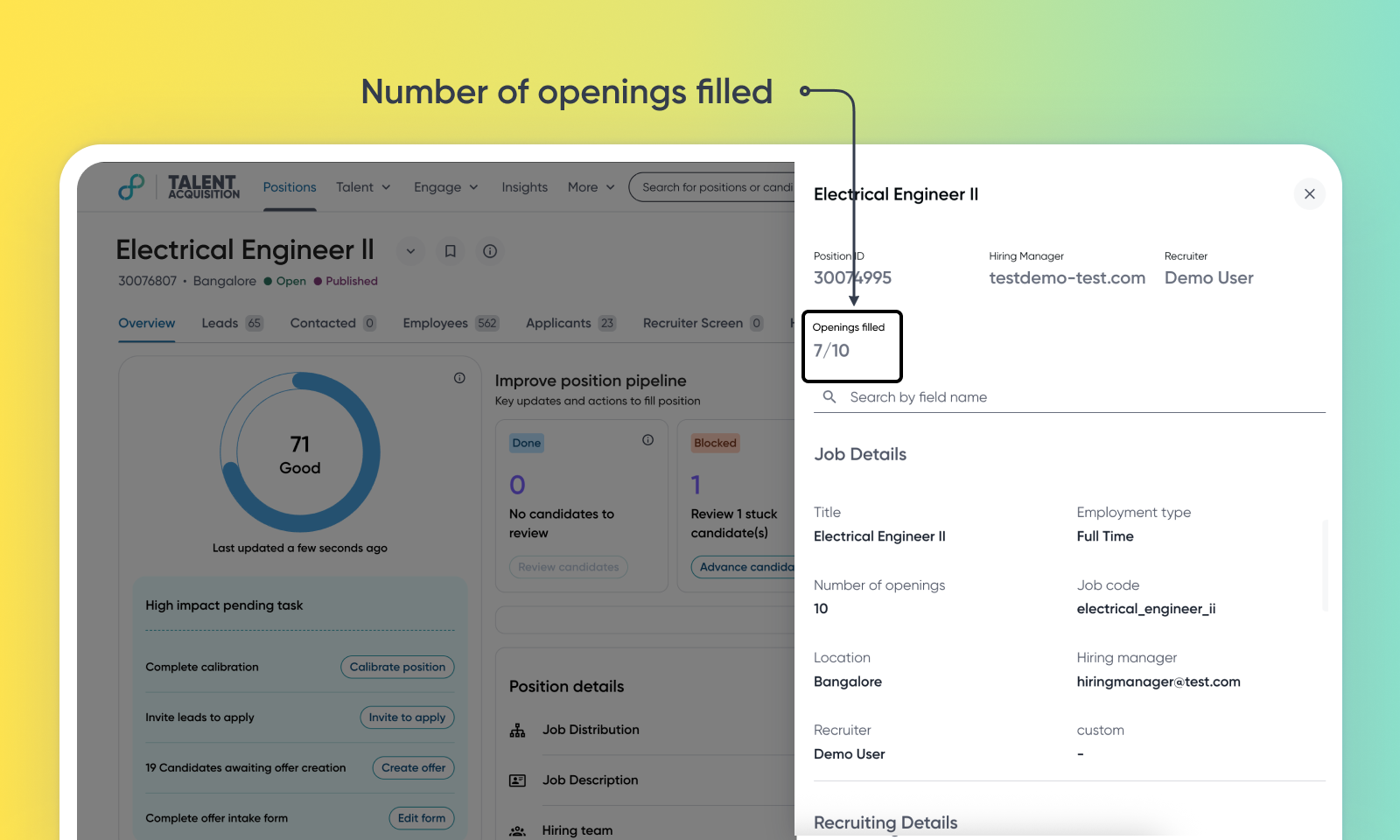
Req fields enhancement - Number of openings filled
Default on
Gain visibility into your hiring progress for roles with multiple openings. This feature automatically tracks and displays the number of vacancies filled against the total number of openings for a requisition.
Users
Talent Acquisition Users
Requirements
Only available for Talent Tracking users
Value
Recruiters and hiring managers lacked a real-time, automated way to track how many openings or vacancies have been filled for a requisition. This led to manual tracking, the potential for over-hiring, and inefficient pipeline management.
The position overview page now features an automatic 'Openings Filled' count. This metric tracks candidates who reach the final success stage, which is 'Hired' by default but is fully configurable based on your process. To maintain data integrity, a new validation prevents users from advancing more candidates to this final stage than the total number of openings for the position, handled by a separate independent configuration.
This feature provides at-a-glance hiring clarity, enhances recruiter efficiency, and safeguards against accidental over-hiring, improving overall time-to-fill metrics.
For more details on this feature, read View filled openings and manage hiring limits.
Impact on existing workflows
Additional hiring restriction is triggered when a candidate is moved to the "Hired" stage when restrict_hired_count_on_stage_advance in t3s_config is set to ‘true’, the system identifies this specific stage using the hired identifier within the ATS configuration (ats_config). For this feature to function correctly, ensure that the final hiring stage in your workflow is properly configured with this identifier. The system looks up this configuration to enforce the vacancy limit and block users from over-hiring. By default this is set as ‘false’ and the restriction is disabled. The restrict_hired_count_on_stage_advance setting in t3s_config can be found under Admin Console > Talent Tracking > Settings > Advanced > Schema.
A warning message may be displayed on the 'Edit Position' page if you’re trying to reduce the number of openings below the number of candidates who are already in the hired stage
Initial setup
This feature will be available to customers by default. Customers don't need to do anything to see this change in their Eightfold environment by the sandbox and GA dates.
