- DATE:
- AUTHOR:
- The Eightfold team
TA profile enhancements
WHAT'S INCLUDED
Multi-file upload — From the Files tab or the Add file panel, upload up to five files per action, each up to five megabytes; they appear in the profile's Files list. Resume upload stays single-file.
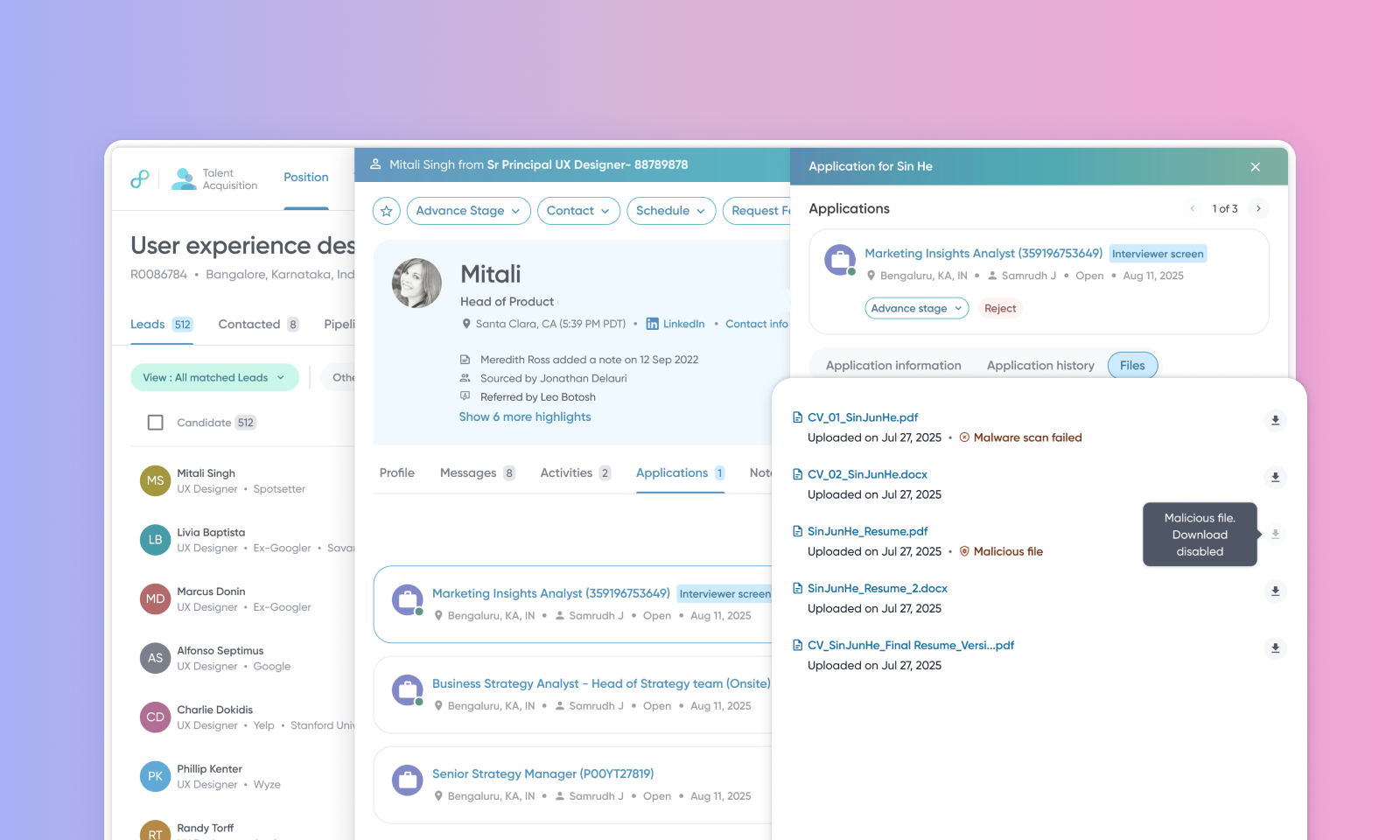
Malware scan status — Eightfold always scans uploaded candidate files for malware. Some upload flows now scan in the background instead of blocking the upload, and recruiters see a clear scan status for every file, with an upfront warning or block if one is flagged. A confirmed malicious file is quarantined and can't be downloaded.
WHY IT MATTERS
Add several supporting documents in one action instead of one at a time; existing file-type checks and malware scanning still apply per file.
Uploads for the affected flows no longer wait on a scan that used to block them.
Recruiters see whether a file is clean, pending, failed, or malicious — no more guessing — and a malicious file is quarantined immediately.
FEATURE DETAILS
Multi-file upload | Malware scan status | |
Who can access | Recruiters, Customer Admins | All TA users |
Feature type | Default On | Default On |
Requirements | Candidate profile edit and file upload access; multi-file upload enabled for your environment | None beyond your existing file-download permission |
GETTING STARTED
Admins: Both enhancements are available by default; users don’t have to configure anything in the Admin Console.
End users: On the profile Files tab or the Add file panel, select multiple files at once and upload them together — uploading a resume stays single-file. A malicious file shows as malicious and can't be downloaded; a pending or failed file shows its status and either warns before download or is blocked, depending on tenant policy.
