- DATE:
- AUTHOR:
- The Eightfold team
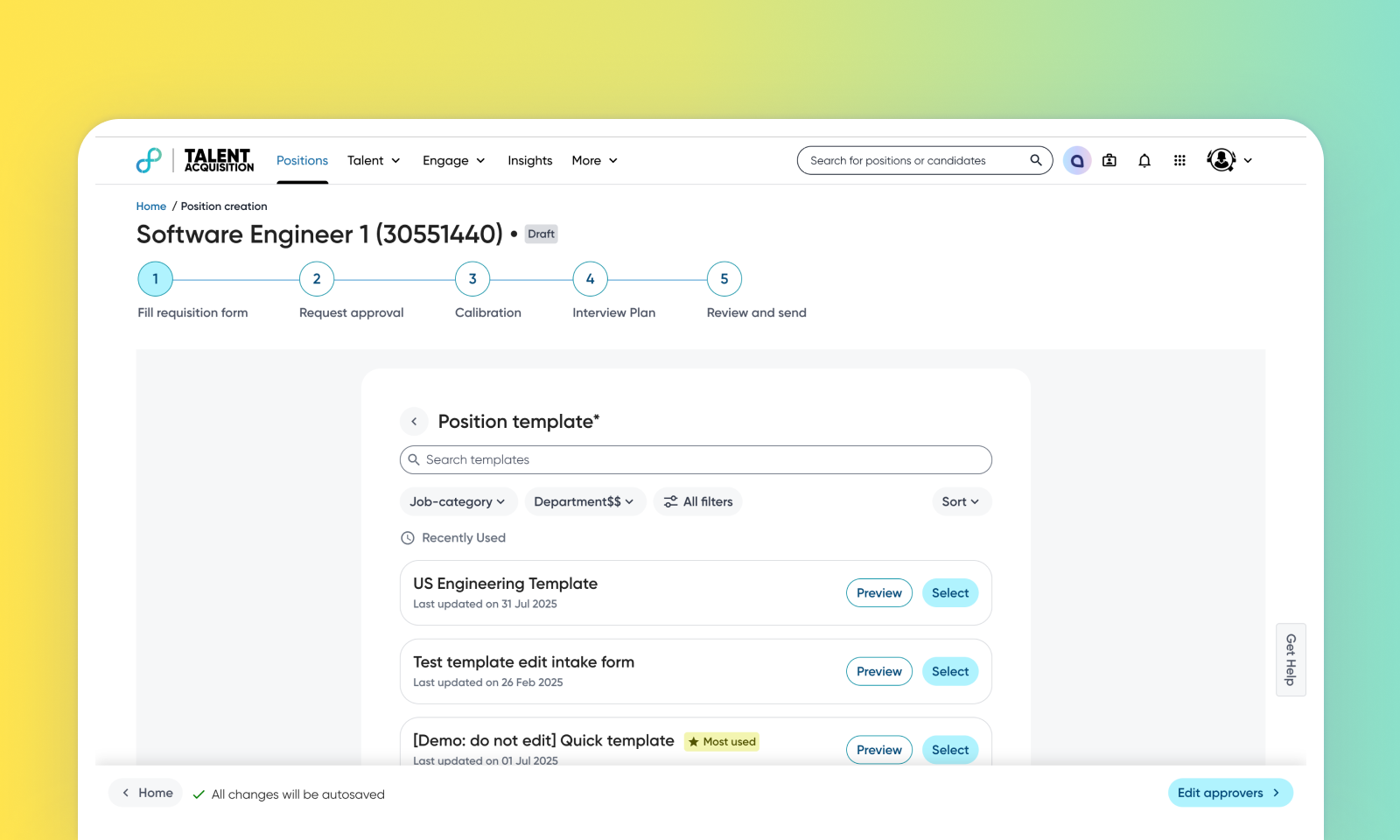
Template Filters
Default on
We have introduced an enhanced interface for selecting requisition and offer templates. Instead of a simple dropdown, users now have a dedicated screen with powerful search and filtering capabilities. This change makes it significantly faster and easier for users to accurately find and choose the correct template, reducing errors and improving efficiency.
Users
Recruiter, Manager, Admin
Requirements
This feature is available only for Talent Tracking.
Needs addressed
Users struggle to find the correct requisition or offer template from a long, undifferentiated list, making the process slow and error-prone.
Replaces the static dropdown with an interactive screen featuring search, filters (e.g., Department, Location), and informative template preview cards.
A recruiter filters by department and location to quickly find the correct offer template for a specific role, then previews and selects it with confidence.
Improves user productivity and reduces errors by making template selection faster and more accurate, enhancing the overall user experience.
Impact on existing workflows
The initial step of creating a requisition or offer is changed. Instead of a dropdown, users will now interact with the new template selection screen.
A "Change template" button is now available after a selection has been made. If a user switches from one template to another and the new template lacks fields that were present in the old one, a warning message will be displayed to prevent accidental data loss.
Templates will display according to the filters applied during template creation in Admin Console. When creating templates, make sure to assign them to appropriate categories so they appear when you select the corresponding filters.
Limitations
Only the templates used in the past 30 days will be visible in the Recently used section.
Initial setup
This feature will be available to customers by default. Customers don't need to do anything to see this change in their Eightfold environment by the sandbox and GA dates.
