- DATE:
- AUTHOR:
- The Eightfold team
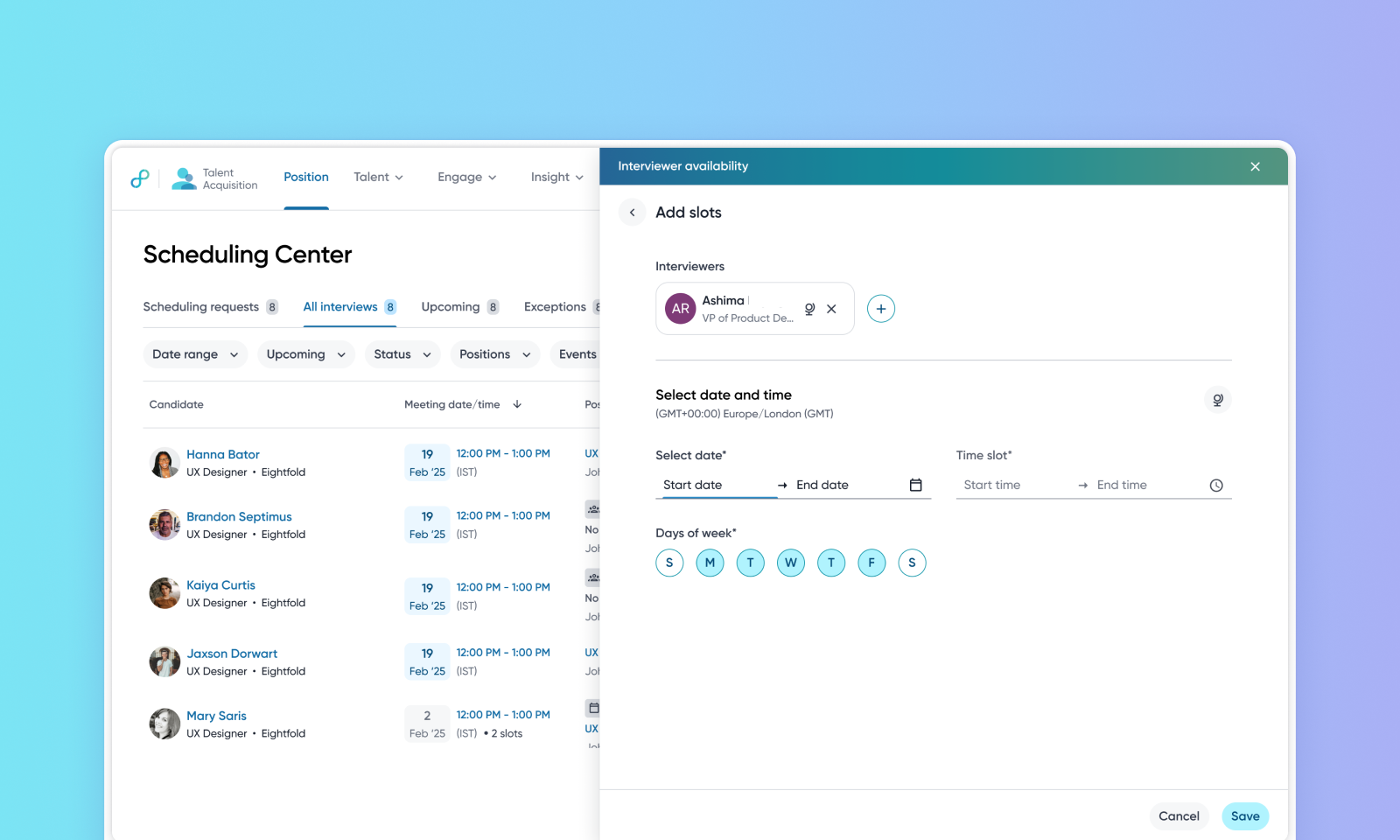
Additional Interviewer availability
WHAT'S INCLUDED
Interviewer calendars don't always show when someone's actually free to interview — time blocked for focus or other work hides real availability, so schedulers chase options by hand and candidates see fewer slots.
Additional interviewer availability closes that gap. Interviewers — or recruiters and schedulers on their behalf — can add one-time or recurring availability windows beyond an interviewer's standard calendar free/busy. Eightfold treats those windows as free, so more slots surface in recruiter-led scheduling and candidate self-scheduling. Existing meetings stay untouched, and each interviewer's scheduling preferences are still respected.
Manage it right where you schedule — the scheduling center, scheduling wizard, interview plan, and scheduling templates gain quick actions for adding and editing availability.
WHY IT MATTERS
Soft blocks like focus time or holds can be opened for interviews.
Executives and other high-demand interviewers can commit specific interview time amid their busy schedule.
Recruiters can open available time slots on behalf of interviewers, and interviewers can manage additional availability from their account section.
FEATURE DETAILS
Who can access | Recruiters, Interviewers, Schedulers |
Feature type | Default On |
Requirements | Eightfold Scheduling is in use. Also, Enhanced filtering and views within Scheduling Center should be enabled. |
GETTING STARTED
Admins: Configure how far in advance users can add availability, along with email notifications, calendar holds, and calendar hold content.
To know more, read Configure additional interviewer availability.
End users: A recruiter opens Interviewer availability from the Scheduling Center, scheduling wizard, interview plan, or the scheduling template, adds a recurring window, and those extra times appear as free slots. Interviewers can review the additional availability added on their behalf by a recruiter or scheduler from their Account page. They can also add or manage their own additional availability from the same place.
Candidates simply see more available times during self-scheduling.
To know more, read Additional interviewer availability.
