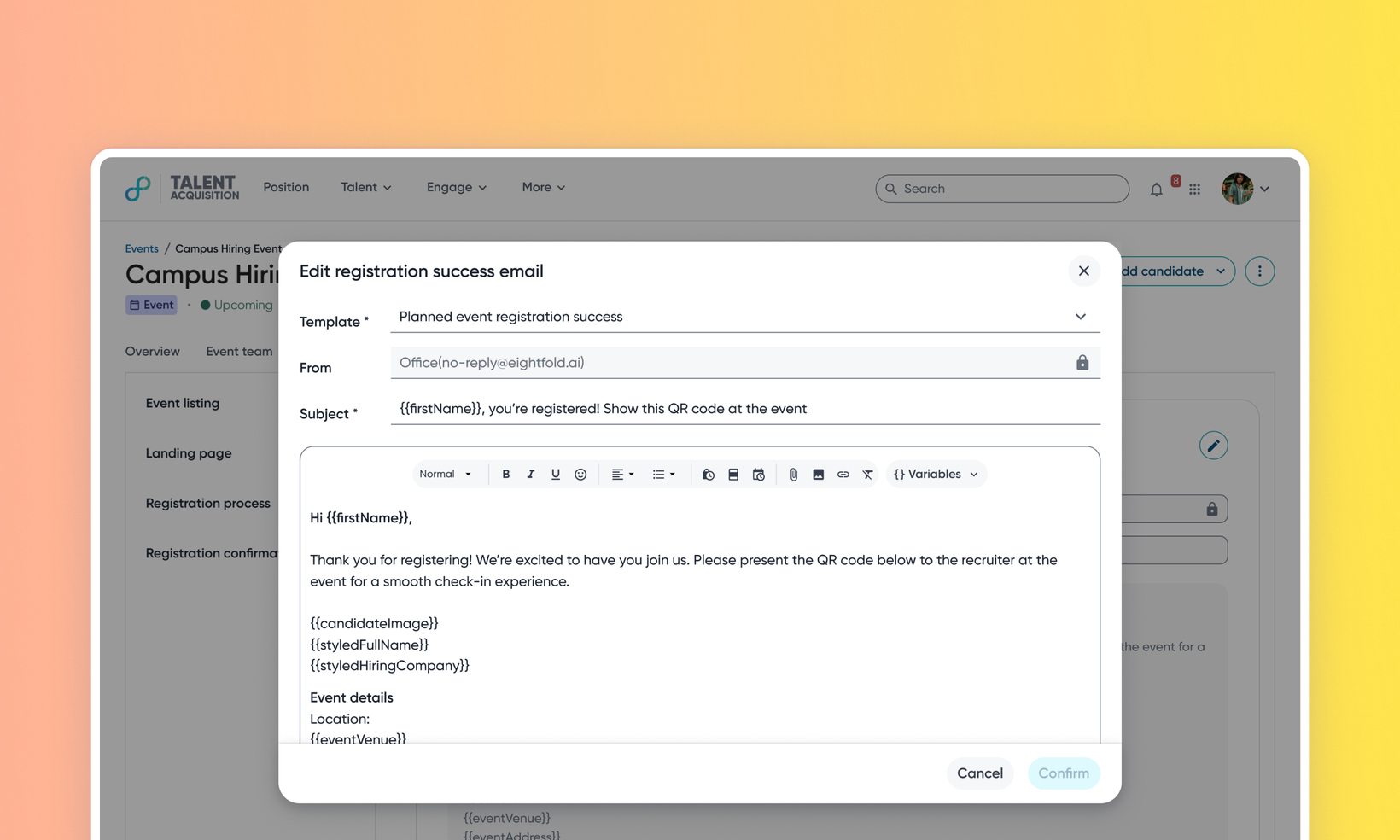
Inline editing of the Event Registration Success email
Default on
Who: Recruiters, Customer Admins, Event Planners
Requirements: Events 2.0 must be enabled
What's new: This release allows you to edit the Event Registration Success email directly within an event, removing the need to navigate to the global communication templates library. Previously, customizing the registration confirmation for an event required creating and managing a new template in the communication templates section and then linking it back to the event. This update brings the edit experience inline with the rest of the event setup workflow.
How it works: Go to the Landing Page tab of an event and click Edit page. You can use the ‘edit’ option from within the Registration success email preview section to edit the email. To know more, read Personalize your event registration emails.
