Increased flexibility in Event scheduling and status visibility
Default on
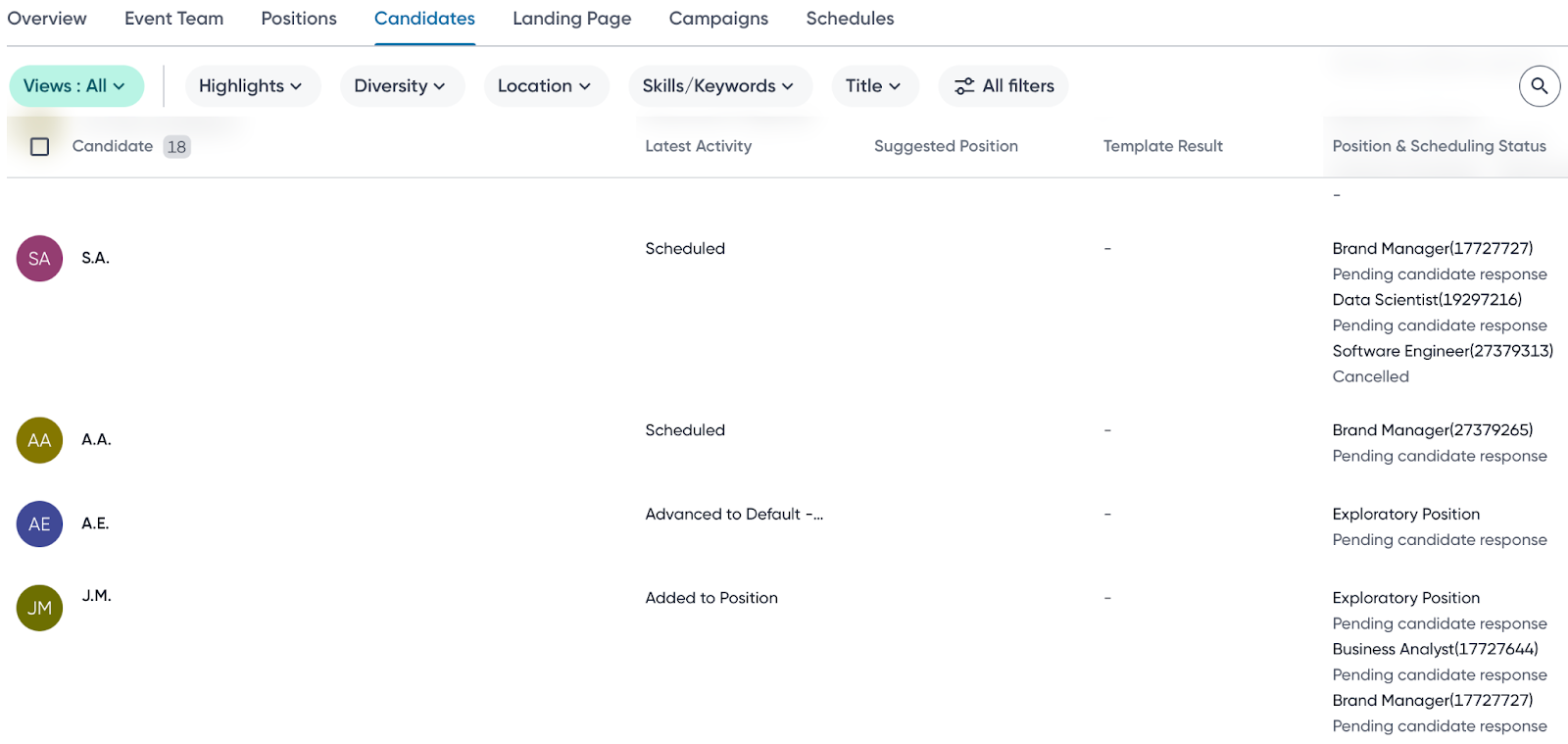
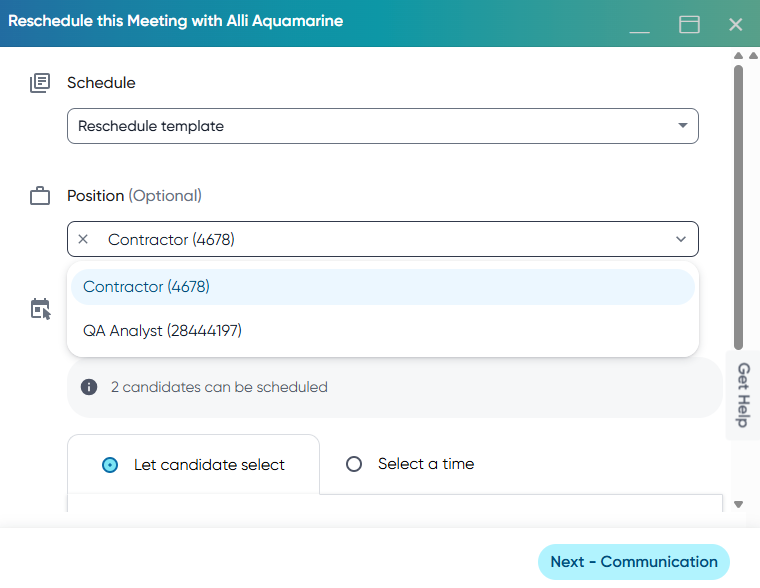
This feature introduces visibility for canceled scheduling activities directly within the Events workflow views, eliminating the need for schedulers to navigate to the Scheduling Center to view canceled meetings. Also, the rescheduling workflow now allows schedulers to change the schedule template and position when managing a candidate's meeting, which streamlines the end-to-end process of handling schedule changes.
Users
Recruiters, Schedulers, Event coordinators
Requirements
Events 2.0 should be enabled
Value
Event schedulers currently lack visibility for cancelled scheduling status in the Events workflow, leading to frequent switching between the Scheduling Center and Events to complete necessary rescheduling tasks. Additionally, the schedule and position selectors were disabled during event rescheduling, forcing schedulers to manually cancel a meeting and then create a new one across multiple pages to manage availability changes (for example, all slots occupied, interviewer drop-out, or candidate availability changes).
Now, when a meeting is canceled, the system updates the status to ‘Cancelled’ in the ‘Position and Scheduling Status’ column if the column is configured. To know more about how to configure the columns within an Events pipeline, read Customize Events home page.
The position is disabled if a meeting is rescheduled without changing the event schedule.
A scheduler can now:
View the ‘Cancelled’ status immediately in the Events workflow.
Use the ‘Scheduling Status’ filter (including Cancelled, Declined, Confirmed, and more) to quickly locate candidates requiring follow-up.
Reschedule the meeting with the candidate using the inline option (from Schedule Center, Live Slot Page, or Candidate Profile Meeting tab) and select a different schedule template or assign a new position within the same flow.
Impact on existing workflows
The reschedule button won't display after a meeting has been canceled from the scheduling center or the live slot page.
Initial setup
This feature will be available to customers by default. Customers don't need to do anything to see this change in their Eightfold environment by the sandbox and GA dates.
